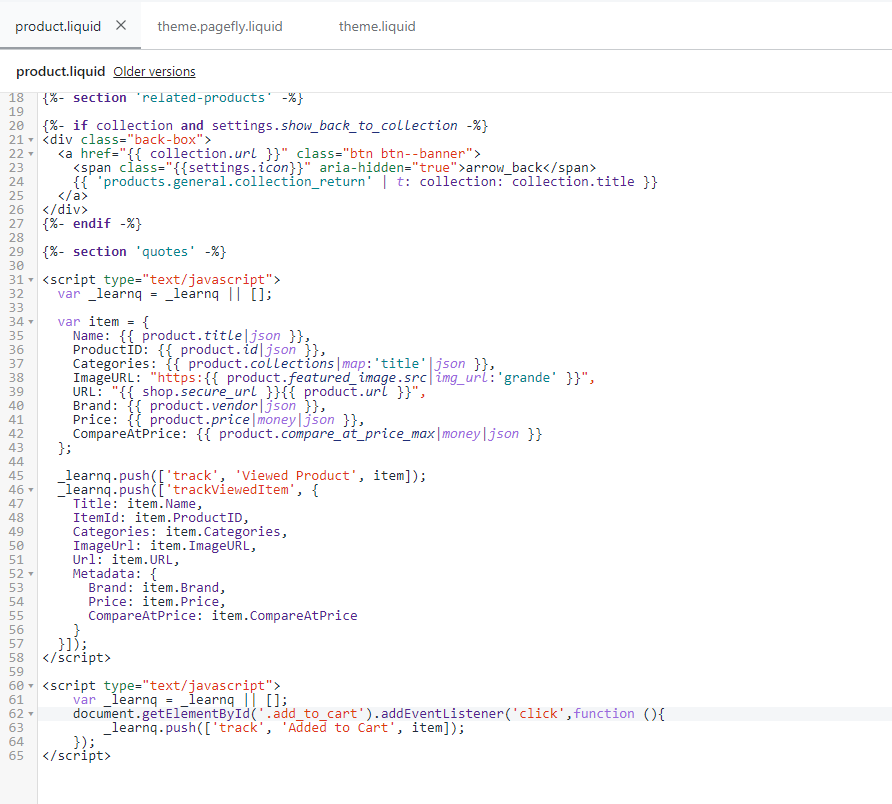
Hello @TZ210,
Thanks for sharing your question with the Klaviyo Community!
Assuming that the screenshot in blue is the code for your button, it appears your button is actually using a class notation as opposed to an ID which is why your add to cart code isn’t working.
I would recommend following the instructions found under the Alternate Code Snippet for "Add to Cart" Button without an ID subsection of the How to Create a Custom "Added to Cart" Event for Shopify article to properly implement the add to cart functionality. Since your button is using a class notation, you’ll actually need to adjust and use the below base code:
<script type="text/javascript">
  var _learnq = _learnq || [];
  var classname = document.getElementsByClassName("add-to-cart");
  var addToCart = function() {
  _learnq.push(['track', 'Added to Cart', item]);
  };   for (var i = 0; i < classname.length; i++) {
  classname[i].addEventListener('click', addToCart, false);
  }
  </script>
I’ve also included some other Community post below that may further guide you in this process:
I hope this helps!
David