Contributor I
June 19, 2024
Solved

Can't add variants of font - only one variant available.

  • June 19, 2024
  • 7 replies
  • 405 views

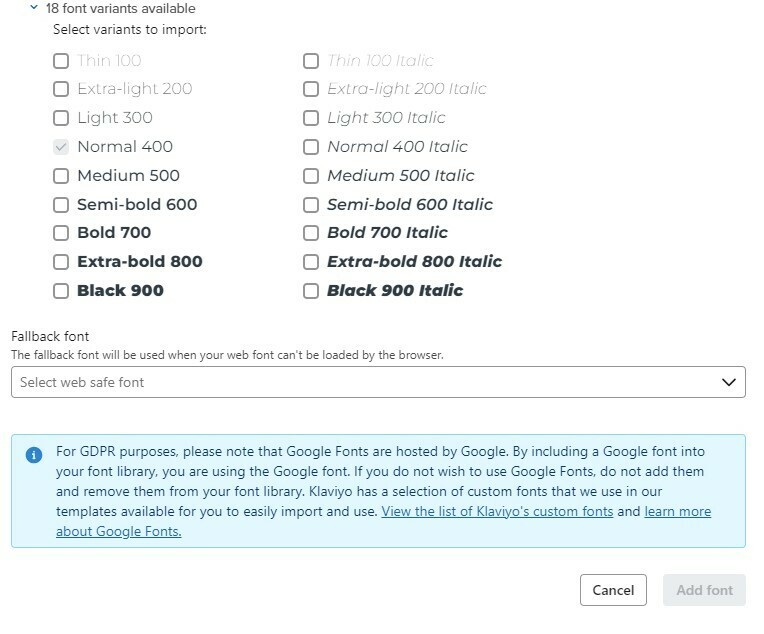
Hi there - I want to add ‘Montserrat’ to Klaviyo, so I chose Montserrat from the drop down list of Google fonts available. However when I chose this font I didn’t tick all of the variants on the checklist underneath. Now when I try and tick these the ‘Add font’ button is greyed out and I get an error message ‘A font with this name already exists’.


Montserrat is our company font so I really need all variants added, not just ‘Normal 400’! Can anyone help?


-Jess


    This topic has been closed for replies.
    Best answer by Maxbuzz

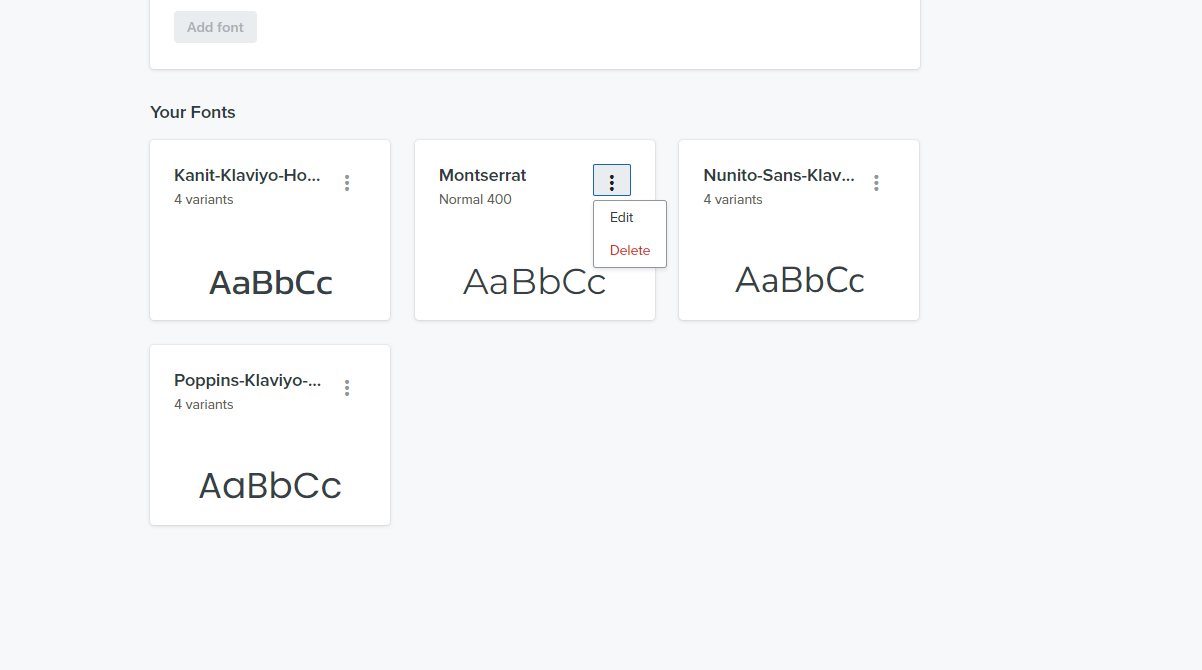
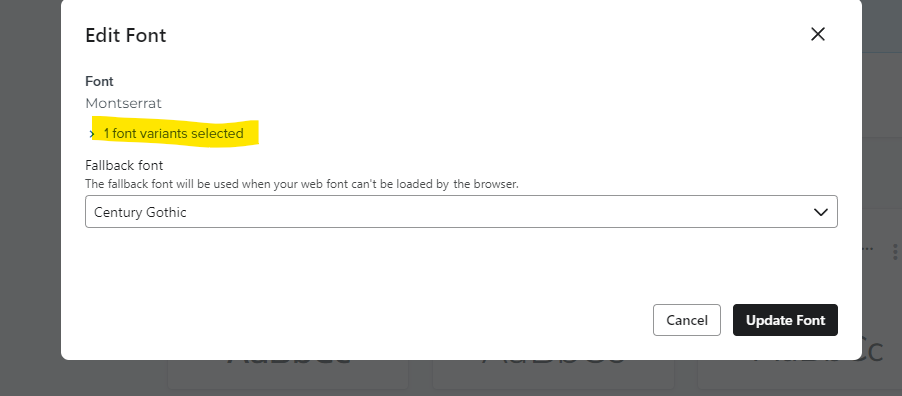
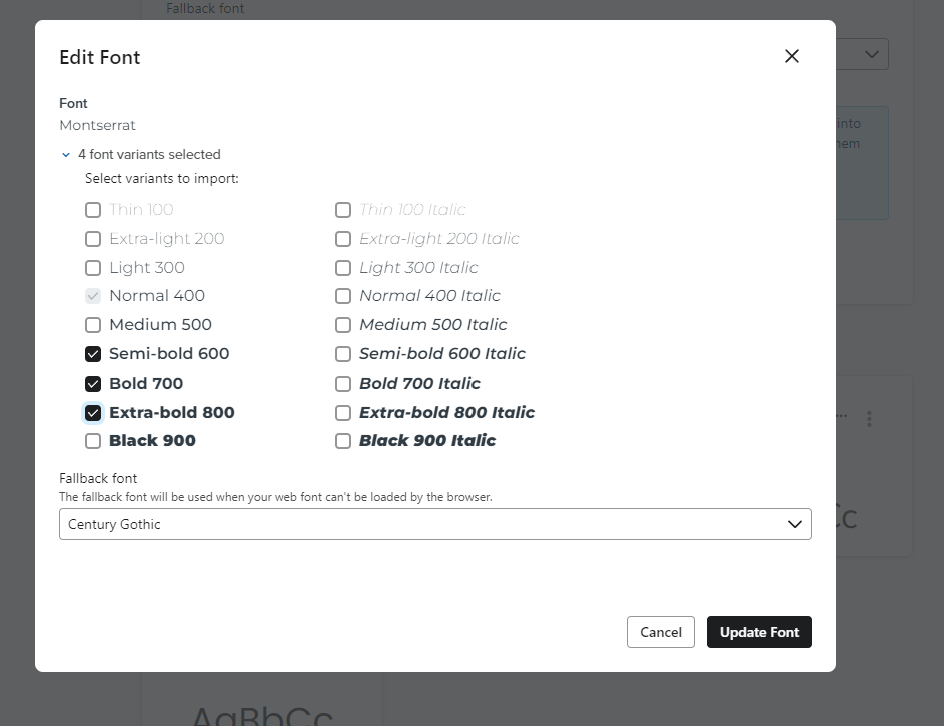
    Hello @Firpress  You can’t add the same font again.

    However you can edit the existing font and select the variant that you want


    7 replies

    KeviSunshine
    Expert Problem Solver III
    Expert Problem Solver III
    June 19, 2024

    Hi Jess,

    I’ve never added a custom font but I know we will have this requirement in the future and can imagine our marketing team running into the same issue as you.

    Are you able to delete the montserrat font from Klaviyo and add it back? That’s the only thing I can think of trying.


    Let me know.


    Best,

    Kevin.

    FirpressAuthor
    Contributor I
    June 19, 2024

    Hi Kevin, thanks for your response! I did think of this but can’t seem to find any way to remove a font once its been added? This issue is partially my fault for not ticking all the variant options initially, but I feel there should be some way to rectify this once already done! -Jess 

    Contributor I
    June 19, 2024

    Since the error says “A font with this name already exists”. Have you tried renaming your current font let’s say Montserrat-Test and add a new font and name it “Montserrat” only.

    FirpressAuthor
    Contributor I
    June 20, 2024

    Hi TechRenT - how do I rename a font?

    MaxbuzzAnswer
    Partner
    June 20, 2024

    Hello @Firpress  You can’t add the same font again.

    However you can edit the existing font and select the variant that you want


    https://theforms.pro
    Contributor I
    July 31, 2024

    What’s the path to edit font?

    Contributor I
    July 31, 2024

    What’s the path to edit font?

    Found it!


    Content > Images & Brand > Font