Hi @ThePublisher ,
Welcome to the Community!
You might find the Engagement Reports for lists & segments helpful to better understand how and when subscribers are engaging with your brand or making purchases.
To find the engagement report for a particular list or segment:
- Navigate to Audiences > Lists & Segments.
- Choose the list or segment you want to view the report for.
- If you've chosen a list, click the Reports dropdown and select Engagement Report.
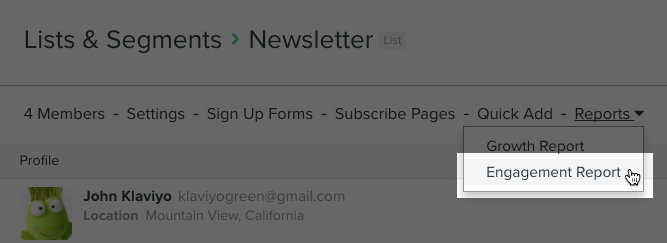
- If you've chosen a segment, click Engagement Report next to the Edit Definition tab.

When you use this feature for the first time, you will be prompted to generate the report. These reports are based on average open rates and how long a profile has been in your account. The time your report takes to generate will depend on the size of your list or segment. Once generated, your report will look similar to the following example.
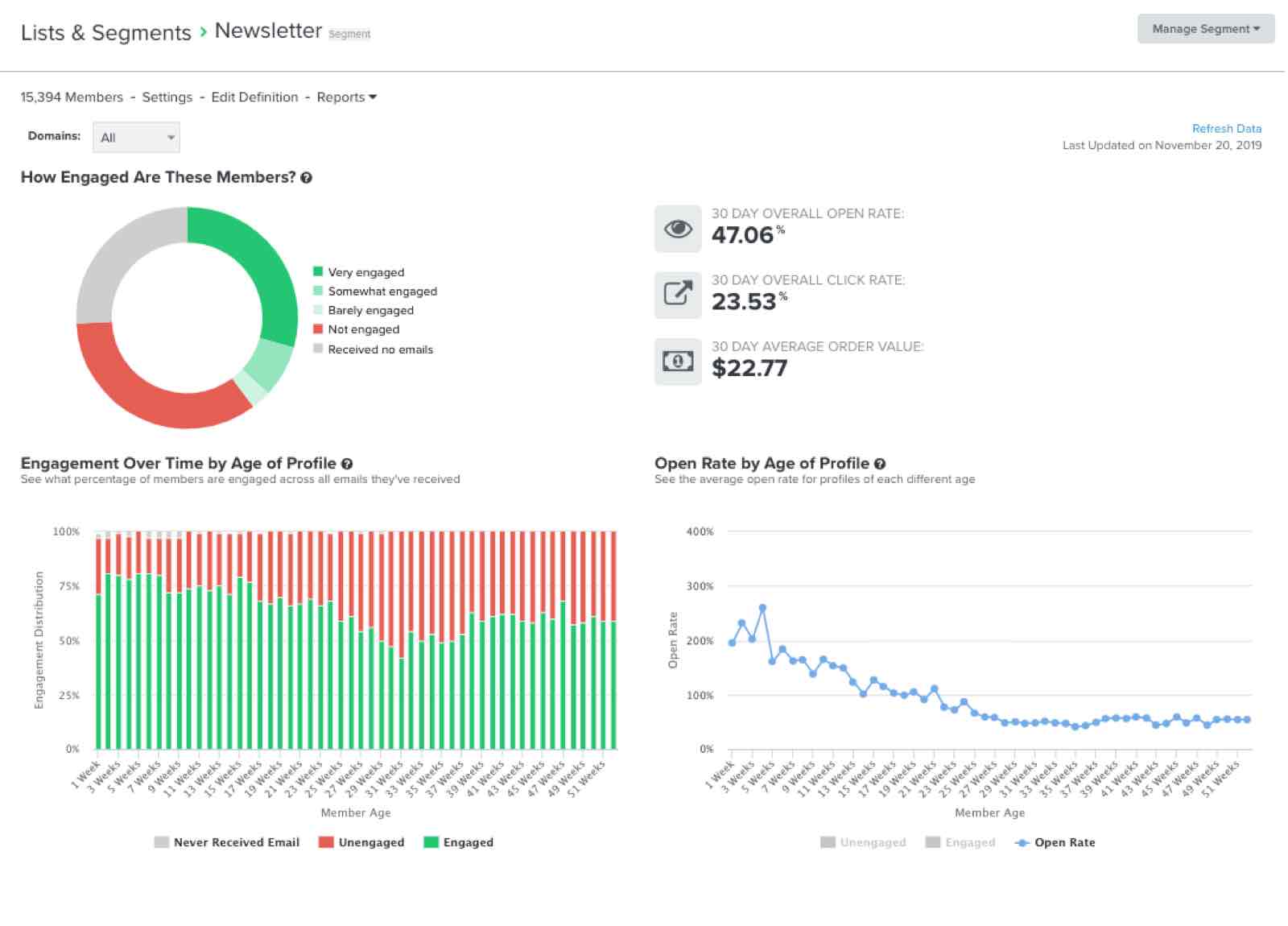
This report will show the last 30 days worth of data. If you are looking for a most custom solution that gives you a 7-day view, there was a great suggestion offered by a Community user in this thread:
The Best Answer here also suggests creating a Multi-Metric Report to compare subscribes to purchases.
--
Hope this helps!
-- Ashley Ismailovski
Ashley Ismailovski, Klaviyo Champion & Director of Email Marketing at SmartSites https://www.smartsites.com/