Contributor I
August 29, 2024
Solved

Apply properties to all new subscribers

  • August 29, 2024
  • 1 reply
  • 83 views

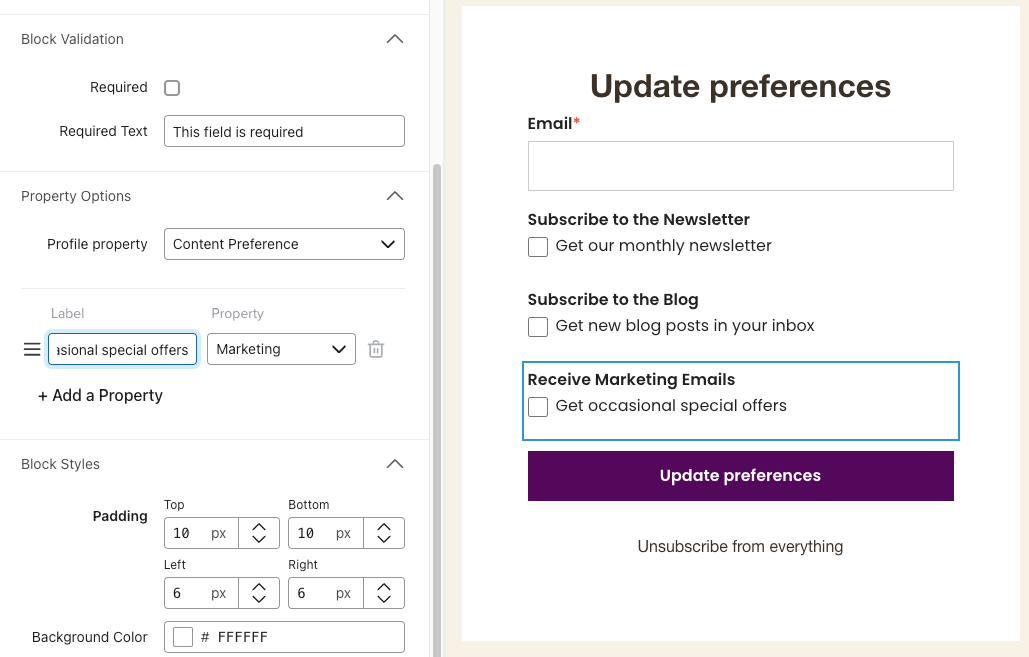
I’m creating segments based on my Preferences page to allow people to customize their preferences, to hopefully decrease unsubscribe rate. 

I have 3 properties: Newsletter, Blog, and Marketing. 

  • I want Newsletter and Marketing to be “opt-out” i.e. all subscribers are signed up by default. 
  • But I want Blog to be “opt-in”, i.e. people have to sign up for it in addition. 

I am planning to export my entire subscriber list to retroactively add Newsletter and Marketing properties to all existing subscribers (they knew they were signing up for this so it’s legit). 

My question is: is there a way to automatically add these 2 properties to all new subscribers I get in the future? 


Or would it be easier to frame these preferences in the negative, e.g. “Opt out of marketing emails” and then anyone with that property doesn’t get that type of email? 

    This topic has been closed for replies.
    Best answer by ArpitBanjara

    Hey @John Ela 

    If you want to add a custom property or update the property of a profile, then you can create a flow in klaviyo triggered by the list they are going to go after they submit the form.

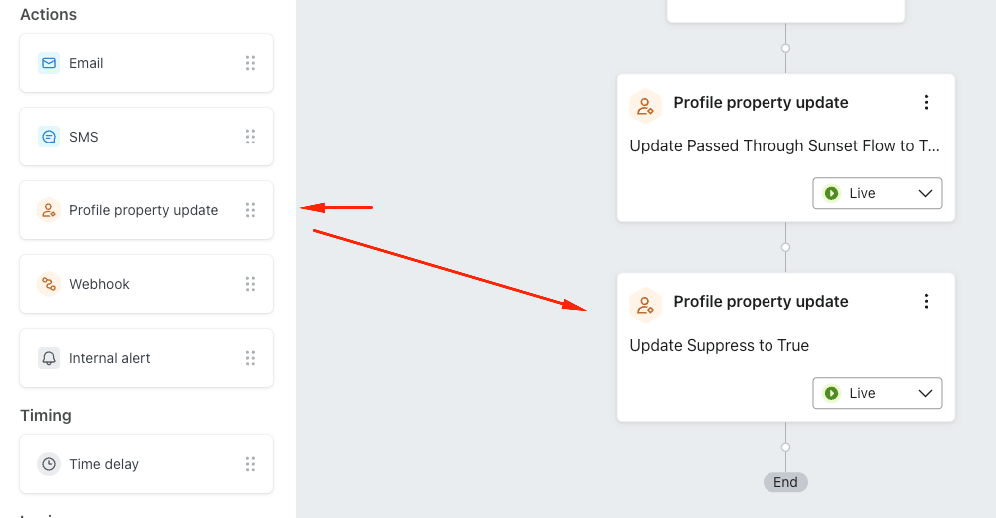
    in the flow all you need to do is drag and drop ‘profile property update’ and select the property you want to update. something like the below

    if you want to add two properties, then drag another below (also shown in the above screenshot). This way you will automate that process. 

    I hope this helps and thank you for being part of this community.

    Cheers

    Arpit

    1 reply

    ArpitBanjara
    Principal User II
    Principal User II
    September 3, 2024

    Hey @John Ela 

    If you want to add a custom property or update the property of a profile, then you can create a flow in klaviyo triggered by the list they are going to go after they submit the form.

    in the flow all you need to do is drag and drop ‘profile property update’ and select the property you want to update. something like the below

    if you want to add two properties, then drag another below (also shown in the above screenshot). This way you will automate that process. 

    I hope this helps and thank you for being part of this community.

    Cheers

    Arpit

    Arpit Banjara - Lead Email Marketing Specialist at Flowium