


Contributor I
February 27, 2022
Solved

Back In Stock Button Styling

  • February 27, 2022
  • 3 replies
  • 833 views

Hi, 

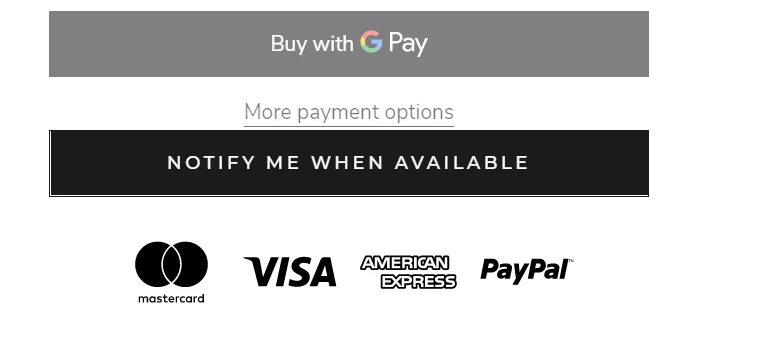
I have added the back in stock button to my site and customised it to fit my theme, but I need to add a little bit of space above the button as it’s too close to “more payment options”. 

Does anybody know how to do this please? 

It’s the Prestige theme if that information is needed - screenshot below.


Thanks in advance!

    This topic has been closed for replies.
    Best answer by StirlingKlav

    I worked it out myself. For anyone who has a similar issue in the future, add the following code to your theme.css 

    a.klaviyo-bis-trigger {
        margin-top: 15px !important;
    }

    3 replies

    StirlingKlavAuthorAnswer
    Contributor I
    February 27, 2022

    I worked it out myself. For anyone who has a similar issue in the future, add the following code to your theme.css 

    a.klaviyo-bis-trigger {
        margin-top: 15px !important;
    }

    David To
    Klaviyo Employee
    Klaviyo Employee
    February 28, 2022

    Hey @StirlingKlav,

    So glad you were able to find a solution and thank you for sharing it with the Community! I’m sure this will help other Community members who may be wondering the same thing!

    Thanks for being a part of the Klaviyo Community!

    David

    Contributor I
    December 29, 2022

    Hi @StirlingKlav

    Can you share your JavaScript snippet of customizing the button to fit your theme? I am using the warehouse theme also from Maestrooo, and I found the JavaScript snippet that provided by klaviyo cannot show as button. 


    Thank you!