


Contributor III
June 4, 2024
Solved

black background on dynamic table images

  • June 4, 2024
  • 6 replies
  • 168 views

Hello, 


Just wondering if someone here might know how to fix this? 


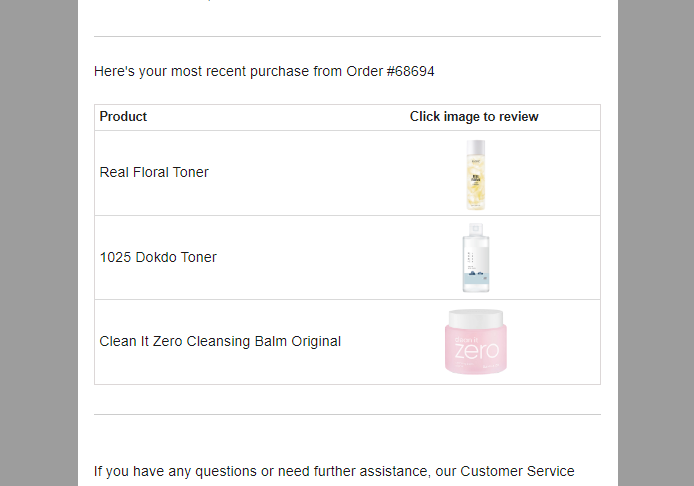
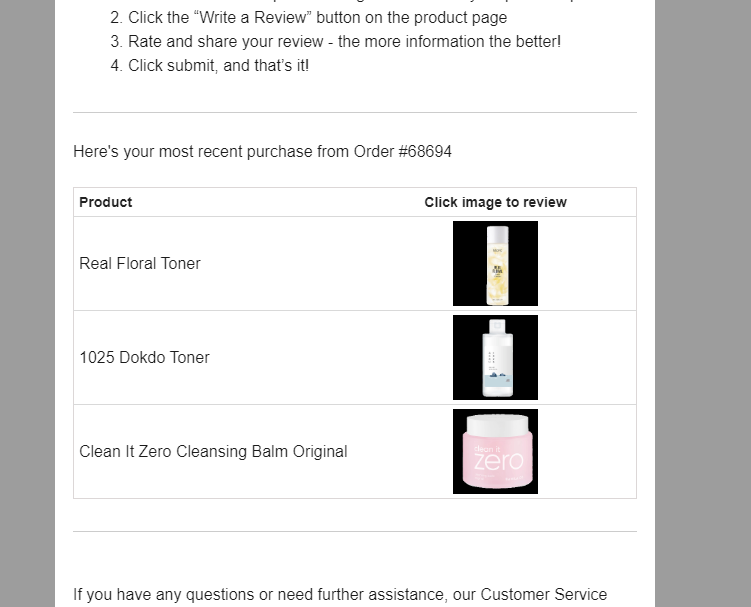
I have added a dynamic table to add images from woocommerce. It works well but when i send a test email the image background becomes black. But when i preview it, then there is no problem…

Thank you !!

Preview


Test email
 

    This topic has been closed for replies.
    Best answer by Maxbuzz

    Hello @SkinSeoul  The only option is to change these images on your website

    6 replies

    Taylor Tarpley
    Community Manager
    Community Manager
    June 11, 2024

    Hi there @SkinSeoul


    Thanks for sharing your question with us, happy to help!


    Do you mind sharing if the file  format of these images are webp: ? In my experience, this can happen if the imags have this type of file format as gmail converts webp to jpg, which doesn't support transparency, and applies a black background by default.


    To rectify this, convert the images to PNGs! 


    Hope this helps!

    -Taylor 

    SkinSeoulAuthor
    Contributor III
    June 11, 2024

    thank you very much for your help! i will check and see if that works….

    SkinSeoulAuthor
    Contributor III
    June 11, 2024

    I have confirmed it is all webp images, which we prefer as it allows for faster site speed.


    But Actually i was testing a few other emails and it doesn’t consistently turn the images into black background. Some, as you see here are still white/transparent. 

    Any ideas about other root causes?


    Thank you so much!


    Partner
    June 11, 2024

    Hello @SkinSeoul 


    I just checked the images on your website and looks the images appearing with black background are using transparent background however the other are using white background and this is why they are appearing like this.

    Here are examples:


    https://theforms.pro
    SkinSeoulAuthor
    Contributor III
    June 11, 2024

    Right, understood. Is there any way within klaviyo to add some code which converts these images from webp to png so that when it renders on gmail it is not appearing black?

    I don’t want to convert any images manually to png or change all my site images to png as it will impact site performance. 

    MaxbuzzAnswer
    Partner
    June 11, 2024

    Hello @SkinSeoul  The only option is to change these images on your website

    https://theforms.pro