Contributor I
Feb 12, 2024 7:52 PM UTC
Solved

Can you limit the number of items shown in a Dyanmic Image Block?

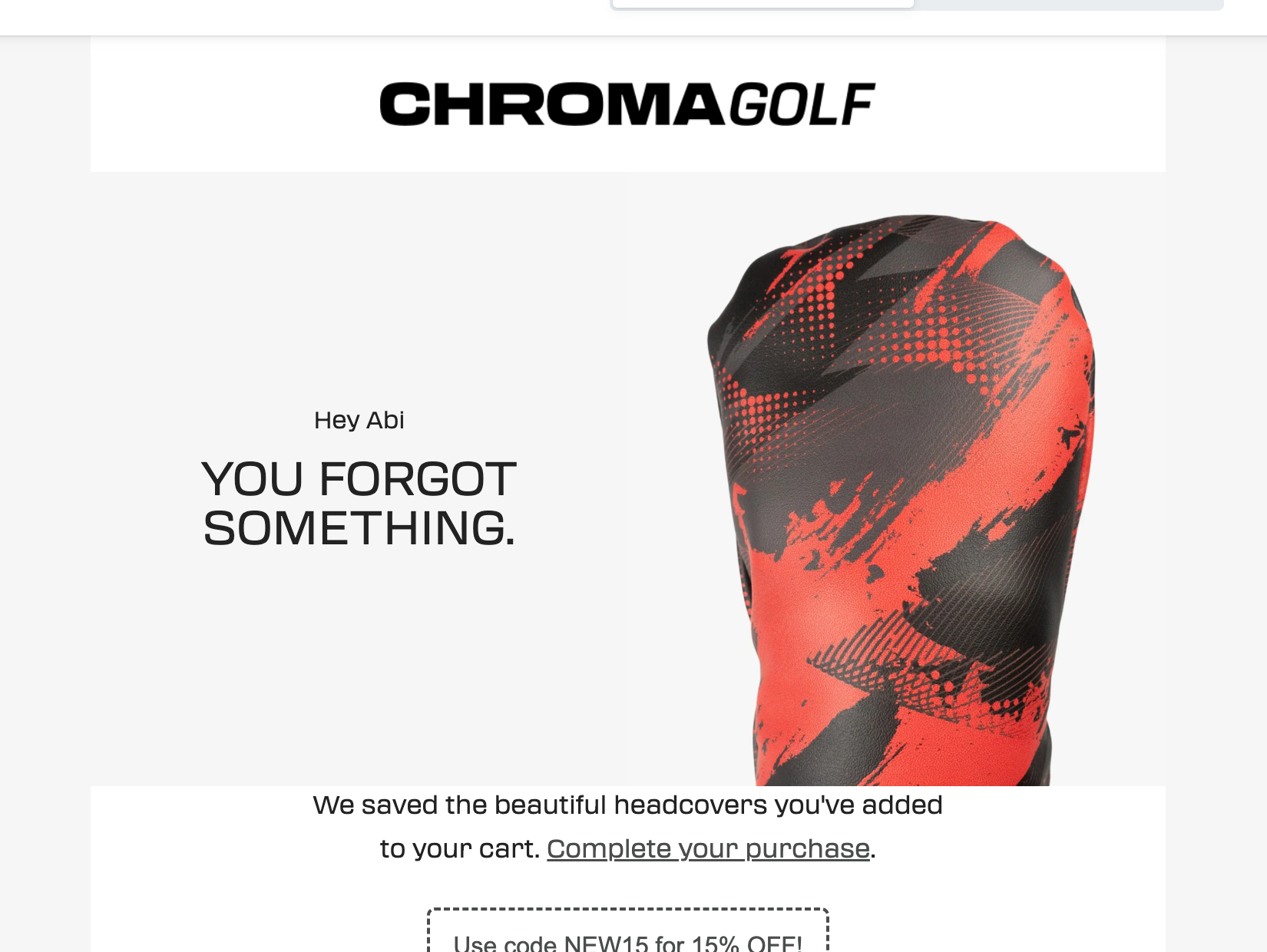
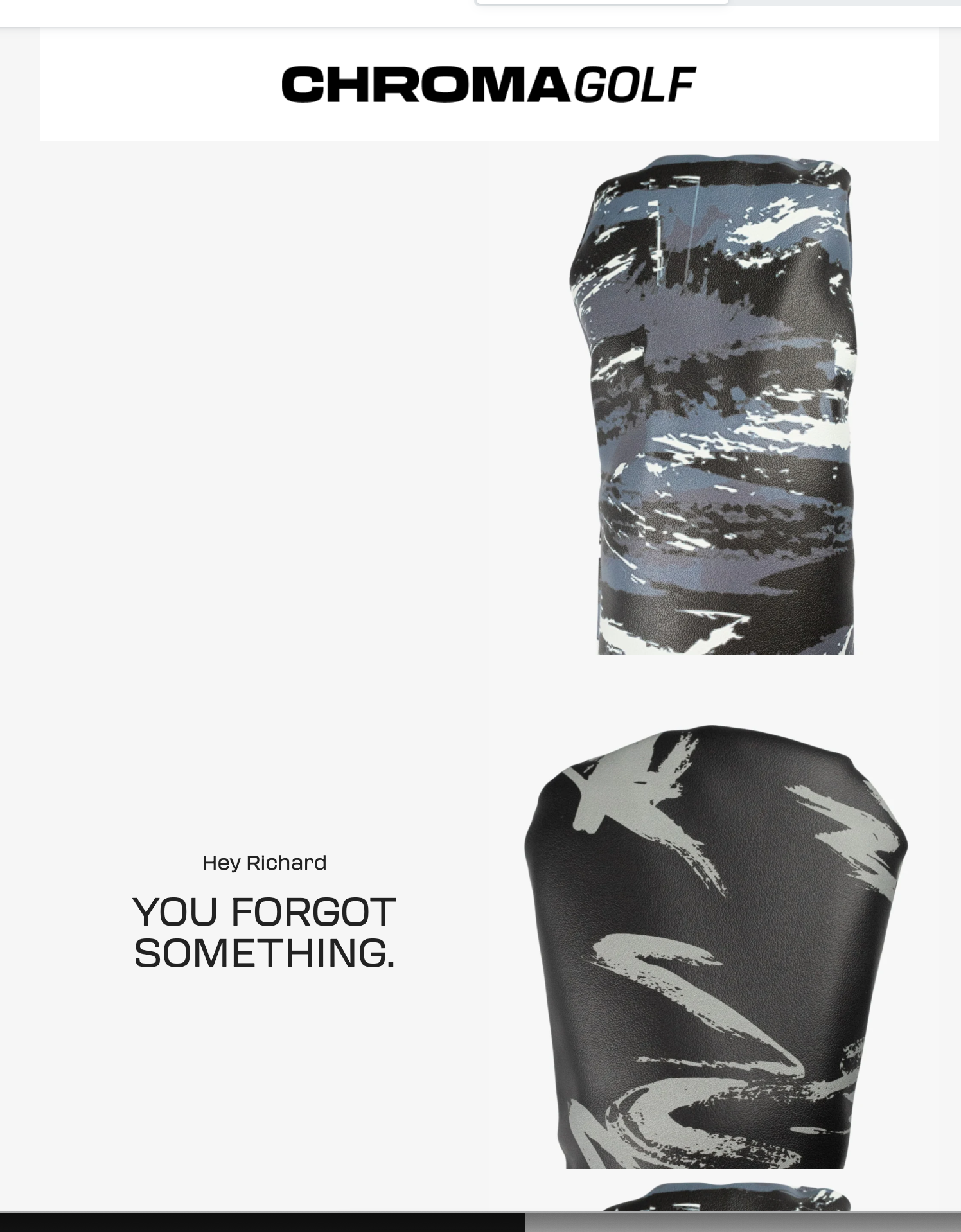
I’m looking to include one of my product images in a header bar for my abandoned cart flowl I want ONE of the products they had in their cart to display at the top. I’m currently using the Dynamic Image block (See below). It looks great when there is only one product in the cart, but for carts with more than one,  I only want to show ONE of the images, not all. Any help?
 

{% if item.product.variant.images.1.src %}{{item.product.variant.images.1.src}}{%else%}{{item.product.images.1.src|missing_product_image}}{%endif%}


    This topic has been closed for replies.
    bluesnapper
    Champion & Partner
    Feb 13, 2024 1:04 PM UTC

    Welcome to the community @CHROMA 

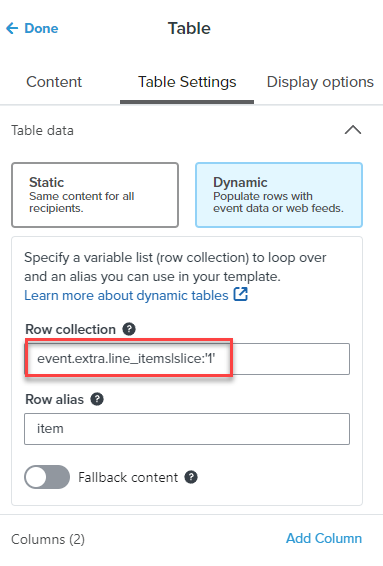
    I’d do this using a dynamic table with the row collection as event.extra.line_items|slice:'1' (see below)

    The slice function will limit the product array iteration to 1 loop, so only the first product will be displayed in your header

    Hope that helps

    Andy


    https://bluesnapper.com - Klaviyo Champion '24 & Partner

    2 replies

    bluesnapper
    Partner
    Champion & Partner
    Feb 13, 2024 1:04 PM UTC

    Welcome to the community @CHROMA 

    I’d do this using a dynamic table with the row collection as event.extra.line_items|slice:'1' (see below)

    The slice function will limit the product array iteration to 1 loop, so only the first product will be displayed in your header

    Hope that helps

    Andy


    https://bluesnapper.com - Klaviyo Champion '24 & Partner
    CHROMAAuthor
    Contributor I
    Feb 13, 2024 5:17 PM UTC

    Life saver thank you so much!