Contributor I
August 7, 2024
Solved

Century Gothic as fallback

  • August 7, 2024
  • 1 reply
  • 162 views

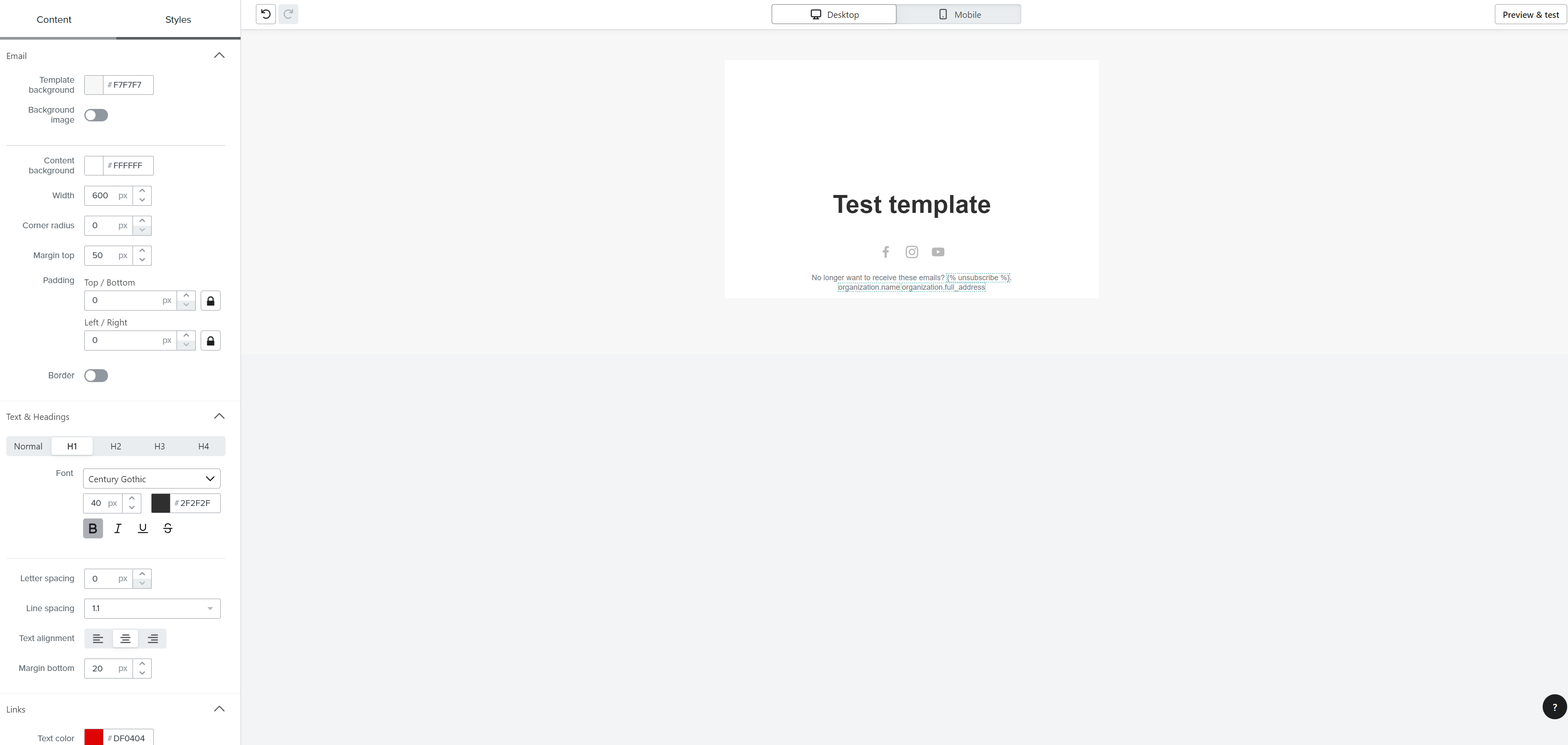
Hi, I am using centrury gothic as fallback font. But it seems the century gothic font I know is not rendered as it is. 

Even if i tried selecting century gothic as my main font it is showing different font style. is this really the century gothic font on Klaviyo? or is there something I need to do to render the “century gothic” font? 


Note: Test template text is the H1. on source code it is <h1>Test template</h1>
 

    This topic has been closed for replies.
    Best answer by chloe.strange

    Hi @airalingat

    Another community member had a similar issue, I’ve included the thread below. Basically if you create a template, and use a custom font, and then you make changes to the font under your "Images & Brand" tab, it may not update in your template because it's cached with the old fallback font. If you re-select the fonts again in the templates and emails that should “refresh” the system. I will relay this feedback to our product team. I hope this helps!

    ~Chloe

    1 reply

    chloe.strange
    Community Manager
    Community Manager
    August 20, 2024

    Hi @airalingat

    Another community member had a similar issue, I’ve included the thread below. Basically if you create a template, and use a custom font, and then you make changes to the font under your "Images & Brand" tab, it may not update in your template because it's cached with the old fallback font. If you re-select the fonts again in the templates and emails that should “refresh” the system. I will relay this feedback to our product team. I hope this helps!

    ~Chloe