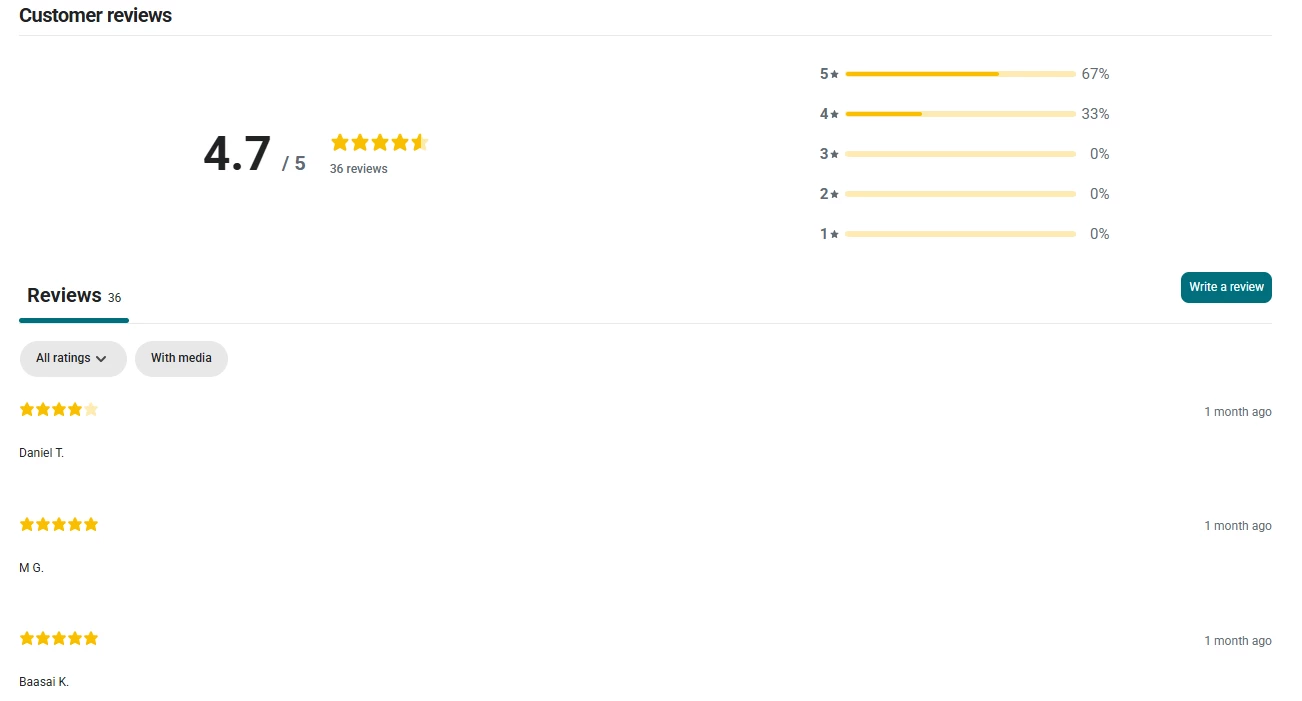
Hey @PaulG, this is a really common situation when migrating reviews, so you are definitely not alone.
Short answer first: Klaviyo Reviews does not currently have a built in toggle to collapse the Write a review section by default. To get the behavior you want, you will need a small amount of theme customization.
Here are a few practical options that usually work well.
First option. Hide or collapse the Write a review form with CSS and a simple toggle
You can hide the review form by default using CSS, then reveal it when a customer clicks a button or link. Most teams wrap the Klaviyo reviews block inside an accordion or details element that already exists in their theme. This keeps everything clean and avoids changing the Klaviyo widget itself.
At a high level, the approach is:
-
Hide the form section with CSS on page load
-
Add a “Write a review” button above it
-
Use a small bit of JavaScript or your theme’s accordion logic to toggle visibility
If you are already using collapsible sections for FAQs or product details, this is usually the easiest path.
Second option. Only show reviews with written content
If the star only reviews are what make the section feel awkward, you can filter the visible reviews to only show those with text. This can be done with CSS by hiding review items that do not contain a review body, or with JavaScript if you want more control.
This lets you keep the overall reviews section visible while avoiding a long list of empty looking reviews.
Third option. Improve things going forward
Once you are live with Klaviyo Reviews, make sure review text is required for new submissions. That will not fix historical reviews, but it will quickly improve the section as new reviews come in. You can also encourage written reviews in your review request emails by setting expectations clearly.
What I usually recommend
In most replatform projects, the cleanest solution is wrapping the Klaviyo reviews block in a theme accordion and collapsing it by default. That gives customers control without making the page feel unfinished, and it avoids deep customization of the widget itself.
So yes, this does require some light custom CSS and possibly a small JavaScript toggle, but nothing too heavy or risky.
If you want, feel free to share what platform or theme you are on and I can suggest a more specific implementation approach.