


When I save the template I get Invalid Syntax error.
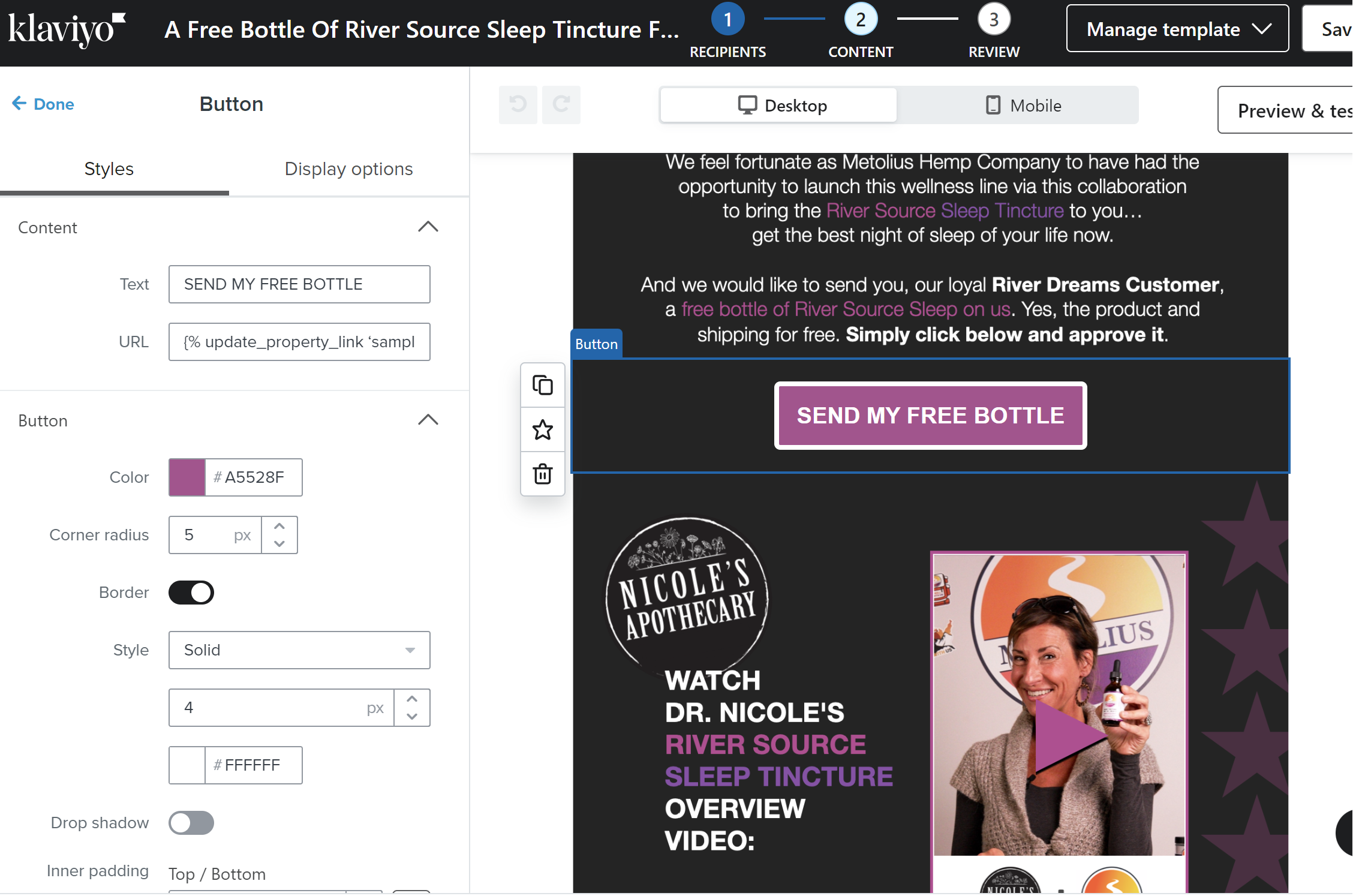
I’ve read the other posts with similar issue but the answers all point to Page Note Found in the knowledgebase.
Best answer by Bobi N.
@davidmu
It may not be it but just to be sure remove _ from sample_requested and make it sample requested instead.. if that is not fixing it then I would suggest checking the ‘’ and make sure you are using the exact same ones as klaviyo suggest in their article. If the problem is not one of these 2 then honestly I don’t know what can be the problem..
Thanks for hopping in here @Bobi N. Bobi with your troubleshooting suggestions!
@Bobi N. is right, whenever adding code into a tempalte, you need to be meticulous and make sure there is not missing or additional spaces or letters as that will render the code unsuccessful!
I would investigate your website URL, it seems that there is an extra ‘t’ and the ‘https://’ is missing the ‘s’.
Thanks for the responses. Yes, I noticed and fixed the ‘t’. My problem ended up being I had curved quotes instead of straight quotes.
Search saves time. Contributing compounds value.
The ROI of your reply? One helpful answer can support dozens of teams, build your credibility, sharpen your own expertise over time, foster connectivity, and create good karma – because what goes around comes around. The community is what YOU make it.