


Contributor I
December 4, 2023
Solved

Having trouble editing my flows...?

  • December 4, 2023
  • 14 replies
  • 509 views

Hey Guys, 
I’ve been trying to edit my flows and templates. For example: Either by adding in a time block or trying to input a picture into a template.

However, I am unable to drag anything into the actual template/flow. I’m not sure if it’s a software issue or (more likely) a me issue. 

What am i missing? 

Picture for reference:
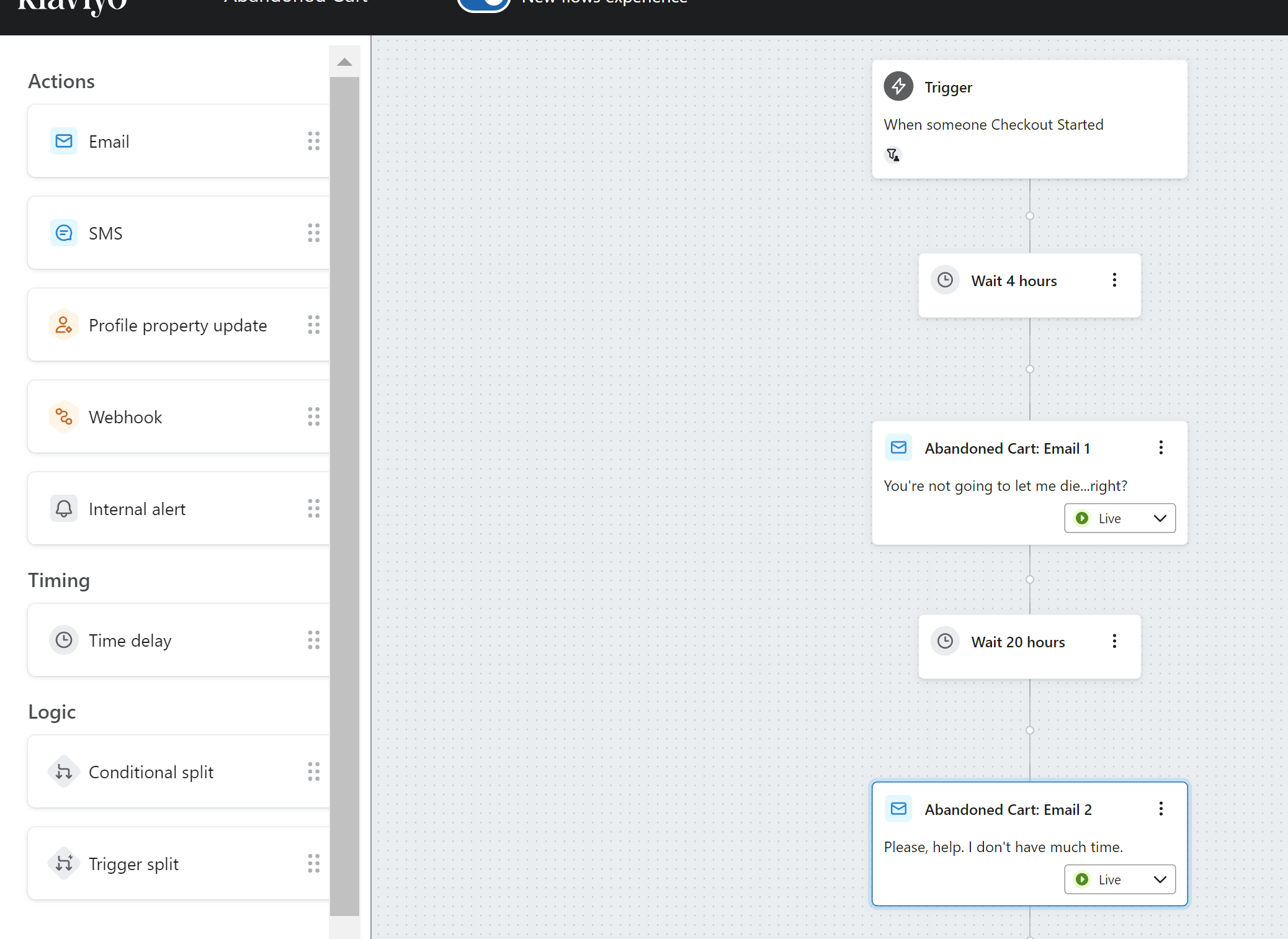
 THANK YOU!


Best answer by Kylie W

Hi @samres 

Echoing @stephen.trumble those are generally the steps to take. Sometimes cookies need to be cleared and they can ‘funk’ with the product.

However since you have mentioned this has not worked and it sounds like you need to make some changes now, I would suggest using the old version of the Flows UI. You can change back to this by toggling the button at the very top with the blue background (I can see it at the very top, left side of the screenshot). Hopefully this will allow you to make the changes needed in the meantime.

Kylie

14 replies

Contributor I
February 28, 2025

It sounds like you might be facing a drag-and-drop issue with your templates or flow editor. I also face such issue with my website. My issue was rsolved by following below mentioned steps:

  1. Browser Compatibility: Ensure you're using an up-to-date browser, as some older versions may have issues with drag-and-drop functionality.

  2. Disable Extensions: Sometimes, browser extensions (like ad blockers) can interfere with drag-and-drop features. Try disabling them or using an incognito window.

  3. Clear Cache: If your browser’s cache is full or outdated, it could cause issues. Try clearing your cache and reloading the page.

  4. Software Settings: Double-check that your editor is in the correct mode for adding content (e.g., editing mode instead of preview mode).

  5. Permissions: Ensure the platform or software you're using has the necessary permissions enabled (e.g., drag-and-drop functionality isn’t restricted).

If none of these solve it, the issue might be with the software itself. You could try restarting the platform or contacting support.

Contributor IV
February 28, 2025

I also have the same question. I'm trying to edit my flows and templates, but I can't drag elements like time blocks or images into them. Not sure if it's a software issue or something I'm missing. Did anyone find a solution for this? This reminds me of a similar issue in CapCut, where users sometimes struggle with dragging and arranging clips or effects on the timeline due to UI glitches or performance hiccup.. In CapCut, simple fixes like clearing cache, restarting the app, or adjusting system settings often help restore smooth editing.

Thanks for the detailed response! I tried a few of your suggestions, including using incognito mode, resetting the zoom, and clearing my cache, but I'm still unable to drag elements into my flows and templates. I also checked my permissions, and I have full editing access.

I'll check Klaviyo's status page to see if there's an ongoing issue, but in the meantime, is there anything else I can try? Could this be related to a specific browser extension or a known bug? Let me know if there are any other troubleshooting steps I should take. Thanks again for your help!

I have fixed this issue Thanks

Contributor I
September 30, 2025

Experiencing similar issues with editing flows. Clearing cache and cookies, refreshing the page, and verifying account permissions have been helpful troubleshooting steps. If the problem persists, consider reaching out to Klaviyo support for further assistance. Appreciate the shared insights in this thread.

Contributor I
August 13, 2026

I had a similar issue when working with online tools and templates. One thing I’ve found useful is checking the numbers after making changes; for example, using a výpočet percent tool to quickly compare performance before and after an update. Hope you managed to get the editor working!