Contributor I
August 6, 2023
Solved

How to add a CTA button to a text box

  • August 6, 2023
  • 4 replies
  • 3353 views

Please help me add a button to the text half of an existing split section in my email. See attached screenshot. Thank you!

    This topic has been closed for replies.
    Best answer by Kylie W

    Hi @DianeV 

    Welcome to the Klaviyo Community and thank you for your question!

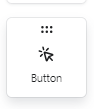
    Looks like your screenshot did not attach to the posting, but if you have a section and want to add a button (CTA or other) you can simply drag the Button feature across to the position you want. 

    This won’t nestle inside the Text section, but will be positioned below or above depending on where you release it.

    If you can please send a screenshot, I may be able to assist further if this is not of assistance.

    Kylie

    4 replies

    Kylie W
    Partner - Silver
    Kylie WAnswer
    Champion & Partner
    August 6, 2023

    Hi @DianeV 

    Welcome to the Klaviyo Community and thank you for your question!

    Looks like your screenshot did not attach to the posting, but if you have a section and want to add a button (CTA or other) you can simply drag the Button feature across to the position you want. 

    This won’t nestle inside the Text section, but will be positioned below or above depending on where you release it.

    If you can please send a screenshot, I may be able to assist further if this is not of assistance.

    Kylie

    Berridge Strategy Group, Your eCommerce Partner - eCommerce results, without the Complexity | Klaviyo Partner & 2024 Klaviyo Community Champion | www.berridgestrategy.com
    DianeVAuthor
    Contributor I
    August 7, 2023

    Thanks for your answer. I was afraid that was the case. Actually, I styled it enough that it sits nicely under. 

    Omar
    Partner - Platinum
    2025 Champion
    August 7, 2023

    @DianeV 'Just adding to what @Kylie W mentioned, if you'd like to create/add an HTML button in a text block you'll need to switch to HTML to get that done.


    Good thing is there are tons of resources and generators out there to help you create your own buttons. 

    You could even have ChatGPT write the code for it.

    Online button generator: https://buttons.cm/

    If you want to go in depth check this Litmus article


    Don't forget to test it in various email clients (Outlook in particular)


    Hope this helps.


    Omar Lovert // Polaris Growth // Klaviyo Master Platinum Partner

    We help with e-commerce growth through CRO, Klaviyo and CVO

    Helping E-commerce brands maximize Lifetime Value & Profits with Klaviyo, CRO & CVO - Get your free Audit - https://link.polarisgrowth.com/free-audit
    DianeVAuthor
    Contributor I
    August 7, 2023

    Thank you so much for your help!