



How to add additional field, such as First Name and Last Name in Back in Stock form?
Hi team,
I have implemented the Back in Stock in my Shopify store.
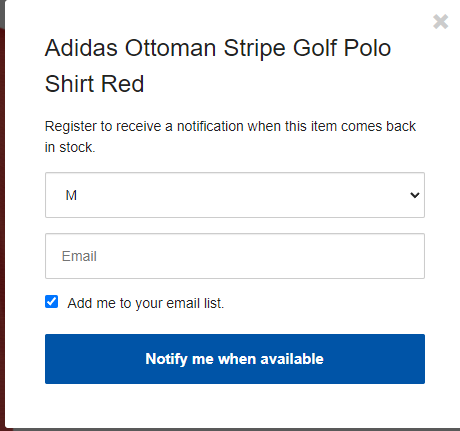
However, I would like users to be able to enter their first name and last name as well.
It seems I can add html in the body_content like this:
body_content: `
Register to receive a notification when this item comes back in stock.
<div>
<label for="name">Name:</label>
<input type="text" id="name" name="name" placeholder="Enter your name">
</div>
<div>
<label for="email">Email:</label>
<input type="email" id="email" name="email" placeholder="Enter your email">
</div>
`,
However, I could not figure out how to send the values of the two fields when submit.
For Sign-up forms, i can created customized fields and get their ids.
Is there any APIs i can use?
Could you please advise me how should I do it please?
Besides, the Add me to your email list seems not working properly.
My list structure is:

It should have name, email and etc.
But in the Back in stock form only has an email field.
I have tried many time and it failed to record info into my list.
Could you please help?
Thank you.