


Active Contributor I
November 2, 2021
Solved

How to double check product links are working in Browse Abandonment Flow?

  • November 2, 2021
  • 12 replies
  • 1025 views

Hello, 

I’ve just set up a Browse Abandonment Flow using the Klaviyo template for this. I’m ready to go live but I wanted to double check the links are going to work. I’ve tested it in the Preview but when I click on the product link it goes to a 404 page. I presume this is because it’s not live? Or are my links broken?


This is what I’ve done…
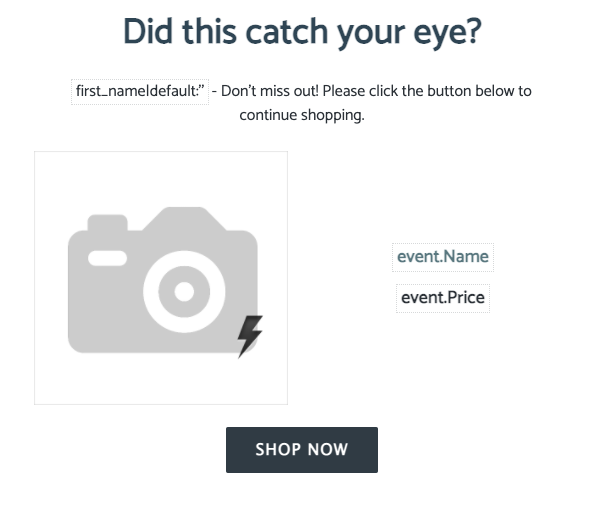
 

Here’s the code of the image:
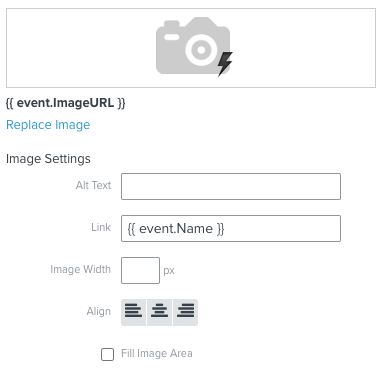
Is that Link URL correct? I’m guessing that might be the issue. Any ideas what URL should be there?


And for the text:
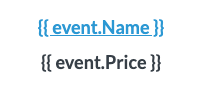
Code is:

<p style="text-align: center;"><a href="http://{{ event.Name }}"><strong><span style="font-size:18px;">{{ event.Name }}</span></strong></a></p>

<p style="text-align: center;"><strong style="text-align: center;"><span style="font-size: 18px;">{{ event.Price }}</span></strong></p>
 

And the button:

Code is:
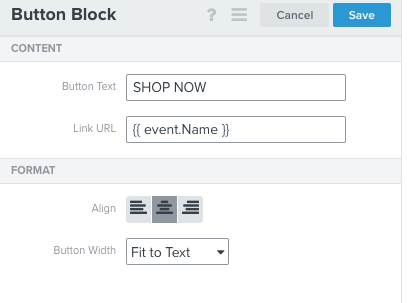
Do I need to update my links?


Thanks very much for your help. 


Jin :blush:

This topic has been closed for replies.
Best answer by stephen.trumble

Hey @Jin 

After some further investigation and conversation with the Klaviyo Community team I realized I missed the main issue with your dynamic table block. The Link URL you are using is {{ event.Name }} which would actually just pull in www.PRODUCT_NAME.com . that's gonna be the core issue. Steps three through five of the guide to dynamic table blocks will help you identify the Collection and add dynamic product information from that collection to use the proper syntax. Hope this helps clarify things more for you and my apologies for missing this earlier! 

12 replies

stephen.trumble
Klaviyo Alum
March 2, 2022

Hey @kara123 

Thank you so much for following up on this thread! Quick question for you, how do you have your product catalog set up? are there multiple variations of the same item? are the organized by SKUs or product names? Sometimes the event variable needs to be changed if there are alot of products sharing the same name as the system doesn't know which one to pull unless we are more specific.

-Stephen
Malachi McG
Active Contributor I
March 6, 2022

Hi Stephen, related question….

For the “recommended” product feed at the bottom of the Browse email (where we recommend “other best sellers”), is there a way for that Catalogue Feed to automatically NOT include the product that they viewed? If I have my feed to show most popular product, and they viewed the most popular product, they are getting the main product block of what they viewed, and the first image in the recommended is of the same product. Any suggestions are much appreciated!
