Contributor I
August 2, 2024
Solved

How to sync user’s email preference and subscribe, unsubscribe status to our own custom software platform.

  • August 2, 2024
  • 1 reply
  • 157 views

Hi,

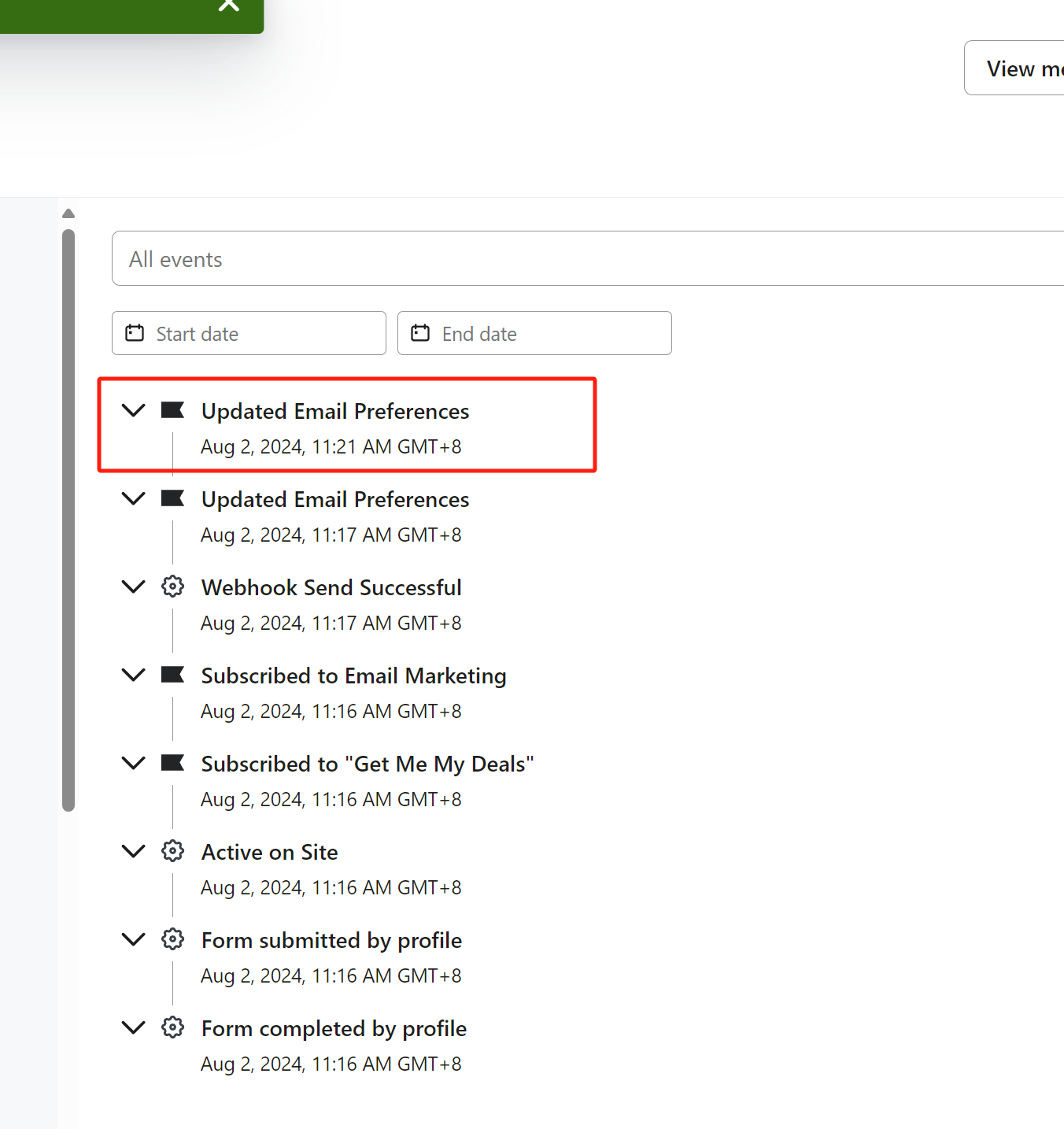
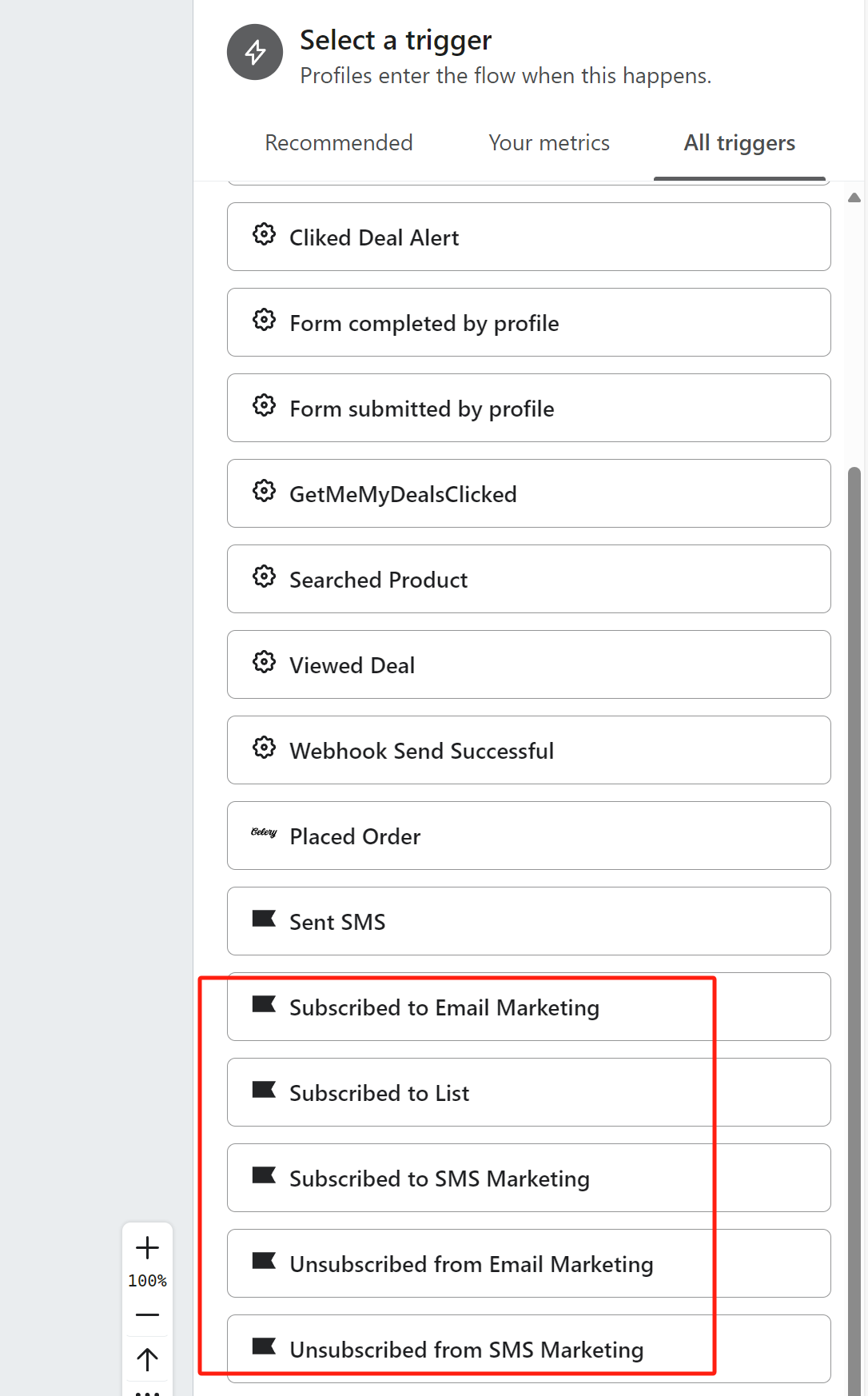
We use klaviyo in our own custom software platform. And we want to sync user’s email preference, updated email perference, and subscribe, unsubscribe status to our own custom software platform. Currently I find Klaviyo’s Flow could send a webhook actions to our own system. I can find Updated Email Preferences event in a Profile, but I found there is no Updated Email Preferences trigger in Klaviyo’s flow. Any other suggestion can do this sync work? Thx


    This topic has been closed for replies.
    Best answer by ArpitBanjara

    Hey @Jason5680 

    Maybe this will work, maybe it wont, but we wont know until we try, so here is what I suggest you try

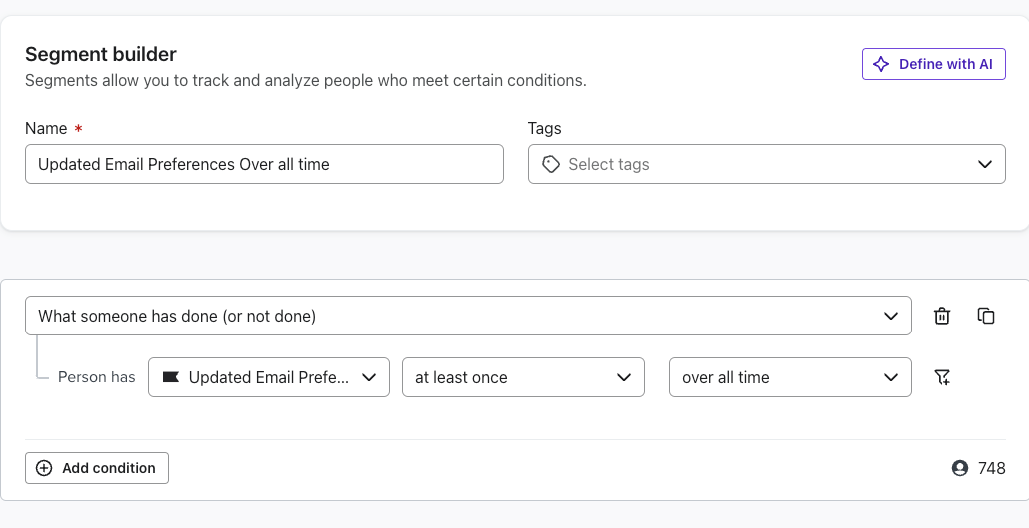
    I would first suggest creating a segment in Klaviyo based on ‘Updated email preferences’

    • Now setup a flow which will be triggered by this segment
    • add a webhook action to send the relevant data to your custom software platform.

    Webhook setup:

    • Set up an endpoint in your custom software platform that will receive the webhook data from Klaviyo. 
    • In klaviyo flow - choose "Webhook" and enter the URL of your custom endpoint. Map the relevant data to be sent in the webhook payload. 

    I hope this helps

    Cheers

    Arpit

    1 reply

    ArpitBanjara
    Principal User II
    Principal User II
    August 2, 2024

    Hey @Jason5680 

    Maybe this will work, maybe it wont, but we wont know until we try, so here is what I suggest you try

    I would first suggest creating a segment in Klaviyo based on ‘Updated email preferences’

    • Now setup a flow which will be triggered by this segment
    • add a webhook action to send the relevant data to your custom software platform.

    Webhook setup:

    • Set up an endpoint in your custom software platform that will receive the webhook data from Klaviyo. 
    • In klaviyo flow - choose "Webhook" and enter the URL of your custom endpoint. Map the relevant data to be sent in the webhook payload. 

    I hope this helps

    Cheers

    Arpit

    Arpit Banjara - Lead Email Marketing Specialist at Flowium