October 15, 2021
Solved

Multi Step Form

  • October 15, 2021
  • 4 replies
  • 444 views

I created a multi-step form today.  1st form is an email opt-in.  2nd form is SMS opt-in.  And then success/confirmation message.

When you say “no thank” to the 2nd form SMS opt-in, the form just disappears and nothing else happens.  There’s no success/confirmation message.  Is there a way to get that message?  Currently, it will only display that message when the SMS opt-in is filled out.    

This topic has been closed for replies.
Best answer by Mailbox Manny

Hi Vanni!


How about hacking it this way:

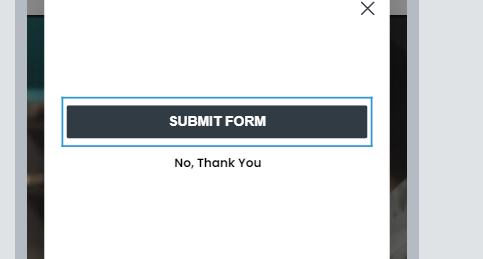
  • Have the “No Thank You” as a button
  • Modify the styling of the button to make it look like a standalone link
    • Change background colour of form to the same as site backdrop
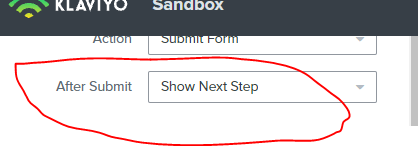
    • The action step would be “Show Next Step” 

Here’s an example:


4 replies

Mailbox Manny
Partner - Silver
Partner - Silver
October 15, 2021

Hi Vanni!


How about hacking it this way:

  • Have the “No Thank You” as a button
  • Modify the styling of the button to make it look like a standalone link
    • Change background colour of form to the same as site backdrop
    • The action step would be “Show Next Step” 

Here’s an example:


Subscribe. Segment. Send. Repeat.
October 15, 2021

Yes thank you!  That solved it.  

stephen.trumble
Klaviyo Alum
October 15, 2021

Hey @Mailbox Manny 

Thank you so much for jumping in and helping @vanni with their multi-step signup form! Love seeing our members collaborating and getting help from our Klaviyo Partners!

-Stephen
Contributor III
January 20, 2023

I am wanting different success messages if signup to both email and sms or only email 

I think I have solved it by adding extra step if click no thanks  and success message states verify on mobile for sms - as form used by client is text only option  ? 


l


Darleen witmer mail@darleen.com