Hi @getlikeminded, and welcome back to the Community!
Just as @Bobi N. mentioned, each sign up form can only populate one Email list, so it’s not possible for checkboxes to determine which list a subscriber enters. However, the checkbox and radio button blocks can be used to assign properties to each profile, which you can then use to influence corresponding Segments.
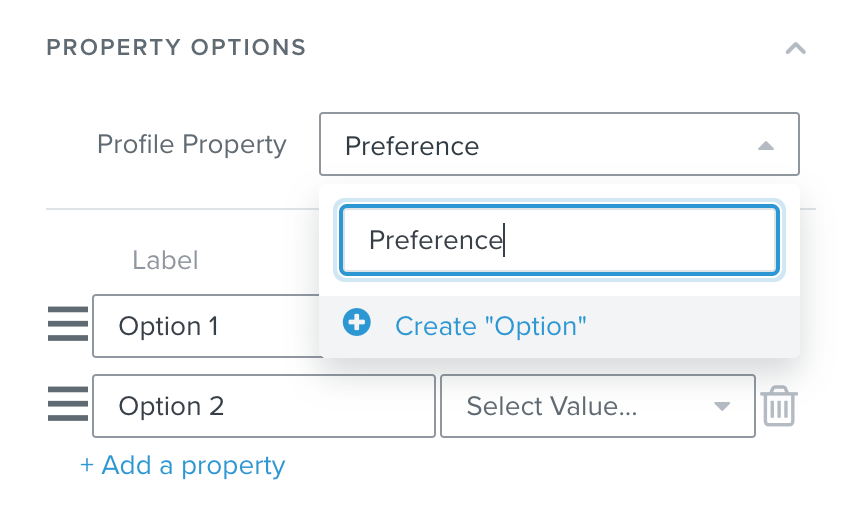
To accomplish this, add the checkbox/radio button block to your form and find the Property Options section on the left. Under Profile Property, type a name for the property you’d like to divide the Segments with, and then click Create “Option”. Now when someone fills out the form, the property will be created and assigned to their profile:
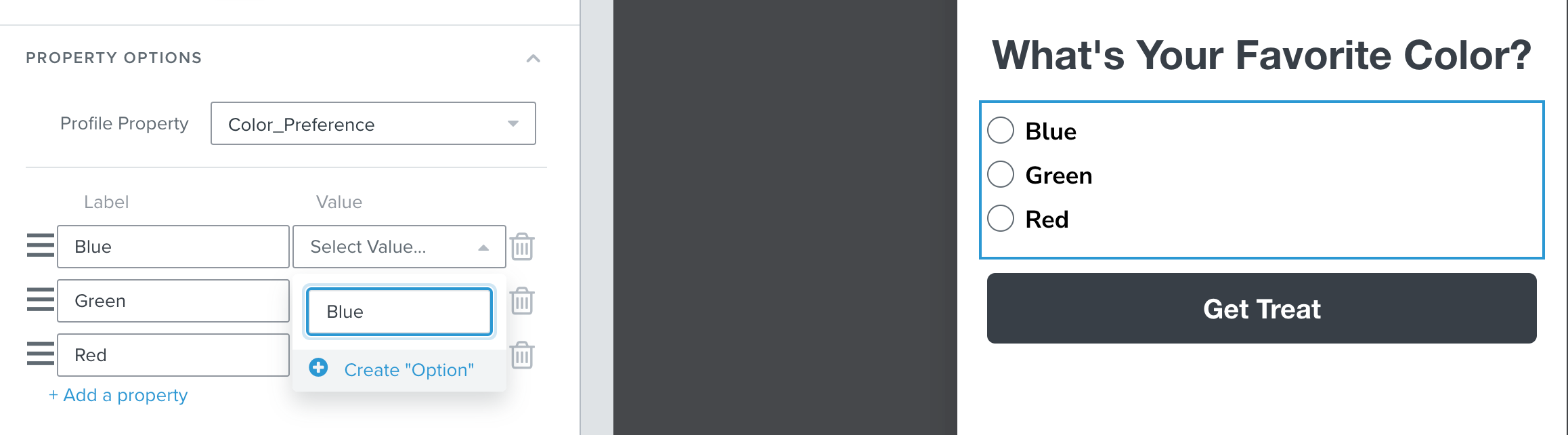
Then, label the options that will appear on the form and create the corresponding values for the property in the same manner:
For even more perspective on collecting Custom Profile Properties, check out this thread moderated by my colleague, Taylor:
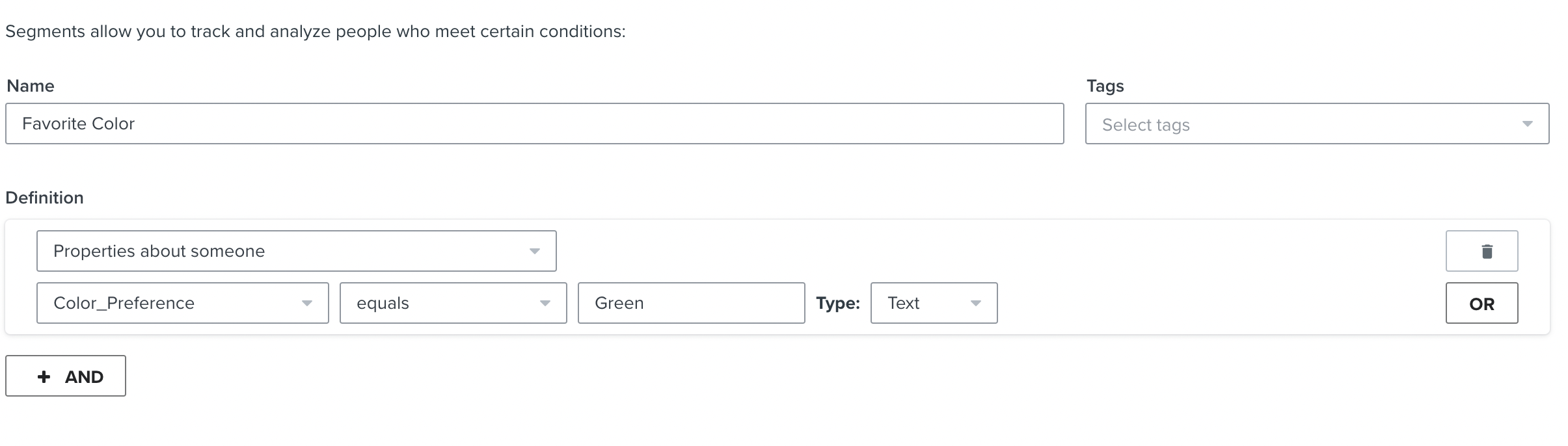
Once someone fills out the form, you can create Segments instead of Lists to divide your subscribers. In the create a Segment page, create a name according to the property that the Segment is identifying, then choose the “Properties about someone” option from the Definition drop-down list. Then just find your custom property from the list and choose the correct value. (Note: the property will not appear until at least one person has selected it from a submitted form):
I hope this helps, and thank you for using the Community!
You can’t do it with checkboxes. But you can’t do it with in a way of what you asked, you can’t add people to lists from different checkboxes.
But what you can do is make each checkbox add different property (or same property different value), and then depending on what people clicked they will get certain property/value. Then you can use those property/values to create segments of people who have them.
So the segments would be created and any time someone fills the form with some of those checkboxes checked, they will automatically be added to the segment created for it.
Hi @getlikeminded, and welcome back to the Community!
Just as @Bobi N. mentioned, each sign up form can only populate one Email list, so it’s not possible for checkboxes to determine which list a subscriber enters. However, the checkbox and radio button blocks can be used to assign properties to each profile, which you can then use to influence corresponding Segments.
To accomplish this, add the checkbox/radio button block to your form and find the Property Options section on the left. Under Profile Property, type a name for the property you’d like to divide the Segments with, and then click Create “Option”. Now when someone fills out the form, the property will be created and assigned to their profile:
Then, label the options that will appear on the form and create the corresponding values for the property in the same manner:
For even more perspective on collecting Custom Profile Properties, check out this thread moderated by my colleague, Taylor:
Once someone fills out the form, you can create Segments instead of Lists to divide your subscribers. In the create a Segment page, create a name according to the property that the Segment is identifying, then choose the “Properties about someone” option from the Definition drop-down list. Then just find your custom property from the list and choose the correct value. (Note: the property will not appear until at least one person has selected it from a submitted form):
I hope this helps, and thank you for using the Community!