


Contributor I
October 19, 2022
Solved

Network Error: request failed with status 403 while creating a new workflow

  • October 19, 2022
  • 3 replies
  • 2401 views

Hello!

I am experiencing a problem while creating a new workflow.

I have tried to set the trigger up but when I click the “Done” button an error banner appears:
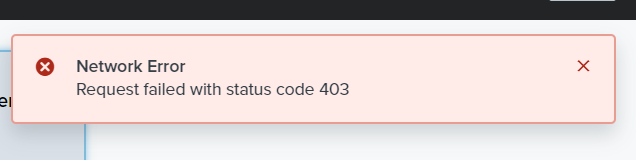
Error banner

I can’t save the worfklow neither going on in the setting of the worfkflow.


I have also noticed that if I enter in an existing workflow and I try to make some changes, it is impossible to modify it: the box starts loading without any success.
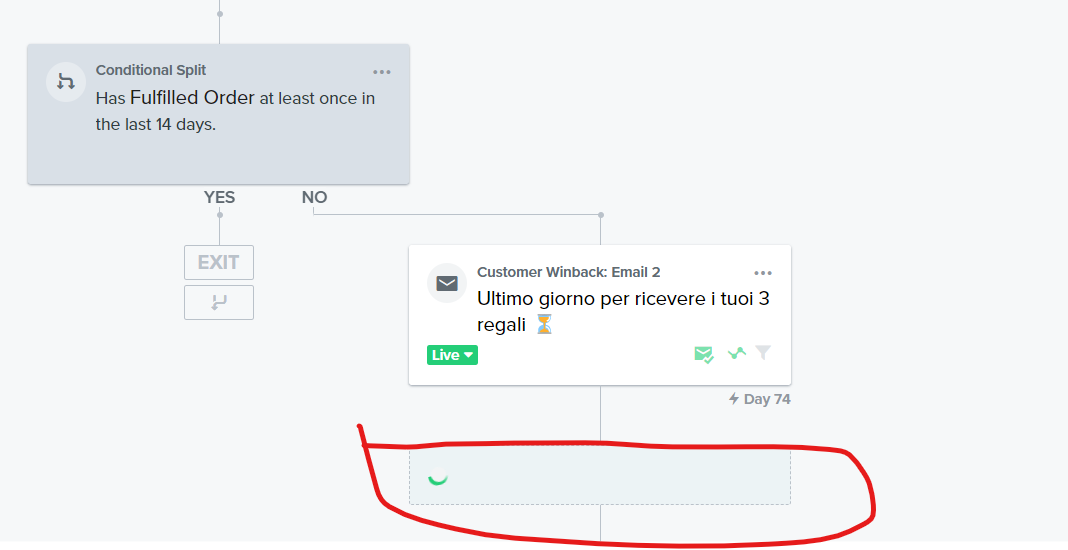
Can anyone help?

Thank you!

This topic has been closed for replies.
Best answer by David To

Hello @beatriceb,

Welcome to the Klaviyo Community!

I would first suggest clearing the cache and cookies on your browser and doing a fully restart of your browser/computer. After doing this trying to log back into Klaviyo from either an incognito or private browser. 

If those steps haven’t alleviated the issue, I suspect this is related to the network you’re connected and working off of. A 403 error typically indicates some sort of authentication error. Paired with a network error sounds like something related to your how you’re connecting. I’ve previously discussed this in another Community post which I’ve linked below:

I hope this helps!

David

3 replies

David To
Klaviyo Employee
David ToAnswer
Klaviyo Employee
October 20, 2022

Hello @beatriceb,

Welcome to the Klaviyo Community!

I would first suggest clearing the cache and cookies on your browser and doing a fully restart of your browser/computer. After doing this trying to log back into Klaviyo from either an incognito or private browser. 

If those steps haven’t alleviated the issue, I suspect this is related to the network you’re connected and working off of. A 403 error typically indicates some sort of authentication error. Paired with a network error sounds like something related to your how you’re connecting. I’ve previously discussed this in another Community post which I’ve linked below:

I hope this helps!

David

beatricebAuthor
Contributor I
October 20, 2022

Thank you @David To!

I found out that the IT team was working on some integrations. Unfortunately they didn’t inform me.


Thank you again,

Beatrice

Active Contributor II
December 29, 2022

Restart your device.
Open your Settings app and tap Network & internet or Connections. Depending on your device, these options may be different. Turn Wi-Fi off and mobile data on, and check if there's a difference. If not, turn mobile data off and Wi-Fi on and check again.


Greeting,

Rachel Gomez