Contributor III
October 15, 2022
Solved

used coupon in report

  • October 15, 2022
  • 11 replies
  • 503 views

Hi,

I would like to get a good insight in which couponcodes are used by customer, prefarably linked to an order.

How can I do that? Report? Segment?

Any suggestions?

Appreciate your help.

    This topic has been closed for replies.
    Best answer by David To

    Hey @Ruud - The Bulb Farmers,

    For a number of our native integrations such as Shopify, you can accomplish this through several methods: 

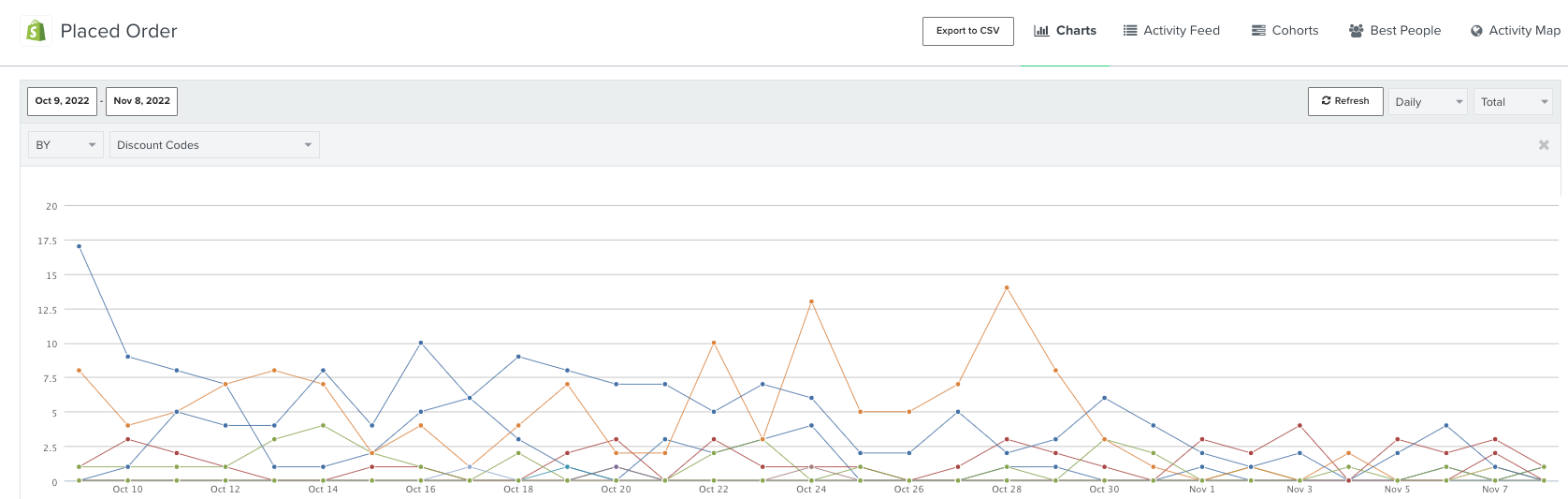
    1. Grouping the Placed Order metric data in it’s chart view using “By Discount Code”


    2. Filtering the Placed Order metric data by “Discount codes equal X”


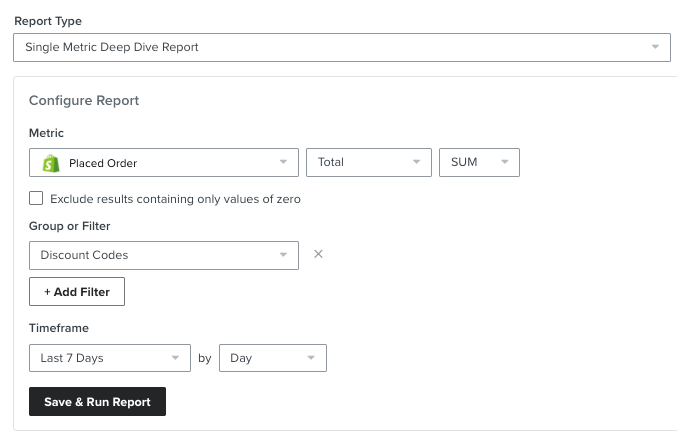
    3. Running a single metric deep dive report on the Placed Order metric by either grouping or filtering by discount code

    Since Shopware would have a custom integration with Klaviyo, this would all hinge on how the Placed Order metric is being passed to Klaviyo. If your custom Placed Order event is using the same format as what we suggest in our Integrate a platform without a pre-built Klaviyo integration Developer Portal, you should be able to use the same methods mentioned. 

    Else, I would suggest exploring if you have the capability to generate a similar report within your Shopware’s backend. 

    David


    11 replies

    Vesna EGarden
    Active Contributor I
    Active Contributor I
    June 12, 2024

    If you use dynamic, unique codes, forget about ever trying to generate any reports.

    It is technically possible. But as Klaviyo does not let you filter coupons by their prefix, you literally have to select every single unique code, one by one. In some countries, it’s used as a form of torture. It’s brutal!

    Totally agree. It is a nightmare but I think easy to solve by Klaviyo. Like also constantly updating discount codes for combinations in Shopify which could be set in Klaviyo at first and then just cloned with combinations. Please dear Klaviyo friends, solve this!  Thank you