New Member
July 27, 2026
Solved

Klaviyo profile custom property availability in Zapier for mapping

  • July 27, 2026
  • 6 replies
  • 194 views

Hello, we are trying to go from a web sign up form in Klaviyo to create a lead record in Salesforce via Zapier.

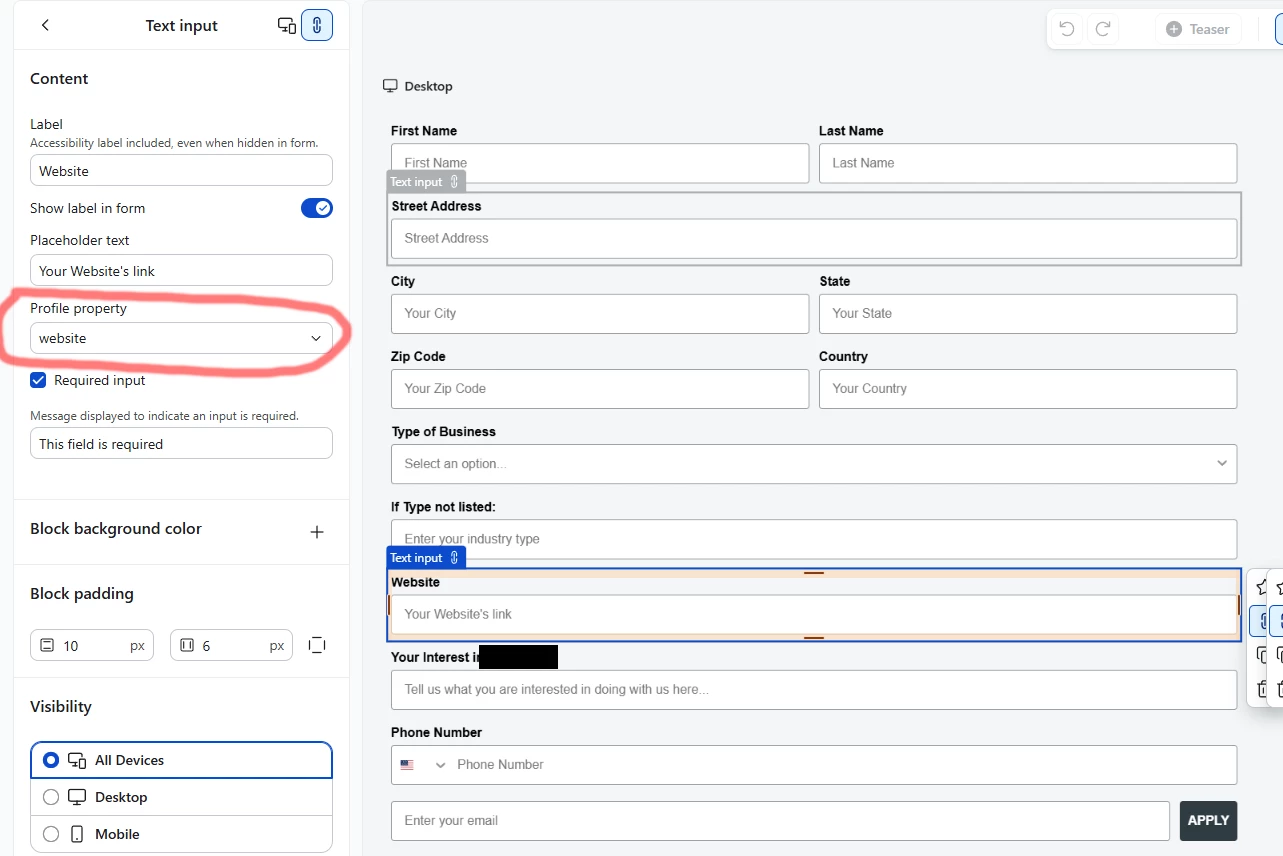
We start with the sign up form in Klaviyo which has some custom profile properties (for example: website). We can record these and see the data just fine in profiles in Klaviyo.

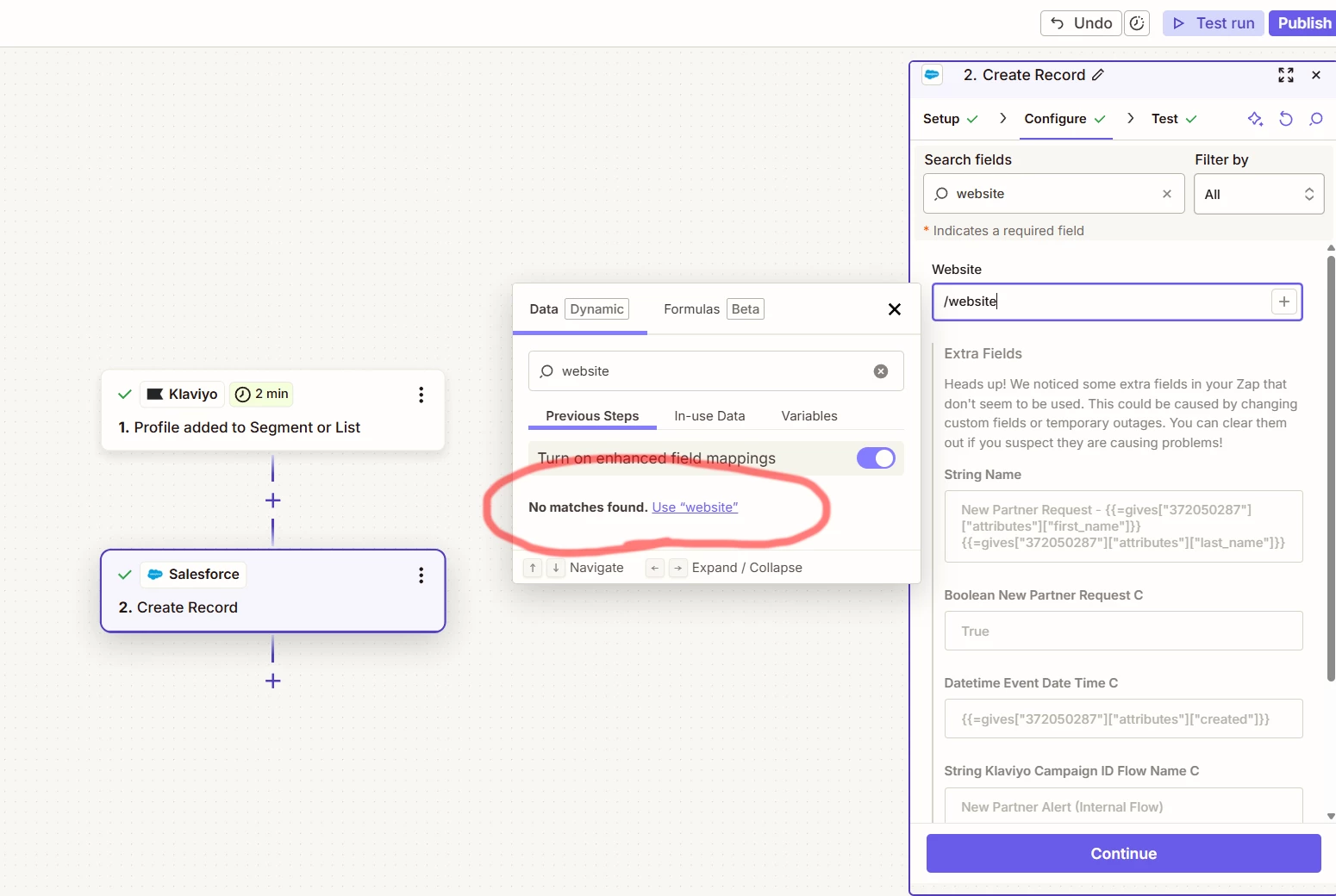
We then are trying to use Zapier to take all the profiles from a Klaviyo list to create lead records in Salesforce. We have a Zap set up to do this with most of the fields mapped. The problem is that none of the custom properties are available for input in Zapier. 

I’ve searched the forum here but wasn’t able to find anything. I’m hoping someone around here has come across this before. I’ve attached two screenshots. The first is from Klaviyo showing the sign up sheet edit page. The second screenshot is the Zapier Zap edit page showing me trying to map the Salesforce website field on the lead object to the Klaviyo custom property called website but failing to find it. Again, all the standard properties show up here.

Thanks!

Brendan


Best answer by whereisjad

@B_Riea I suggest adding an additional step in the Zapier flow, specifically the “Create Or Update Profile” Klaviyo action. This action should accept the email address of the user who completed the form. The output of this action should be the profile object, which contains all the custom properties that you can utilize in the Salesforce Create Record action.

6 replies

whereisjad
Expert Problem Solver IV
July 27, 2026

@B_Riea I suggest adding an additional step in the Zapier flow, specifically the “Create Or Update Profile” Klaviyo action. This action should accept the email address of the user who completed the form. The output of this action should be the profile object, which contains all the custom properties that you can utilize in the Salesforce Create Record action.

— Jad A | Klaviyo + Shopify + API Integrations Specialist • 7+ Years' Experience Helping with new setups, seamless integrations, and API connections—happy to connect. http://ja-technical-consulting.xyz/
B_RieaAuthor
New Member
July 29, 2026

@whereisjad Hi there. Thanks for the reply. I’m a little confused by this. I’ve tried adding an intermediary action of creating or updating a profile. I use the same email address that was input on the form based on the input of the first action/node. The problem is when I go to map the custom properties. In the mapping window, it still only shows standard fields. I also don’t understand how this is any different than skipping this step and going straight to create a Salesforce record because it’s using the same data from the first action/node which is only showing standard properties and not any custom ones. Sorry if I’m missing something here from your explanation earlier.


whereisjad
Expert Problem Solver IV
July 29, 2026

@B_Riea Have you ever allowed step 2 to execute successfully for a profile that already has the website property set? Just to be cautious, add a Delay For action and set it for 1 minute in case it takes time for the Profile added to Segment or List trigger to actually create the profile.

— Jad A | Klaviyo + Shopify + API Integrations Specialist • 7+ Years' Experience Helping with new setups, seamless integrations, and API connections—happy to connect. http://ja-technical-consulting.xyz/
B_RieaAuthor
New Member
July 30, 2026

@whereisjad So far I’ve only been testing using the test run function while editing a Zap. It uses a profile that was created weeks ago with all the data including custom properties already filled out. Would testing with step 2 and adding a delay still be of any use here?

Thanks

whereisjad
Expert Problem Solver IV
July 30, 2026

@B_Riea Yes, that’s how Zapier typically operates. From the screenshot, I can see the exclamation mark next to step 2, which indicates that it wasn’t executed properly.

— Jad A | Klaviyo + Shopify + API Integrations Specialist • 7+ Years' Experience Helping with new setups, seamless integrations, and API connections—happy to connect. http://ja-technical-consulting.xyz/
B_RieaAuthor
New Member
August 6, 2026

I figured it out in the end. Thanks for your help along the way! I think there was some confusion here. I didn’t need that extra step in the end for what we were trying to accomplish. I just needed profiles from a list to have records created in Salesforce as they appeared in the list in Klaviyo (so no delay needed it seems). The problem is that I didn’t fully understand how Zapier pulls a list of fields from Klaviyo. I didn’t realise that there was an older record in the list I was using that was a duplicate of another test profile that had been created before the sign-up form was complete so fields were missing. I cleared the list of all profiles, went through the sign-up form with new test data, waited for the profile to be created and added to the list. Then I went into Zapier and selected the new test profile at the first step of my Zap, and then hit the refresh fields button. Everything showed up!