

Answer

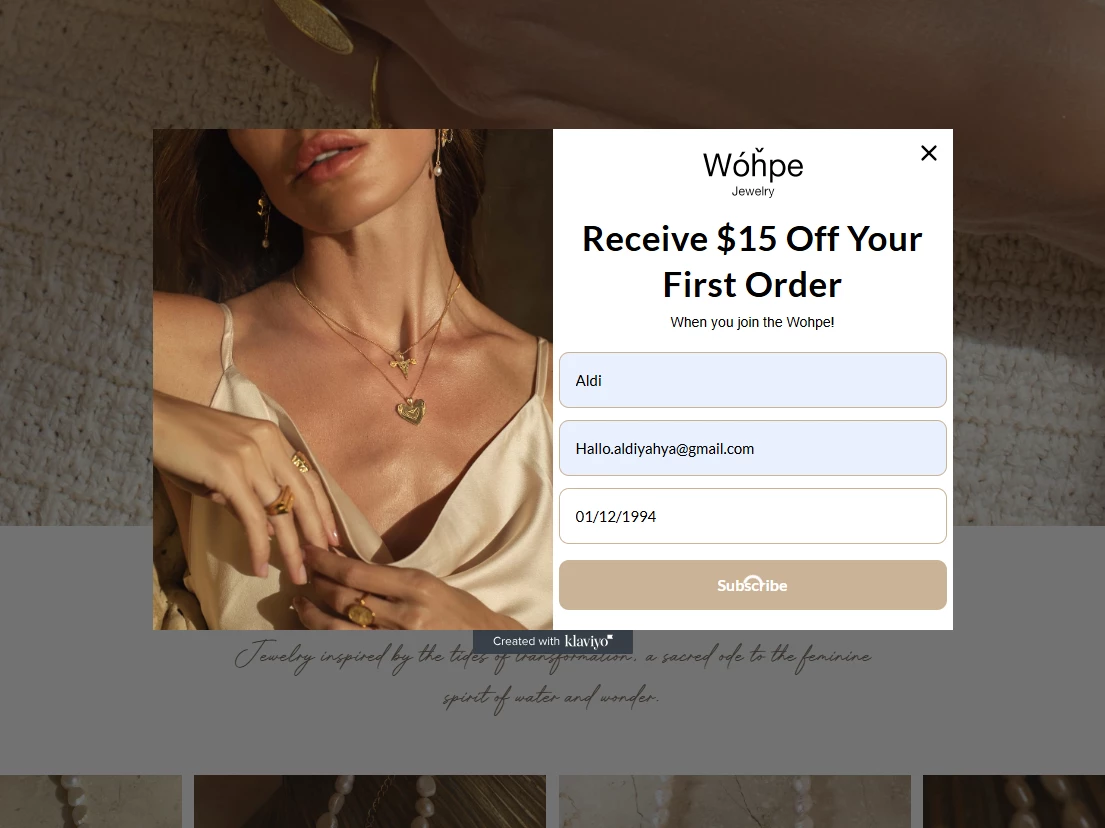
Pop up form Issue - customer can go to next step when submitting form stuck on loading
  • July 17, 2025
  • 4 replies
  • 143 views

Forum|alt.badge.img

i phase this issue, when i try to submit the form (klick the subscribe button) there’s a loading and stuck there. 
can anyone help me with this?

Best answer by zacfromson

Hi ​@Wohpe - this is a frustrating issue but usually a sign of one of the following:

  1. Klaviyo Site Code Missing or Misconfigured

    Double check that the klaviyo.js snippet is installed once on your site. If it’s missing, duplicated, or placed incorrectly (e.g., inside an iframe or conflicting script), form submissions can get stuck on “loading.”

  2. Form Fields Not Mapped Correctly

    It looks like you’ve added a custom field like birthdate, make sure they’re properly mapped to a Klaviyo profile property. An invalid field or date format can silently block the form submission.

  3. List Issue

    Go to Klaviyo > Signup Forms > Select your form > Check the “Submit actions” section and ensure a valid list is selected. If no list or a deleted list is tied to the form, it won’t complete submission.

  4. App Conflict or JS Error

    Sometimes Shopify apps or theme code conflict with Klaviyo forms. Try submitting the form in an incognito window with all browser extensions off. If it works there, there’s likely a script conflict. You can also check the browser console (right click > Inspect > Console tab) for red error messages.

  5. Re-Publish Form

    Even small edits can sometimes cause glitches. Try unpublishing the form, refreshing your Klaviyo dashboard, and publishing it again.

If none of that works, feel free to share the page URL here and I can help inspect it!

4 replies

whereisjad
Expert Problem Solver IV
Forum|alt.badge.img+16
  • Expert Problem Solver IV
  • July 17, 2025

@Wohpe I would be happy to investigate this further if I am able to replicate the issue in my browser. Could you please provide instructions on how to navigate your Shopify store to access the pop-up, assuming it is currently live?


zacfromson
Expert Problem Solver III
Forum|alt.badge.img+14
  • 2025 Champion
  • Answer
  • July 19, 2025

Hi ​@Wohpe - this is a frustrating issue but usually a sign of one of the following:

  1. Klaviyo Site Code Missing or Misconfigured

    Double check that the klaviyo.js snippet is installed once on your site. If it’s missing, duplicated, or placed incorrectly (e.g., inside an iframe or conflicting script), form submissions can get stuck on “loading.”

  2. Form Fields Not Mapped Correctly

    It looks like you’ve added a custom field like birthdate, make sure they’re properly mapped to a Klaviyo profile property. An invalid field or date format can silently block the form submission.

  3. List Issue

    Go to Klaviyo > Signup Forms > Select your form > Check the “Submit actions” section and ensure a valid list is selected. If no list or a deleted list is tied to the form, it won’t complete submission.

  4. App Conflict or JS Error

    Sometimes Shopify apps or theme code conflict with Klaviyo forms. Try submitting the form in an incognito window with all browser extensions off. If it works there, there’s likely a script conflict. You can also check the browser console (right click > Inspect > Console tab) for red error messages.

  5. Re-Publish Form

    Even small edits can sometimes cause glitches. Try unpublishing the form, refreshing your Klaviyo dashboard, and publishing it again.

If none of that works, feel free to share the page URL here and I can help inspect it!


emma.owens
Community Manager
Forum|alt.badge.img+20
  • Community Manager
  • July 22, 2025

Hi ​@Wohpe ! 

Checking in, were you able to resolve this issue? Typically this happens when the Submit form action doesn’t have a list selected to submit to! 


Hi guys! Anyone could get a solution on this??

I’m getting the exact same problem, when someone click “suscribe” it keeps on loading for ever, and discount code is not showing. Just that little “loading” circle