Solved

Creating Dashboard with Shopify Tag

  • December 23, 2025
  • 1 reply
  • 27 views

Forum|alt.badge.img+1

Hi Klaviyo,

We are looking to build a custom Dashboard to track email opens/clicks/received numbers over time based on specific customer with Shopify tag.

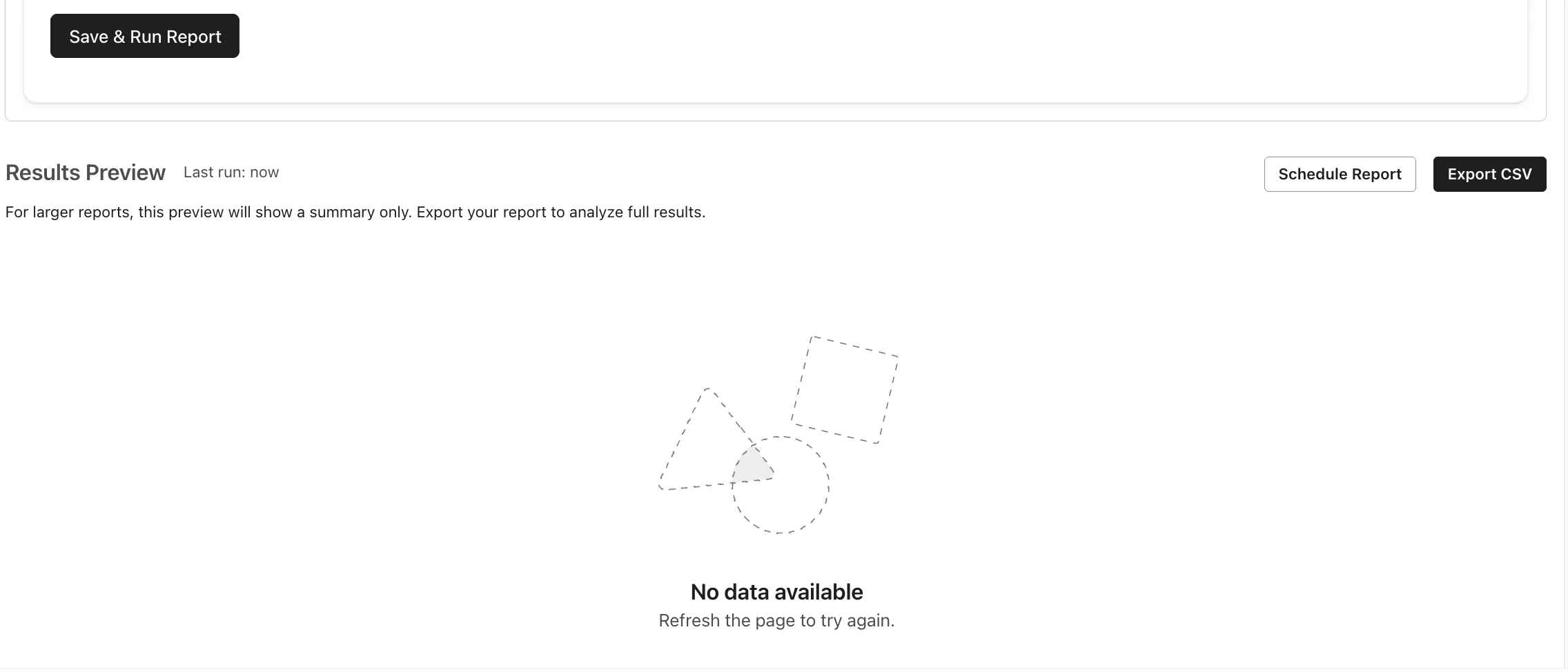
The setting and time frame is as below, however there are no data export and we click “save & run report”.
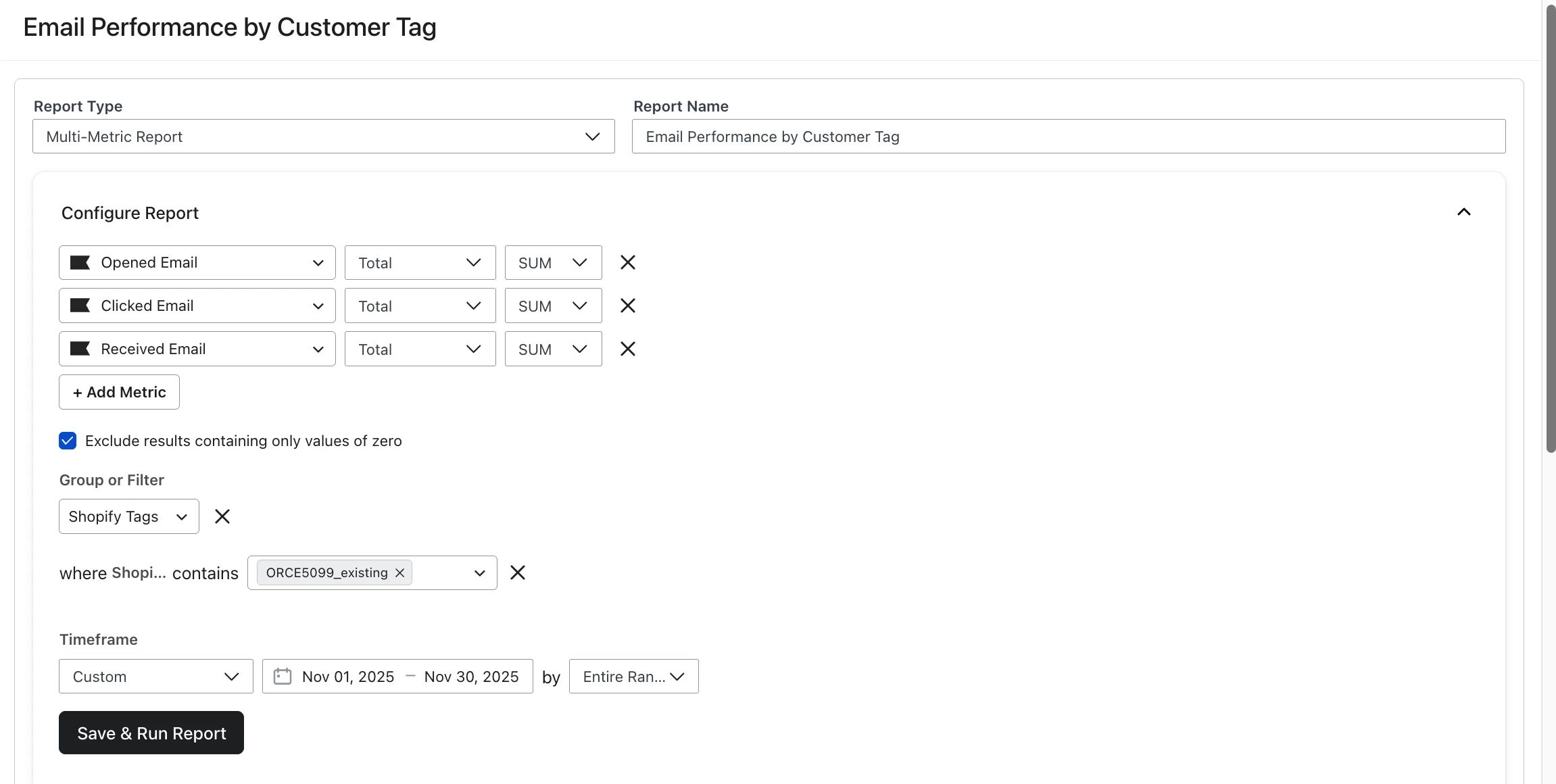


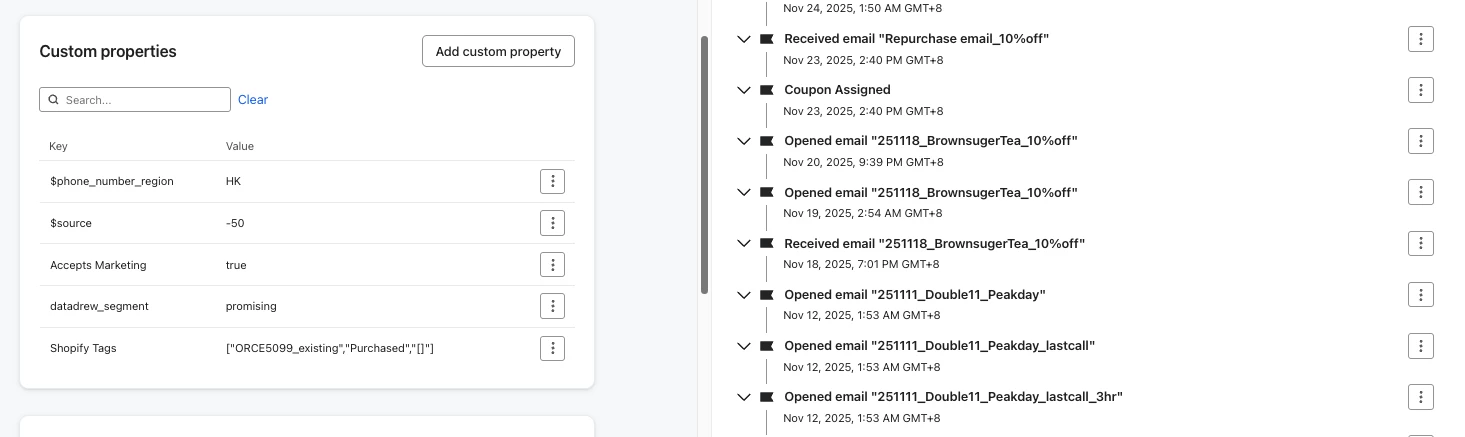
However, we have checked one of the email with specific shopify tag “ORCE5099_existing”, the customer in the screenshot has received, opened record in November’2025.

Wondering why the customer dashboard report was empty, and what should we do to adjust the setting?
 

Thanks in advance!

Best answer by cadence

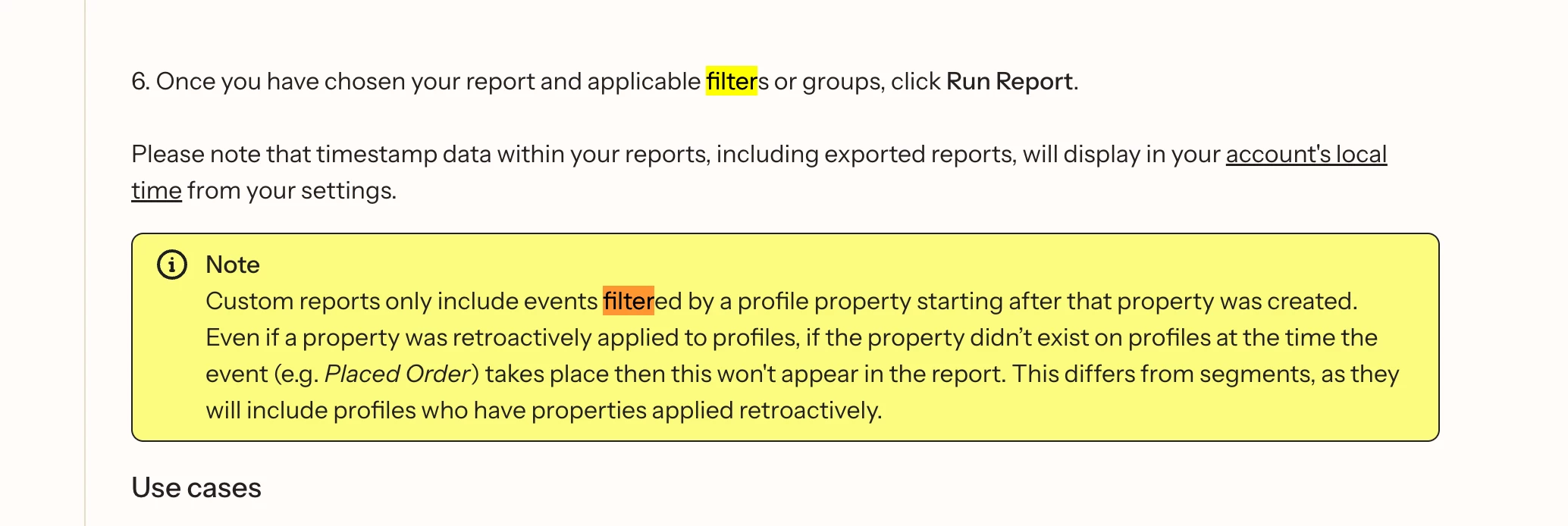
Hey ​@teachateau, was this Shopify tag created recently?  

Maybe what you’re seeing is caused by this callout in Klaviyo’s Custom Reports Help Center guide


If your goal is to understand email engagement of this set of profiles with this Shopify tag, maybe you could try this instead: 
1. Create a segment of profiles that have that Shopify tag​​​​​​

  1. Navigate to the “Engagement” tab of the sgement
  2. Click “Run Engagement Report” 

Hope that helps! 

Cadence / Book a demo

1 reply

cadence
Expert Problem Solver III
Forum|alt.badge.img+12
  • Expert Problem Solver III
  • Answer
  • December 23, 2025

Hey ​@teachateau, was this Shopify tag created recently?  

Maybe what you’re seeing is caused by this callout in Klaviyo’s Custom Reports Help Center guide


If your goal is to understand email engagement of this set of profiles with this Shopify tag, maybe you could try this instead: 
1. Create a segment of profiles that have that Shopify tag​​​​​​

  1. Navigate to the “Engagement” tab of the sgement
  2. Click “Run Engagement Report” 

Hope that helps! 

Cadence / Book a demo