


Active Contributor II
February 23, 2022
Solved

404 error when connecting to woocommerce for the first time

  • February 23, 2022
  • 3 replies
  • 361 views

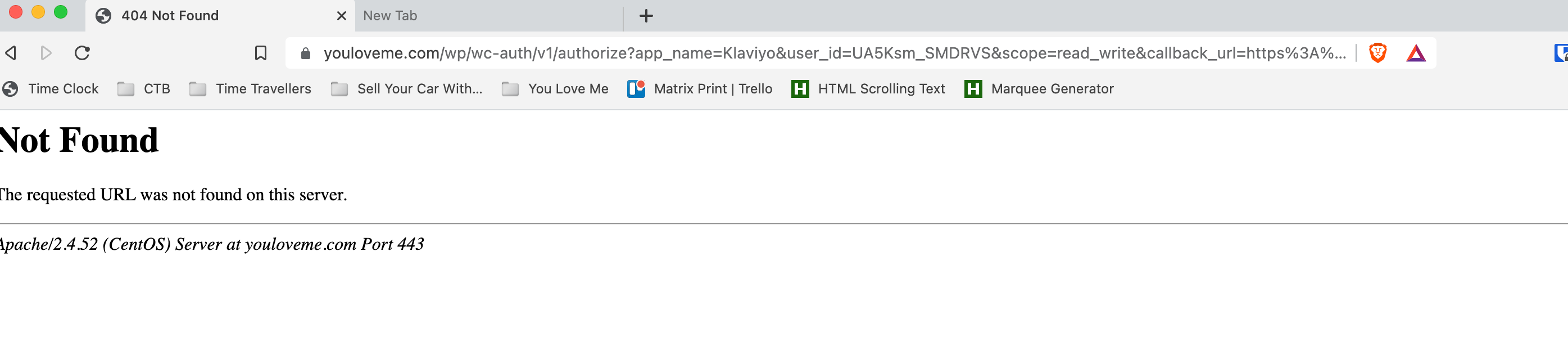
I am getting a 404 page error when connecting woocommerce to klaviyo.


I am going into the api. Selecting the option to connect as I have already set up the account. Entering user name and password, confirming the security code then getting a 404 error. Please help.



    This topic has been closed for replies.
    Best answer by marks

    I have resolved this issue.

    It was a setting in WooCommerce for the page url formatting.

    3 replies

    alex.hong
    Klaviyo Alum
    February 23, 2022

    Hi there @MNgo,

    Thanks for posting your question here.

    Have you made sure to enable the Woocommerce API?  specifically this step: Install the Klaviyo WooCommerce Plugin? Can you please confirm that you have successfully installed WooCommerce as well?

    Additionally, if you can also right-click on the "Connect Account" button on the plugin settings page and select "Copy link URL".  Then, if you can paste both URLs into your response, that would help us determine the underlying cause for this issue. 


    Thank you,

    Alex

    marksAnswer
    Contributor I
    March 1, 2022

    I have resolved this issue.

    It was a setting in WooCommerce for the page url formatting.

    Contributor I
    August 17, 2023

    What setting was it in woo commerce?  I’m having the same issue