February 12, 2024
Solved

Abandoned cart prestashop tag

  • February 12, 2024
  • 6 replies
  • 270 views

Hello !

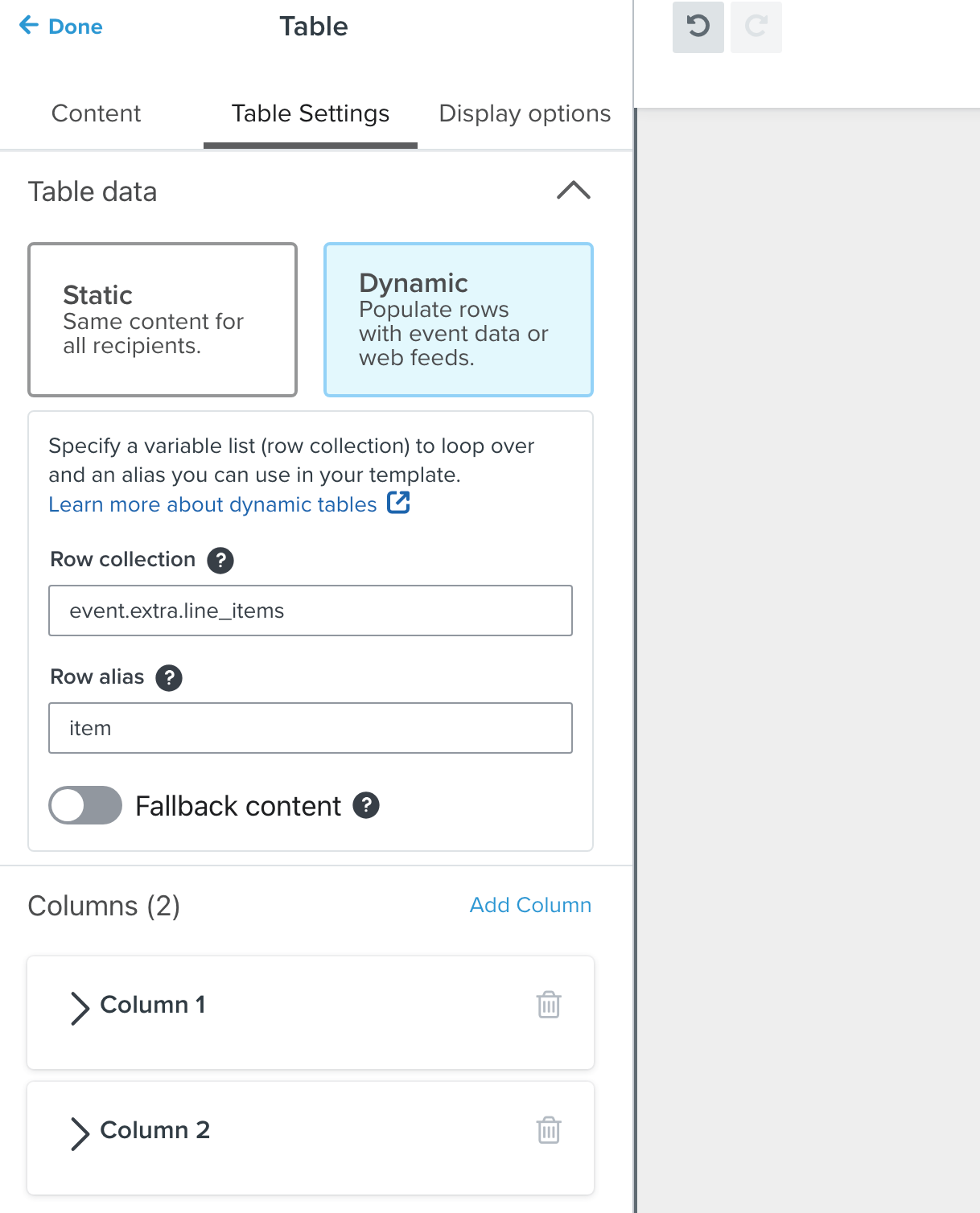
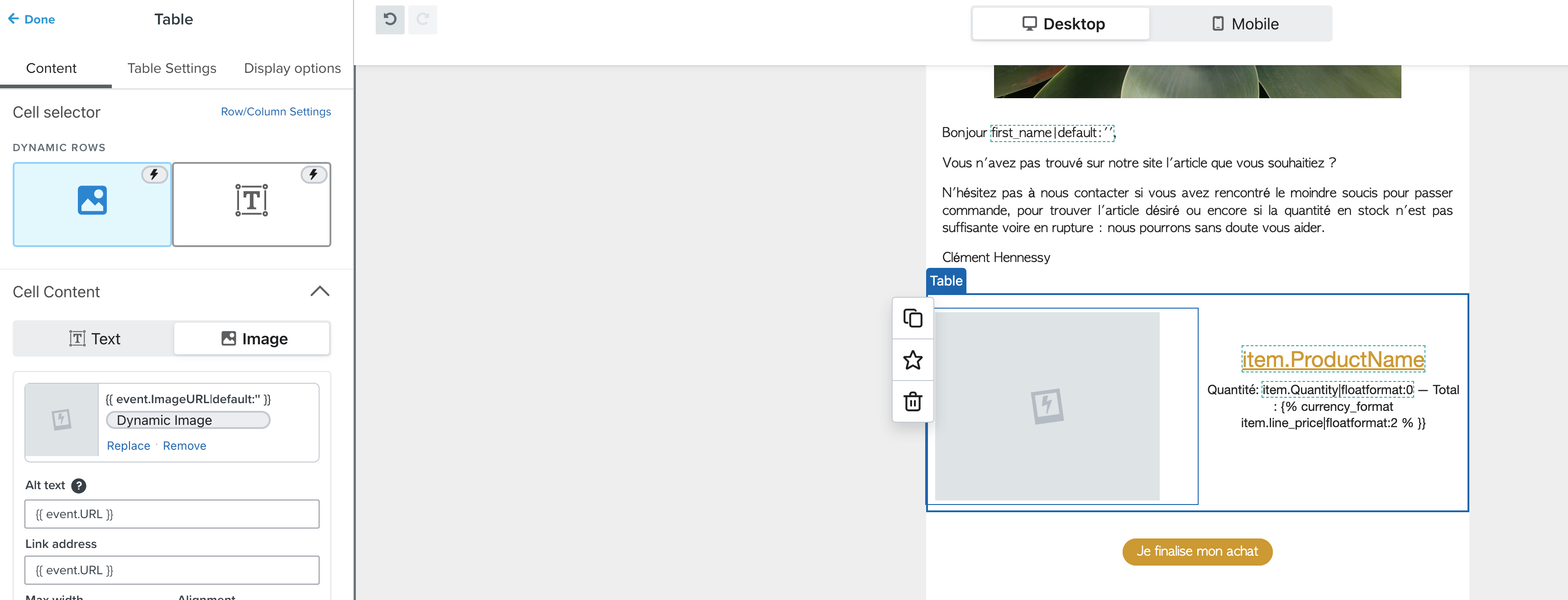
I need help with the abandoned cart feed, specifically with the block configuration. I can't find the URLs (tags) to enter when using Prestashop.

The block (photo and text) doesn't appear when previewing the email.

Can you help me?
 

    This topic has been closed for replies.
    Best answer by stephen.trumble

    Hey @KathleenDDD 

    You can use this Help Center doc: How to use dynamic variables to personalize email and SMS flows. It will show you how to find and use the proper variables so the product block will populate correctly based on your Prestashop data.

    Hope this helps!

    6 replies

    Problem Solver III
    February 12, 2024

    Hi Kathleen,

    • Look for placeholders or tags in the abandoned cart block related to product images and text.
    • In Prestashop, product URLs or tags might be different, so make sure you are using the correct ones.
    • If you are using dynamic content, ensure that the tags or URLs are set up to dynamically pull in information from abandoned carts.
    February 12, 2024

    Thank you for your reply, 
    I don't know how to retrieve the information for the tags. On the internet I can only find the tags for Woocomerce or shopify but not for Prestashop.

    Problem Solver III
    February 12, 2024

    Okay, I get. We could use zoom if you dont mind , where you share your screen express yourself better and put you through what you need to do. Fine by you ?


    Problem Solver III
    February 12, 2024

    Which prestashop do you use ?


    Problem Solver III
    February 12, 2024

    And have you completely integrated prestashop with klaviyo?

    stephen.trumble
    Klaviyo Alum
    February 15, 2024

    Hey @KathleenDDD 

    You can use this Help Center doc: How to use dynamic variables to personalize email and SMS flows. It will show you how to find and use the proper variables so the product block will populate correctly based on your Prestashop data.

    Hope this helps!

    -Stephen