Solved
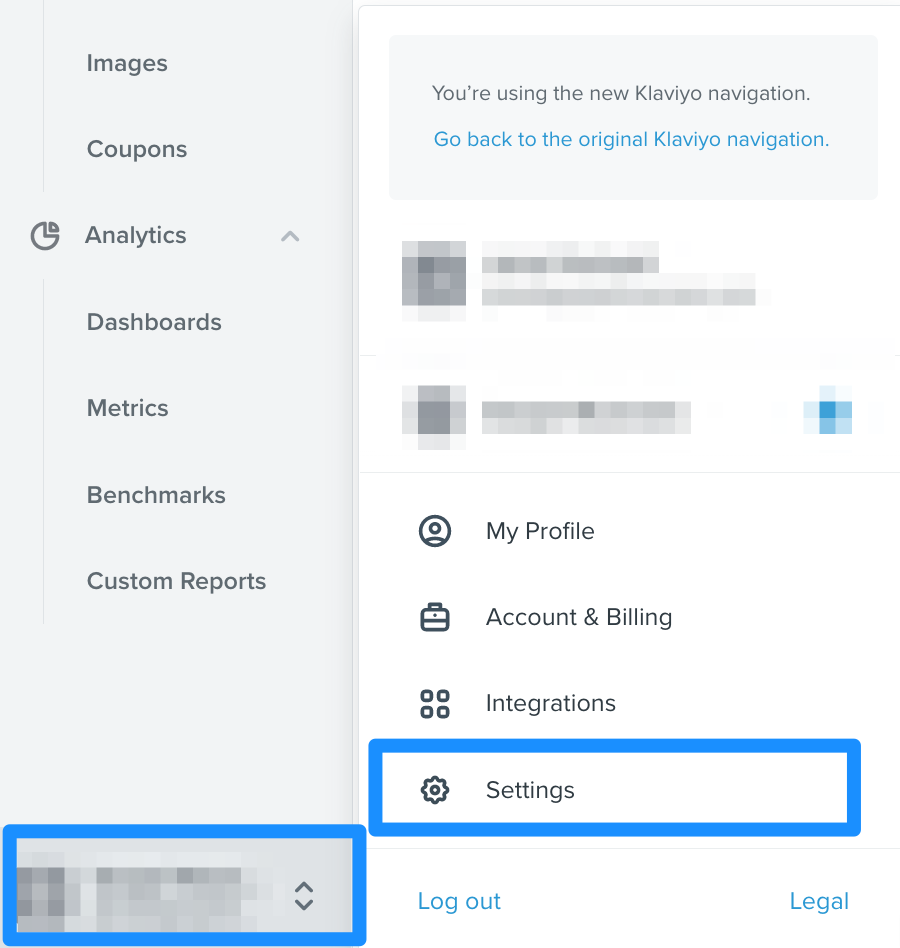
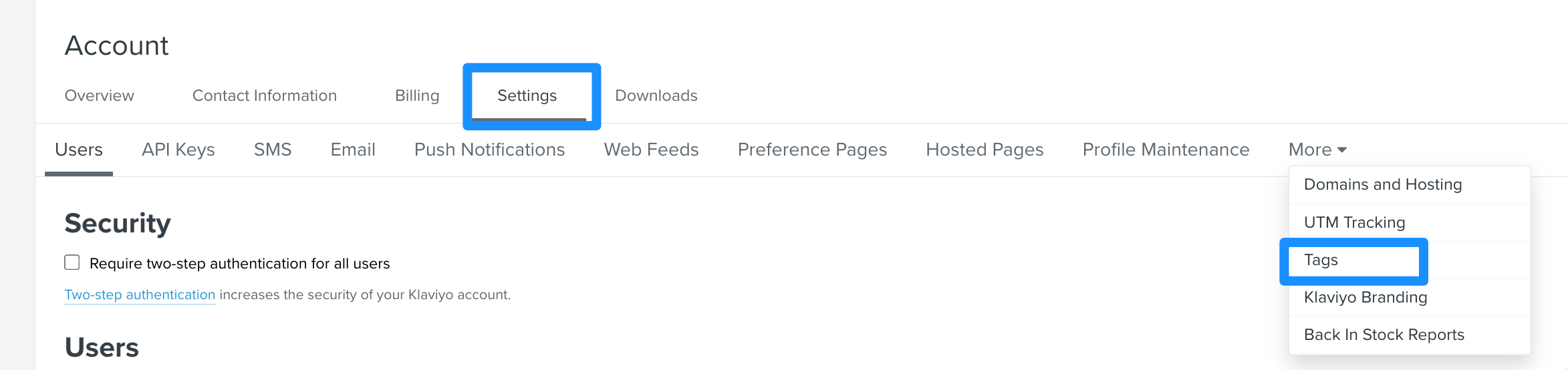
Access "Tags" tab for the new Klaviyo Homepage
Now that the interface has been updated, there is no more a dedicated button to Edit Tags. Where do I find that now?

Now that the interface has been updated, there is no more a dedicated button to Edit Tags. Where do I find that now?
Enter your E-mail address. We'll send you an e-mail with instructions to reset your password.