Contributor I
April 5, 2024
Solved

Add cart items to a plain text email

  • April 5, 2024
  • 3 replies
  • 462 views

I want to add a custom field to a plain email that shows one of the items that are being checked out to an abandoned cart flow email. Is it possible to do so? thanks!

    This topic has been closed for replies.
    Best answer by retention

    Hi @euchacon, welcome to the community!

    Yes - all “event” variables (and personalization/profile properties) can be used in a Plain Text email as well. If you’re on Shopify, here’s an example code to retrieve the first item and use it in the text email.

    Here’s an example of the email I have in a normal Klaviyo Template:


    When I replace my Klaviyo Template version with a Plain Text email, I can use the Event variables in the text email like this, but only referencing the first item:


    Hi {{ first_name }},

    Did you leave the {{ event.Items.0|default:'' }} behind? 

    The Team


    Where  {{ event.Items.0|default:'' }} is the code for the first item in their cart.


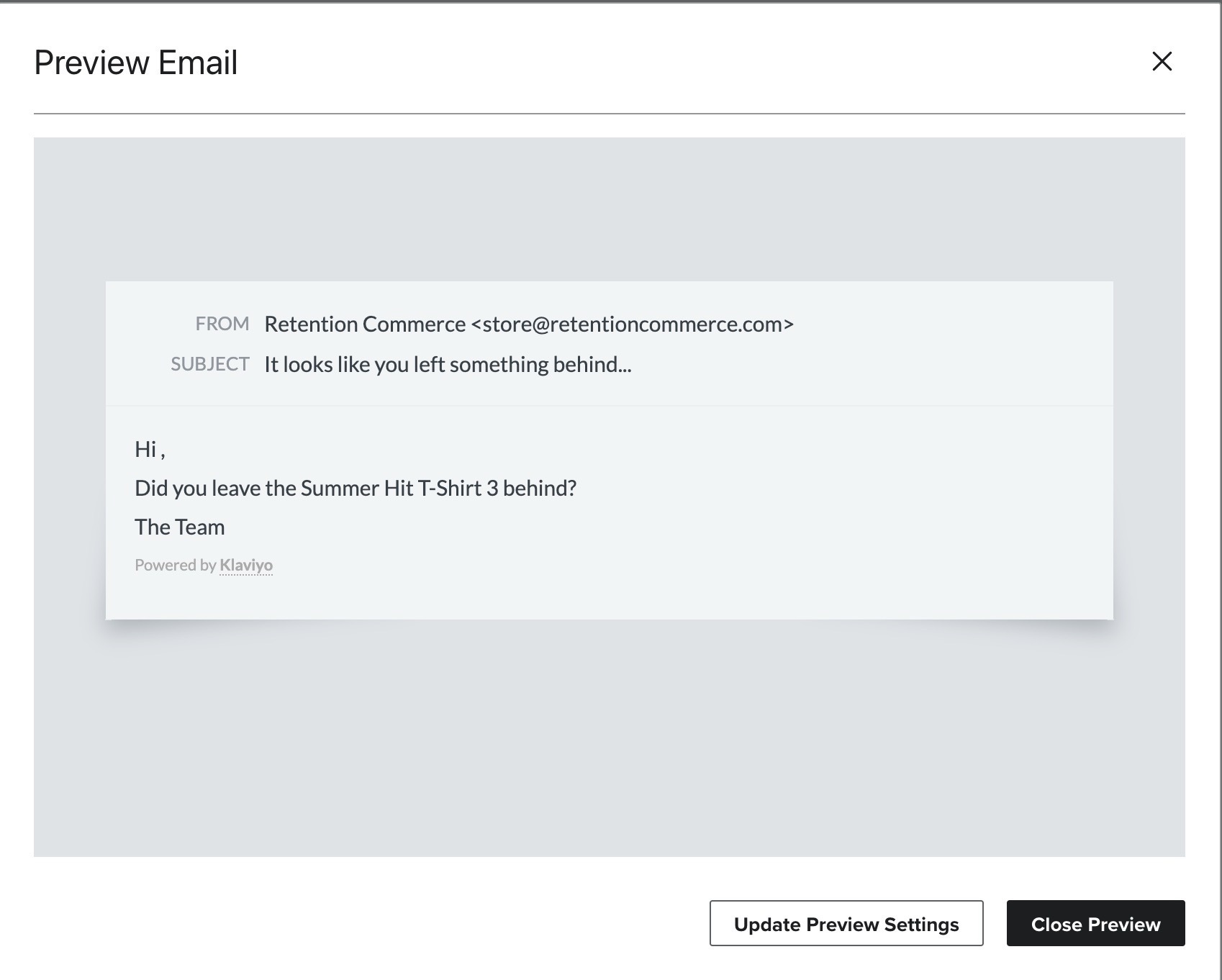
    See my preview email here:

    For documentation on using event variables, this guide might help you:

    Hope this helps!

    3 replies

    retention
    Partner - Platinum
    retentionAnswer
    2025 Champion
    April 5, 2024

    Hi @euchacon, welcome to the community!

    Yes - all “event” variables (and personalization/profile properties) can be used in a Plain Text email as well. If you’re on Shopify, here’s an example code to retrieve the first item and use it in the text email.

    Here’s an example of the email I have in a normal Klaviyo Template:


    When I replace my Klaviyo Template version with a Plain Text email, I can use the Event variables in the text email like this, but only referencing the first item:


    Hi {{ first_name }},

    Did you leave the {{ event.Items.0|default:'' }} behind? 

    The Team


    Where  {{ event.Items.0|default:'' }} is the code for the first item in their cart.


    See my preview email here:

    For documentation on using event variables, this guide might help you:

    Hope this helps!

    Joseph Hsieh // retentioncommerce.com // X: @retention
    euchaconAuthor
    Contributor I
    April 5, 2024

    Hey, thanks! and thank you for the links.

    Can you help me understand what is the difference between {{ event.Items.0|default:'' }} and {{ event.extra.line_items.0.product.title }}

    if it’s a platform change, I’m using shopify and so the second one is appearing in the resource section so that’s the one i need to use, correct?

    Active Contributor I
    July 3, 2024

    Jumping on this thread! I’m using the {{ event.Items.0|default:'' }} in plain text emails but want this to link to the specific product - is this possible please?