Hey @Sam91 - great question, this comes up a lot when setting up Klaviyo with Shopify.
Here’s the key difference:
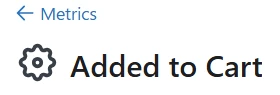
“Added to Cart” (with the gear icon)
This is a custom event that you or your developer set up manually using a JavaScript snippet. It’s not native to Klaviyo or Shopify. You’d typically install this snippet in your product or cart template to track when someone clicks “Add to Cart.”
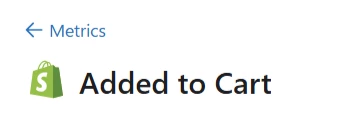
“Added to Cart” (with the Shopify logo)
This is a Shopify native server-side event. It’s automatically tracked by Klaviyo via the Shopify integration.
If you are on Shopify, you can use the Shopify logo version at this point an follow this guide to get this set up (if you are not using the gear currently you can skip some of these steps to remove it) : https://help.klaviyo.com/hc/en-us/articles/28709780787355
Zac Fromson | Co Founder @ Lilo Social - a full-funnel ecommerce growth agency | lilosocial.com | 2026 Klaviyo Champion