

vylla001
Contributor IV
Contributor IV
November 11, 2021
Solved

Background color for email columns

  • November 11, 2021
  • 13 replies
  • 1245 views

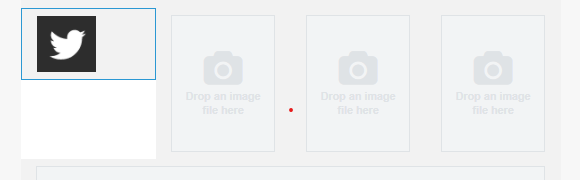
I’ve added a new image to a column and when I change the background color the area below the image is not changing. Is this normal or is there a way to show the same color for the whole area? Thanks.

 

    This topic has been closed for replies.
    Best answer by thepowerofcopy

    I’ve added a new image to a column and when I change the background color the area below the image is not changing. Is this normal or is there a way to show the same color for the whole area? Thanks.


    Hello, @vylla001 


     You will need to upload all of the icons first before changing the background color, but make sure that they are all the same size.

    I recorded a screen record for you. :)

    You can find it at the following link: 


    I hope it help you.

    Rooting for you,
    Mae

    13 replies

    thepowerofcopy
    Partner - Silver
    Partner - Silver
    November 12, 2021

    I’ve added a new image to a column and when I change the background color the area below the image is not changing. Is this normal or is there a way to show the same color for the whole area? Thanks.


    Hello, @vylla001 


     You will need to upload all of the icons first before changing the background color, but make sure that they are all the same size.

    I recorded a screen record for you. :)

    You can find it at the following link: 


    I hope it help you.

    Rooting for you,
    Mae

    Helping consumable products increase revenue by up to 20% by using customer retention strategies through email marketing.
    Simsen
    Contributor II
    Contributor II
    November 22, 2021

    Hi! Instead of creating a new post I just add my similiar problem here, hope this is okay:


    I also added (three) columns to my template. Instead of using icons of the same size I have some text in the first column and graphics in the other two columns. This leads to the problem, that there is a white space under the graphics when the text in the first column is getting too long in some webclients or when someone is zooming in the fonts. In HTML I could easily fix this by adding a bgcolor to the whole columns-container, but how could I fix this in Klaviyo?

    alex.hong
    Klaviyo Alum
    November 22, 2021

    Hey there @Simsen,

    Thanks for posting a question here and keeping the discussion going!

    In the new template editor, you can add in a section > pick your column layout > add image blocks in one column, and a text block in the other column.

    Then the section can have one color (let’s use example: blue) background color added, and the image block can have a 'block' background color of white, so there can be two colors side by side.


    Otherwise, in the old editor, you can use the 'add column to email' button, add 2 columns, and add a background color to the text block under Block Styles. 


    Hope this helped!
    Alex

    Simsen
    Contributor II
    Contributor II
    November 24, 2021

    Wow, thank you @alex.hong ! I have to admit that I didn’t even know that there is a new editor with much more possible configurations. So thank you very much for your help!

    Simon

    alex.hong
    Klaviyo Alum
    November 24, 2021

    Glad I could help @Simsen! I hope you explore the new editor and utilize all of its features to level up your brand and business!


    Happy sending,

    Alex

    JimmieaQuick
    Active Contributor III
    March 6, 2022

    Wow, thank you @alex.hong ! I have to admit that I didn’t even know that there is a new editor with much more possible configurations. So thank you very much for your help!

    Simon

    Wow. I just spent hours on a new template for a new client, and now I’m seeing that there’s a new editor?! Ugh. Why didn’t you guys email users about this change? This is pretty big. And there’s no way to convert templates over into it? I have to manually recreate the template I just spent hours on? Why do you do this to us, Klaviyo?

    I came here due to same problem with extra white space around image in a 2-column layout. I cannot get rid of it despite updating backgrounds to the same color. 


    alex.hong
    Klaviyo Alum
    March 7, 2022

    Hi @JimmieaQuick,

    Thanks for your feedback.

    We actually did announce our new template editor on our October 2021 KPE. In addition, there was a built in notification regarding the new template when going to your forms and even now when you begin the template creation process, there is an option to choose between the new vs classic editor. If you do not see that appearing on your end, feel free to let us know so we can investigate the issue.

    At this time, it is not possible to transfer saved blocks from the old editor to the new editor. It is simply a matter of how the editors are differently built, making saved blocks of the old editor incompatible with the new editor.  This is outlined further in the About Blocks and Layout section of our Guide to the Email Template Editor (new editor)

    One product enhancement we will introduce shortly will be the ability to convert an old editor template to a new editor template, so this enhancement should cut down on some of the work needed to rebuild your saved blocks from scratch.  In the meantime however, you would need to rebuild old saved blocks in the new editor manually, in order for them to be available in the new editor for future use.


    Lastly, for the issue you are running into with that template: 

    It could be caused if you edited the text to align next to the image. That way, it is creating space in line like padding. On the related note, community members have found that sometimes the formatting of images/spacing had led to white space appearing on some template designs. I would say it would also be beneficial to test with an image if possible since it doesn't actually help if the template does not have an image uploaded as it will depend on the image size. I would recommend also checking out this community thread, more specifically @David To ‘s replies towards the end of the thread:


    All the best,

    Alex

    JimmieaQuick
    Active Contributor III
    March 7, 2022

    @alex.hong 
    I don’t have margin in my schedule to watch videos and much prefer to receive info in text format. I think this change is big enough that it needs its own email/post/message and not lump it into a generic “updates” share.
     

    Yes, when I use the create new template feature, I see this option, but I’ve never before clicked that. I only did it for the first time after seeing your directions. I have always started with the premade templates and edited those to my preferences. When you work from there, there is no option to use the new editor and no notice of it either. It would make more sense to have a note on the template area of Klaviyo, explaining this change. 


    I will absolutely wait for the ability to convert an old editor template to a new editor template. I cannot redo all the work I’ve already done. Just no time margin for duplicating my work.

    And thanks for the link to the possible solutions. I will try a table instead of columns.

    alex.hong
    Klaviyo Alum
    March 7, 2022

    @JimmieaQuick,

    Our great CS team actually did send an email regarding the new template editor as well! I would check your inbox for mail sent on October 21, 2021 with the subject line of “There's a big update coming next week!” 

    I am unsure why you do not see the option prior. I have checked on my own test account and even when going into create a new template, the very first step is the choice between the classic or new editor. And then from there, I can select premade templates like you have. So unless you are skipping a step or something is missing from within our account, please let us know so we can investigate it if it is a bug. 

    You will be completely fine leaving your classic templates as is and if you choose to, you could create new templates with the new editor but regardless the outcome will be the same.


    Thanks,

    Alex

    JimmieaQuick
    Active Contributor III
    March 7, 2022

    @alex.hong  Thanks. My point is that the email subject line should be NEW EDITOR IS GOING TO CHANGE YOUR LIFE AND YOUR KLAVIYO WORK FLOW | PAY ATTENTION OR YOU’LL WASTE A TON OF TIME not something generic like “updates.” 

    You aren’t understanding what I’m saying about templates. I’m not saying creating a new template. I’m saying CUSTOMIZING A PREMADE TEMPLATE.

    When you have a new account, Klaviyo automatically uploads a bunch of pre-made templates. See those were all created on Jan. 22? That’s when the client started his new Klaviyo account. If you start with those, there is no option to use new editor. (Of course, I start with those as it’s time saving.) 

    I deleted most of them already (as they are redundant) or renamed them. But here’s what I’m talking about.

    Also see you guys have just 11 min. ago added something here to alert me to the New Editor. Smart! That’s exactly where I need to see it.