


Contributor I
July 18, 2023
Solved

brand styles are not applying, am I missing something?

  • July 18, 2023
  • 2 replies
  • 314 views

Newbie here!

I’ve set up my brand logo, colours, fonts and social icons but when I go to create a new email/edit a template they are not being applied. The brand section says they will be applied to all emails and templates - am I missing a step? Any help much appreciated!

    This topic has been closed for replies.
    Best answer by stam_marko

    Hi @SarahL 

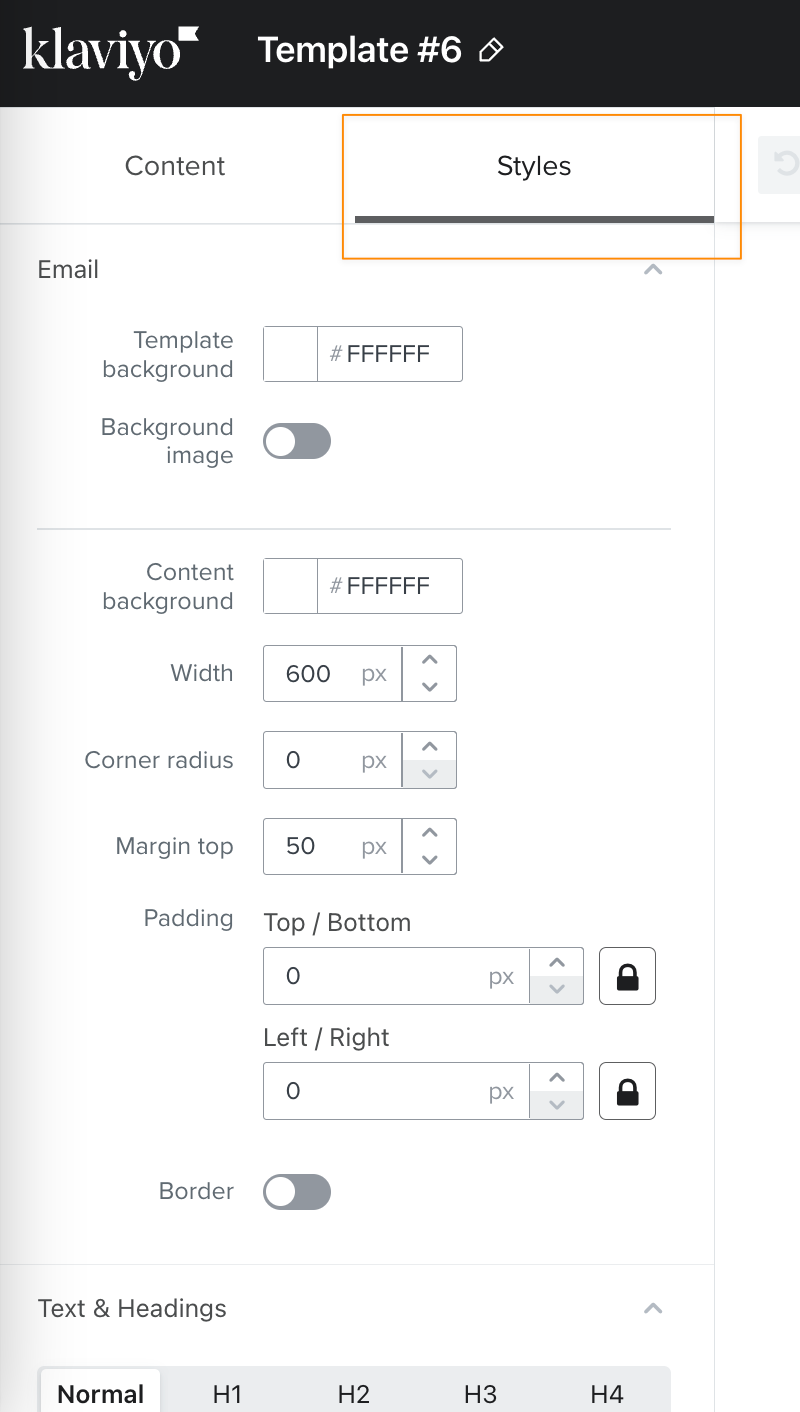
    Have you considered making changes to the Style tab within your template(s)? By modifying the styles in the template, it will automatically apply to any email created from that template or its clones.


    I hope this suggestion proves helpful.

    Please feel free to let me know if you have any further questions or concerns.

    :)

    2 replies

    stam_marko
    Expert Problem Solver II
    Expert Problem Solver II
    July 19, 2023

    Hi @SarahL 

    Have you considered making changes to the Style tab within your template(s)? By modifying the styles in the template, it will automatically apply to any email created from that template or its clones.


    I hope this suggestion proves helpful.

    Please feel free to let me know if you have any further questions or concerns.

    :)

    Feel free to reach out at: stam@retenso.com
    chelsgrove
    Partner - Gold
    Partner - Gold
    August 1, 2023

    Hi @SarahL I have run into the same situation - as someone who is Type A, I love to get each of our accounts set up perfectly so it’s frustrating when it doesn’t connect. I do find myself now just working in templates and cloning old templates to make a new one which is a great work around like @stam_marko suggested. 


    Universal blocks are also great if you have some items you want to be able to use frequently, headers, footers, even buttons - you can save and use over and over with a Universal Block.
