


Contributor IV
September 8, 2022
Solved

Can't add products to product grid unless they're on the same page

  • September 8, 2022
  • 4 replies
  • 207 views

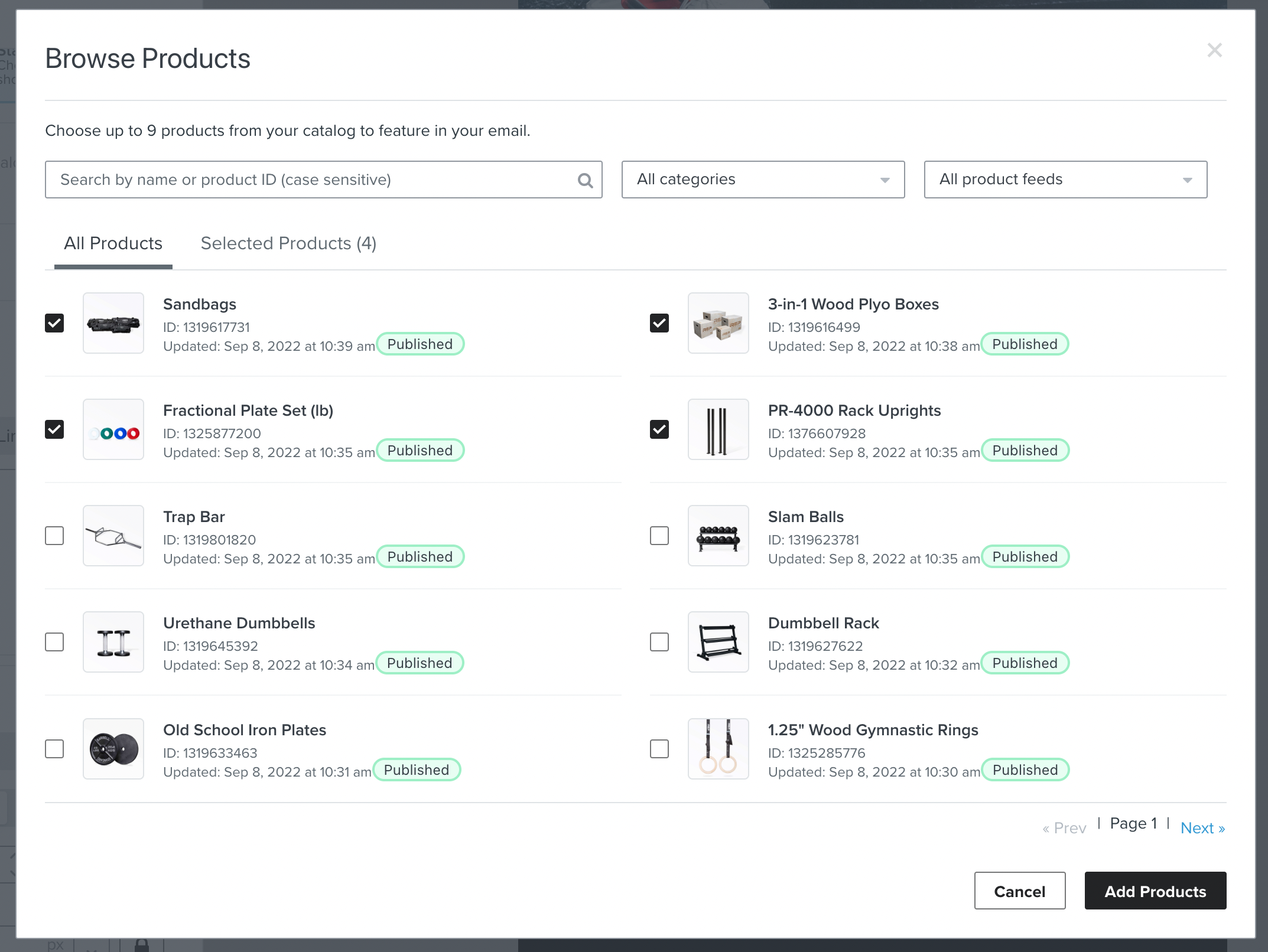
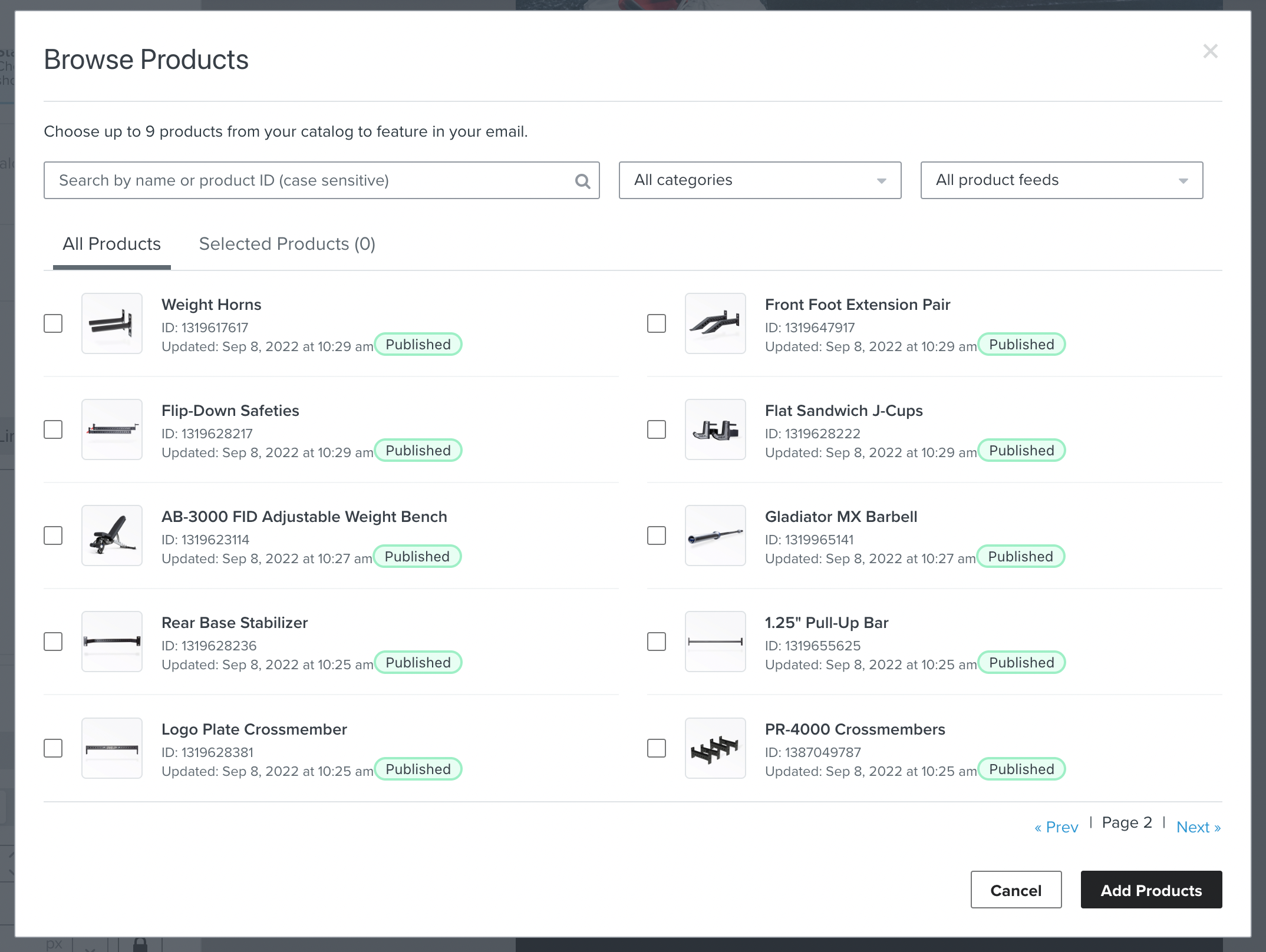
Hello, I'm trying to add products to this product grid for an email. However, when selecting products from our Shopify list, I can only add products as long as they're all in the same 'page'. If I search for a product, or go to the next page, it removes the selected items from the 'Selected Products' tab.

Also, if I add products to the email, and try to add more, unless the products I already selected are in the visible page, when I click 'Add Products', it just removes them from the grid. Here's some screenshots.


Selected four items. 'Selected Products' now says 4:
 

Went to page 2. This deselected all my items. If I click 'Add Products', no products get added, even though I just added four items from the previous page:

 

    This topic has been closed for replies.
    Best answer by stephen.trumble

    Hey @dcmaia 

    Sorry to see that you are having a challenge with your Kaviyo account and browser. Quick question for you have you cleared your cache and browser history or tried using an inconginito window to try viewing your content? If that doesnt work I would suggest opening a support ticket so they can go into the account to see what’s going on!

    4 replies

    dcmaiaAuthor
    Contributor IV
    September 8, 2022

    Also, this problem happens on Chrome only. If I try it in Safari, it looks like I can add different products, but then I get an error:


    dcmaiaAuthor
    Contributor IV
    September 8, 2022

    lol the universe really doesnt want me to figure it out. also get an error when I try contacting support

    dcmaiaAuthor
    Contributor IV
    September 8, 2022

    Oh god, the issues are spreading 😂 

    I can no longer see previews or send them. Whoever's pranking me and slowly making klaviyo more and more unusable, you can stop now


    stephen.trumble
    Klaviyo Alum
    September 12, 2022

    Hey @dcmaia 

    Sorry to see that you are having a challenge with your Kaviyo account and browser. Quick question for you have you cleared your cache and browser history or tried using an inconginito window to try viewing your content? If that doesnt work I would suggest opening a support ticket so they can go into the account to see what’s going on!

    -Stephen