Active Contributor III
December 4, 2023
Solved

Can't see the unsuscribe link

  • December 4, 2023
  • 1 reply
  • 102 views

Hey there ! 

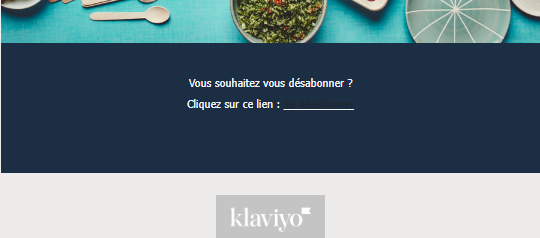
On my email template, I’d like to create a blue footer (that is my client’s branding color).

The thing is, that’s also where you can click on the unsuscribe link.

But unfortunatly, the color of the unsub link and the blue footer is the same so we can’t see the blue link “unsuscribe”…

How can I change the color of the link, so it can be seen in the blue footer ? 

Here’s a screenshot below.
 

Thanks a lot.

Steve.


    This topic has been closed for replies.
    Best answer by Ashley I.

    Hi @Steve0603 ,

    Welcome to the Community! 

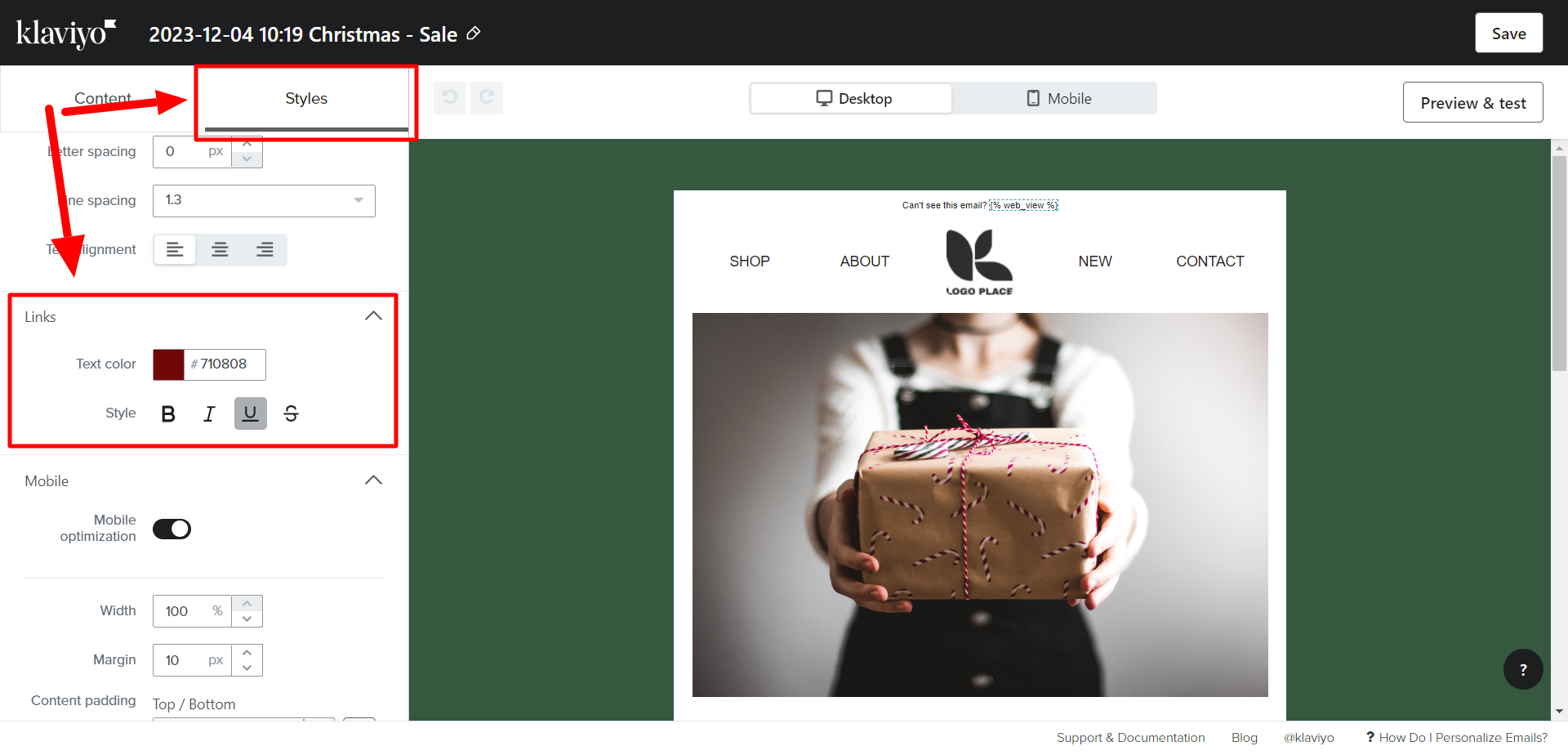
    In the Klaviyo email editor, you can adjust the link text color from the Styles tab as shown below:

    From here, scroll down to the Links section, and select a color that will better stand out on your background. 

    Hope this helps!

    -- Ashley Ismailovski

    1 reply

    Ashley I.
    Partner - Platinum
    Ashley I.Answer
    2025 Champion
    December 4, 2023

    Hi @Steve0603 ,

    Welcome to the Community! 

    In the Klaviyo email editor, you can adjust the link text color from the Styles tab as shown below:

    From here, scroll down to the Links section, and select a color that will better stand out on your background. 

    Hope this helps!

    -- Ashley Ismailovski

    Ashley Ismailovski, Klaviyo Champion & Director of Email Marketing at SmartSites https://www.smartsites.com/