I want to create a conditional split that splits my abandoned cart flow by the amount that is in their abanoned cart. For example, we offer free shipping over $299 i want to split emails to send above $299 send them a 10% off coupon and then if its under $299 send them a free shipping coupon.
How do i do the configuration what are the triggers for this?
Welcome to the Community! Thank you for your question about configuring an Abandoned Cart flow with a conditional split for cart value.
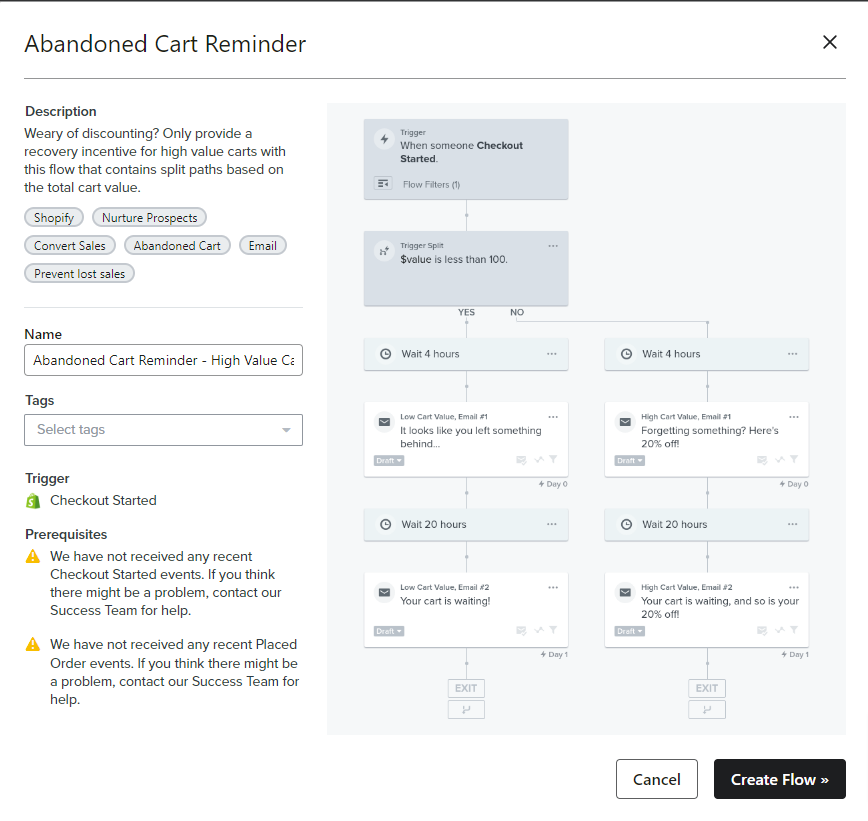
You are in luck! If you are using one of Klaviyo’s native integrations to connect your site, you can utilize the pre-built High Value Cart vs Low Value Cart Abandoned Cart Reminder template in the Flow Library. Here is what the template looks like:
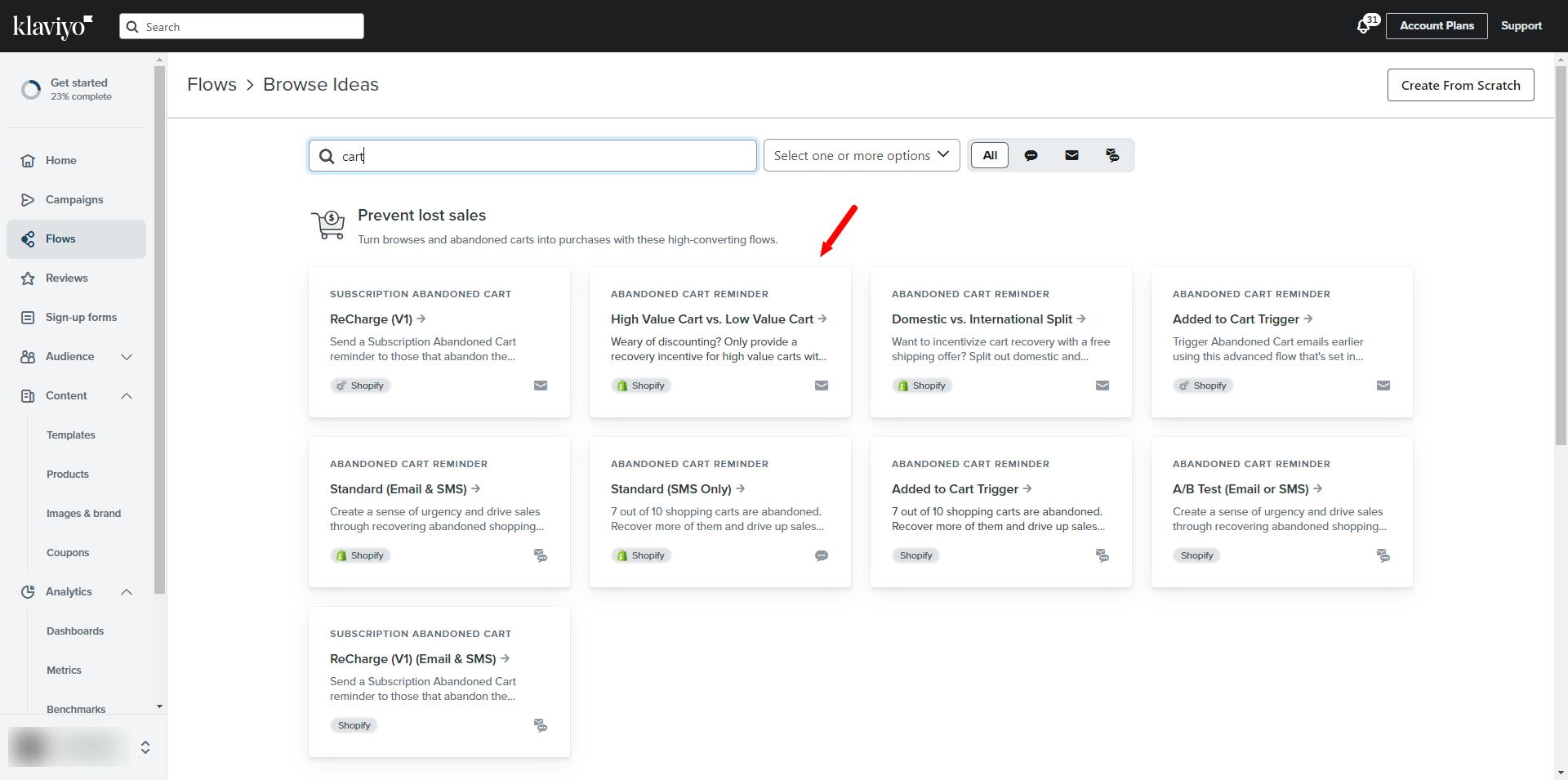
You can search for this template in your account by typing in the word “cart” and selecting it from the results page as shown:
If you are using a custom integration or API to connect your website to Klaviyo, you can replicate the same logic by creating a flow from scratch, and adding the Conditional Split you see above with the $value parameter (in your case, this is $299).
From here, you would customize the content of each email depending on what incentive the cart value qualifies for.
--
Hope this helps!
-- Ashley Ismailovski
Ashley Ismailovski, Klaviyo Champion & Director of Email Marketing at SmartSites https://www.smartsites.com/
Welcome to the Community! Thank you for your question about configuring an Abandoned Cart flow with a conditional split for cart value.
You are in luck! If you are using one of Klaviyo’s native integrations to connect your site, you can utilize the pre-built High Value Cart vs Low Value Cart Abandoned Cart Reminder template in the Flow Library. Here is what the template looks like:
You can search for this template in your account by typing in the word “cart” and selecting it from the results page as shown:
If you are using a custom integration or API to connect your website to Klaviyo, you can replicate the same logic by creating a flow from scratch, and adding the Conditional Split you see above with the $value parameter (in your case, this is $299).
From here, you would customize the content of each email depending on what incentive the cart value qualifies for.
--
Hope this helps!
-- Ashley Ismailovski
Ashley Ismailovski, Klaviyo Champion & Director of Email Marketing at SmartSites https://www.smartsites.com/