Contributor I
March 22, 2022
Solved

Currency showing as "£pound;" and not "£"

  • March 22, 2022
  • 12 replies
  • 799 views

Hi,


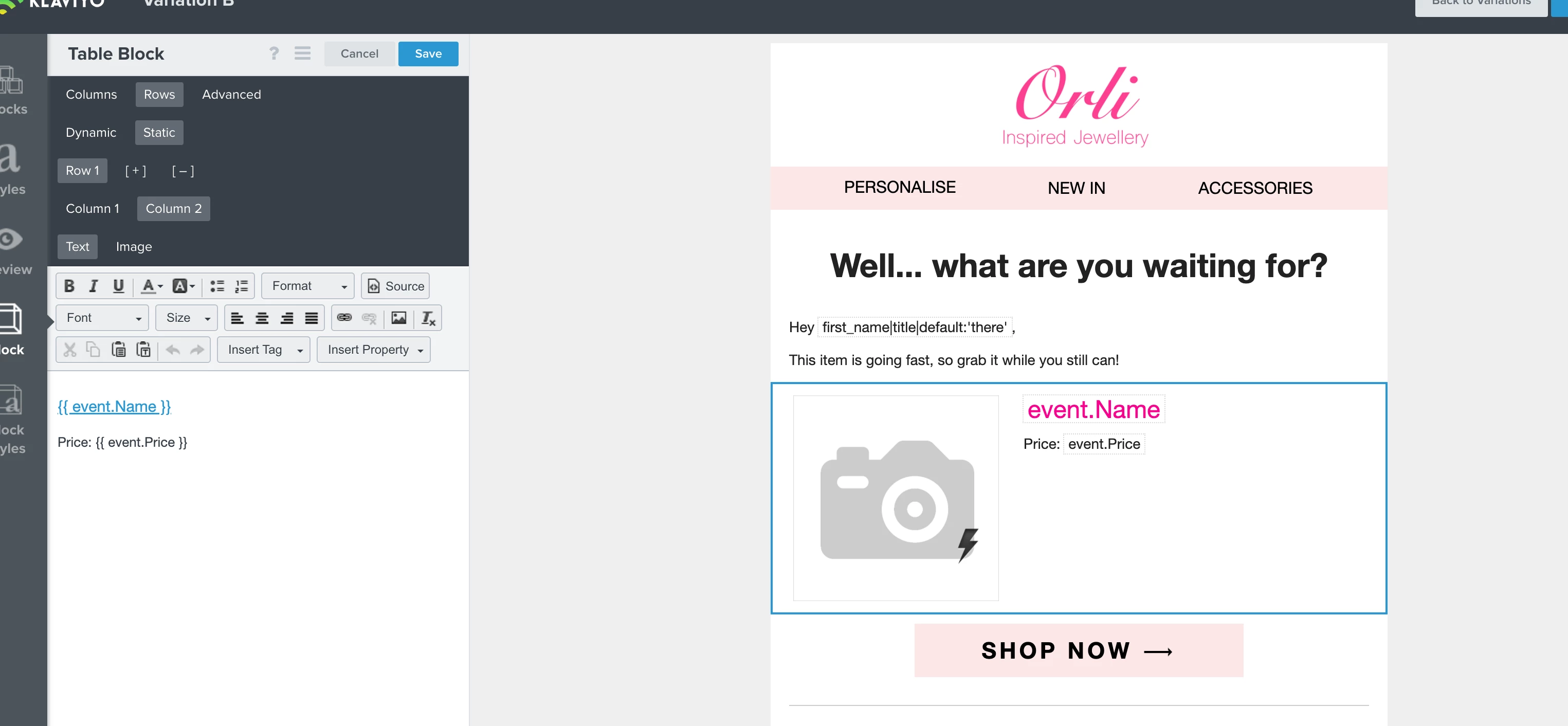
In my browse abandonment email the currency symbol is showing up as “£pound;” instead of just “£”. And then in some other emails after I changed the site organisation currency to UK GBP it now shows the following:


Price: <span class=money>£35.00</span>

CompareAtPrice:<span class=money>&pound;0.00</span>


I can’t figure out if Shopify is sending this info or if Klaviyo is appending it. I just want it to show 35.00, not all that other HTML fluff. I’ve tried “|striptags” which also didn’t work. Please advise.


    This topic has been closed for replies.
    Best answer by stephen.trumble

    Hey @Orli Technical and @Katie_Farrell 

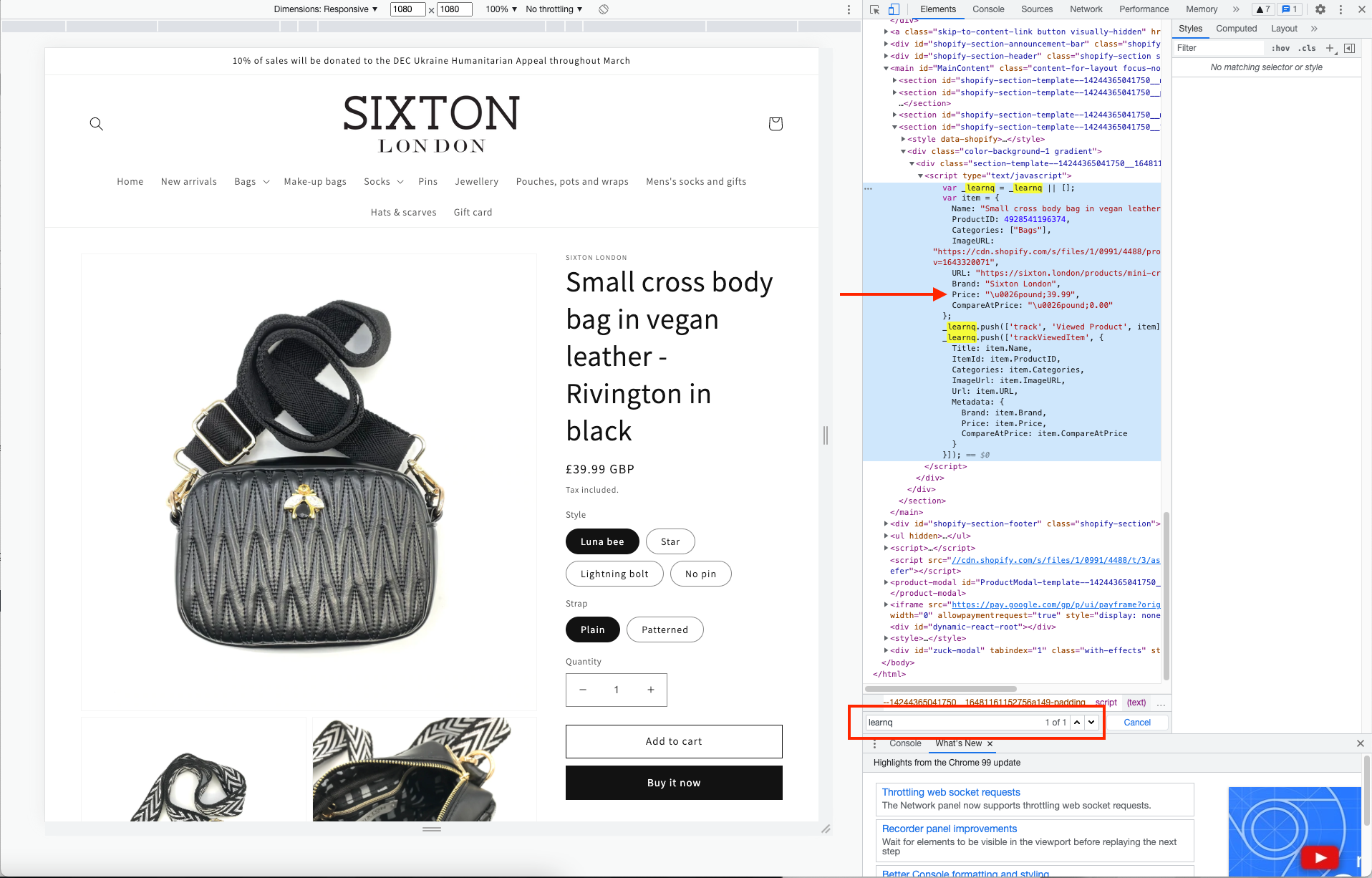
    From the looks of this, it looks like the viewed product code on your Shopify store is rendering this and not being generated by Klaviyo. If you go to your product page and right click to inspect source code > search “learnq”  and you can see how Shopify is sending the information to Klaviyo. I was able to pull an example from the site @Katie_Farrell shared, to demonstrate what to look for. This will have to be resolved on your Shopify account before it will render properly in Klaviyo. 

    Hope this helps get you back on track! Thank you both for being part of the Klaviyo Community and collaborating together!

    12 replies

    Problem Solver II
    October 2, 2023

    Hi @Giulio Lorenzini did you ever fix this? I have just run into the same issue.

    Contributor II
    February 7, 2024

    had the same issue, i found that this code resolved it:


    Price: {{ event.Price|striptags }}