Contributor I
December 5, 2022
Solved

Design Question: Split email color block

  • December 5, 2022
  • 4 replies
  • 341 views

Hi Y’all,

Kind of a entry level question here but can’t find the right answer so I thought I’d post here.

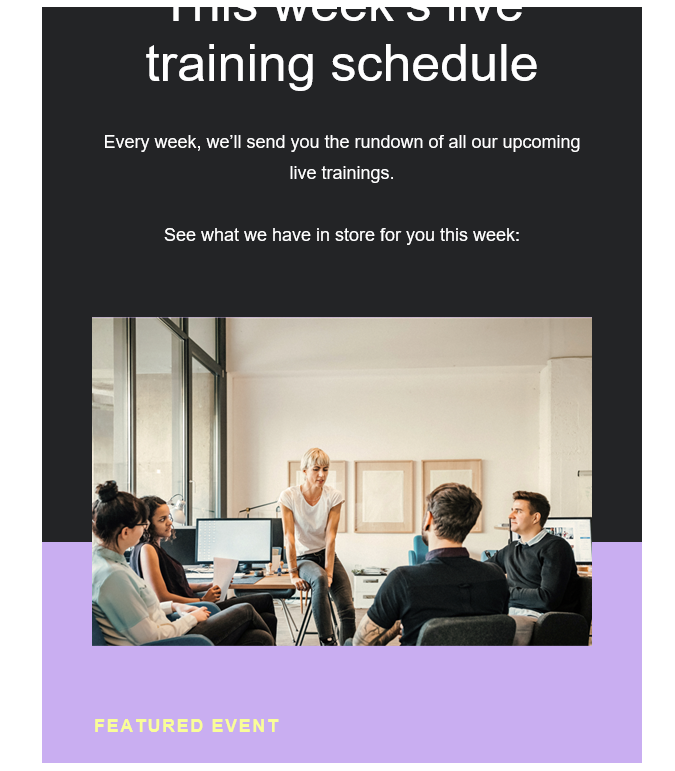
How do I work the settings within the editor to have the background split color in the middle of the photo like in this example? I’m sure it’s an easy answer but I can’t figure it out to save my life 🙃

Thanks!
 

    This topic has been closed for replies.
    Best answer by takendigital

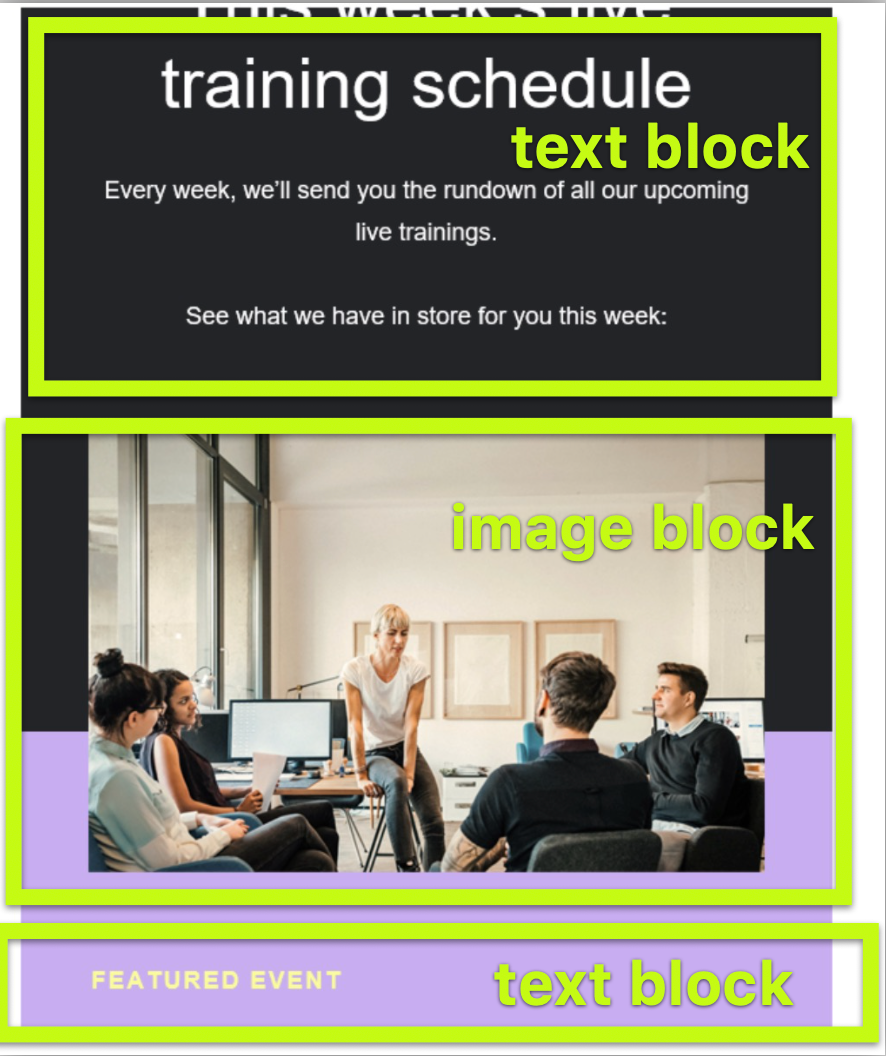
    You need three blocks to do that. See image below..


    4 replies

    alex.hong
    Klaviyo Alum
    December 5, 2022

    Hi @jlomes ,

    Welcome to the Community.

    From a design aspect, this is probably one of our custom image backgrounds that we use for emails. There is only 1 solid color option per block. However, you could stack blocks next to each other to create this or use your own personalized background image.


    Thanks,

    Alex

    takendigital
    Problem Solver I
    Problem Solver I
    December 9, 2022

    You need three blocks to do that. See image below..


    Mailbox Manny
    Partner - Silver
    Partner - Silver
    December 13, 2022

    +1 for @takendigital method

    Subscribe. Segment. Send. Repeat.
    Problem Solver I
    March 25, 2023

    What I’ve noticed though, is that if you design an image on Canva and have that purple in the bottom (like in the example above, using the same colour in the text block will create a line. How do you avoid this?