Contributor I
April 14, 2023
Solved

Email Activation Notification from Different Address & Delayed Welcome Flow Emails: What's Going On?

  • April 14, 2023
  • 1 reply
  • 290 views

I linked my Klaviyo and Shopify accounts, but I received an account activation email from a different address after subscribing to our website's pop-up window. Although it was still my company's email, it wasn't the email address I had associated with Klaviyo.

The Welcome Flow emails I activated before were not sent out, and I had to manually resend them from the Recipient Activity section.

I'm not sure what's going on and I need help ensuring that Welcome emails are sent immediately after a customer subscribes (I chose Single opt-in). Can you provide guidance?

An account activation email from a different address
Email Welcome #1 I should have received first


    This topic has been closed for replies.
    Best answer by retention

    Hi @Shouu, welcome to the community!

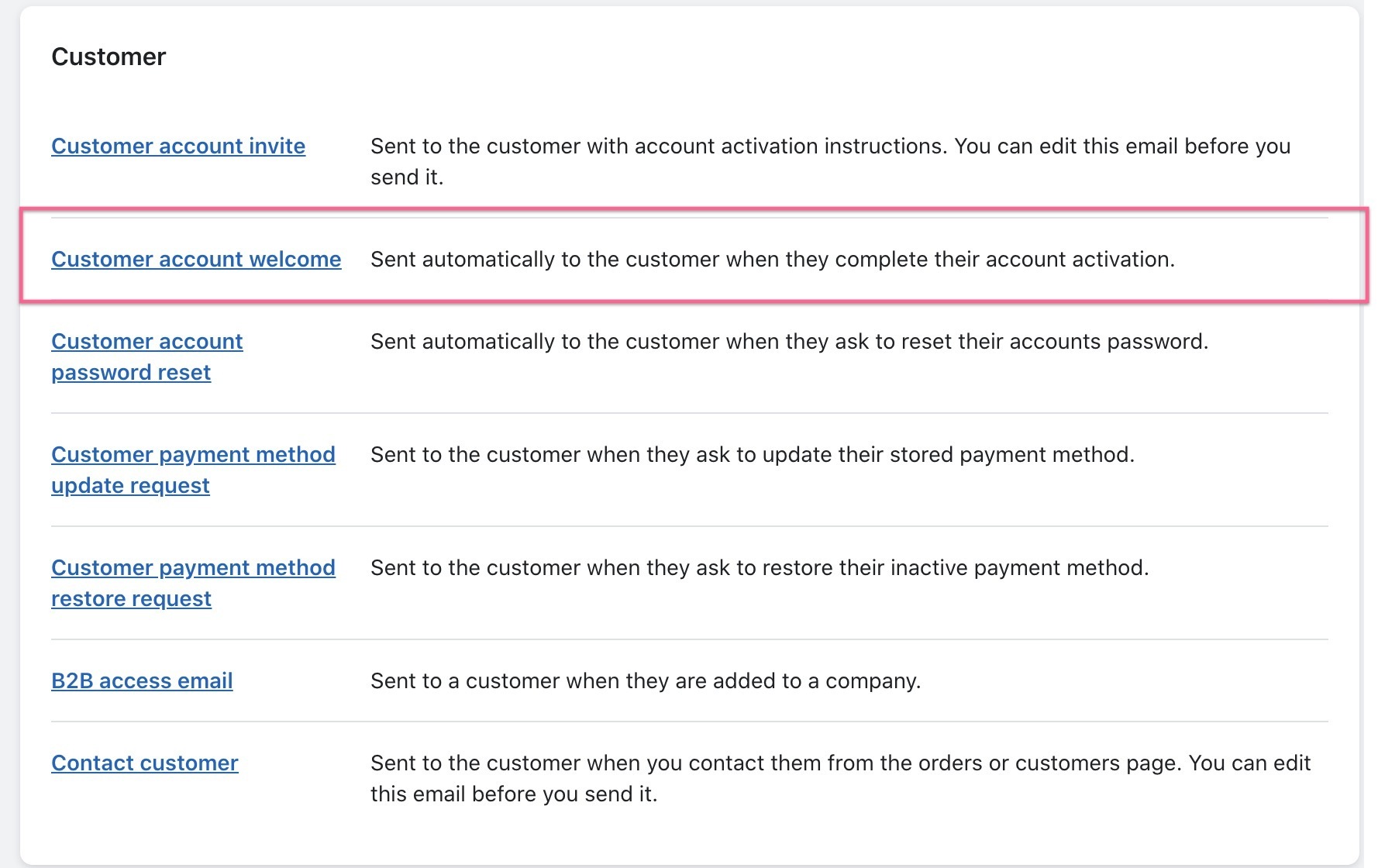
    Looking at the screenshots, it seems like the first email is coming from Shopify (when an account is created).  You can find this in your Shopify account under: Shopify Admin → Settings → Notifications → Customer account welcome and modify that message there.

    Looks like this:


    However, as far as I know, Shopify doesn’t allow merchants to disable this Account Creation notification email so I recommend modifying it in a way that is more of a system message like “Your Account is Activated” and then let Klaviyo sending the proper welcoming message.

    The second one seems like the one coming from Klaviyo, and if it’s not being sent I would suggest a few troubleshooting options that I listed here in a previous thread:

    And some here too:

    So yes, Single Opt-In is the first thing you should do.  If there is a delay, make sure your Flow is a “List Triggered Flow” instead of a “Segment Triggered Flow” as List Triggered Flows tend to be faster due to the fact that it doesn’t require any time to process.

    See if those help to figure out why those emails aren’t being sent or give us more context of what’s happening. 


    1 reply

    retention
    Partner - Platinum
    retentionAnswer
    2025 Champion
    April 14, 2023

    Hi @Shouu, welcome to the community!

    Looking at the screenshots, it seems like the first email is coming from Shopify (when an account is created).  You can find this in your Shopify account under: Shopify Admin → Settings → Notifications → Customer account welcome and modify that message there.

    Looks like this:


    However, as far as I know, Shopify doesn’t allow merchants to disable this Account Creation notification email so I recommend modifying it in a way that is more of a system message like “Your Account is Activated” and then let Klaviyo sending the proper welcoming message.

    The second one seems like the one coming from Klaviyo, and if it’s not being sent I would suggest a few troubleshooting options that I listed here in a previous thread:

    And some here too:

    So yes, Single Opt-In is the first thing you should do.  If there is a delay, make sure your Flow is a “List Triggered Flow” instead of a “Segment Triggered Flow” as List Triggered Flows tend to be faster due to the fact that it doesn’t require any time to process.

    See if those help to figure out why those emails aren’t being sent or give us more context of what’s happening. 


    Joseph Hsieh // retentioncommerce.com // X: @retention