


bhas
Active Contributor I
August 11, 2023
Solved

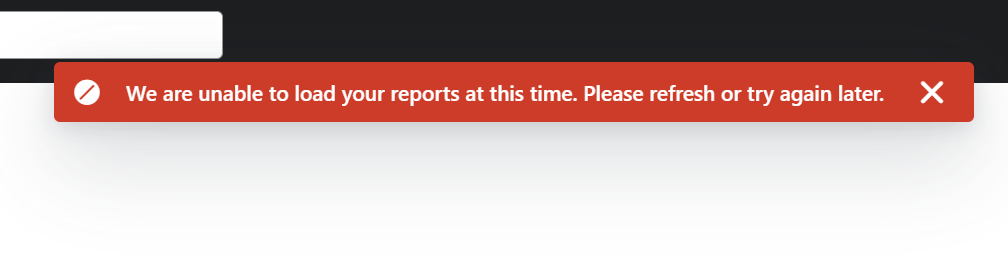
Error loading custom reports

  • August 11, 2023
  • 2 replies
  • 415 views

I am getting this error every time I am on the custom reports page. What’s the fix for this? 
 

    This topic has been closed for replies.
    Best answer by David To

    Hello @bhas,

    Most of the times these odd behaviors when using Klaviyo are either caused by an authentication issue or cache/cookie related. 

    In situations like this, I always recommend taking the following steps:

    1. Fully signing out of your account
    2. Fully clearing the cache and cookies in your browser
    3. Close out of the browser
    4. Launch a new browser and try signing in again

    Additionally, it may be a good idea to double check you don’t have any overly active extensions or ad blockers that may be preventing the full functionality of Klaviyo.

    I hope this helps!

    David

    2 replies

    David To
    Klaviyo Employee
    David ToAnswer
    Klaviyo Employee
    August 11, 2023

    Hello @bhas,

    Most of the times these odd behaviors when using Klaviyo are either caused by an authentication issue or cache/cookie related. 

    In situations like this, I always recommend taking the following steps:

    1. Fully signing out of your account
    2. Fully clearing the cache and cookies in your browser
    3. Close out of the browser
    4. Launch a new browser and try signing in again

    Additionally, it may be a good idea to double check you don’t have any overly active extensions or ad blockers that may be preventing the full functionality of Klaviyo.

    I hope this helps!

    David

    bhas
    Active Contributor I
    bhasAuthor
    Active Contributor I
    August 11, 2023

    Thanks for this detailed answer. In my case, the Custom Reports were not loading because I opened Klaviyo in Brave, which has ad blockers. 


    Opening it in Chrome fixed the problem


