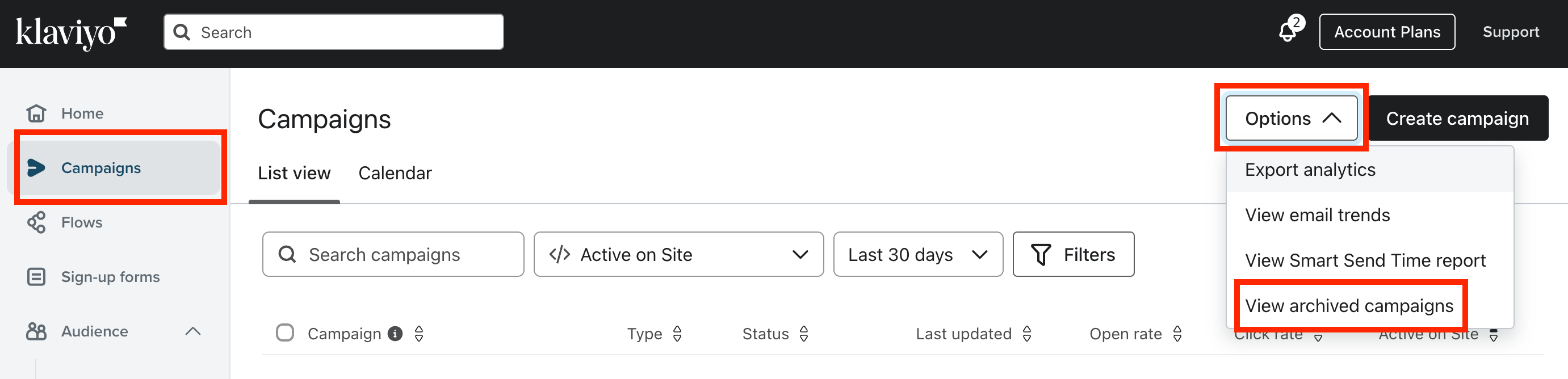
Archived campaigns do not show on the default Campaigns tab. To view them, go to the Options dropdown menu in the upper right-hand corner of your screen. Click View Archived Campaigns. There, you can also unarchive a campaign if you want, by clicking the Actions icon to the right of the campaign name and then selecting Unarchive. It should look like this:
Archived campaigns do not show on the default Campaigns tab. To view them, go to the Options dropdown menu in the upper right-hand corner of your screen. Click View Archived Campaigns. There, you can also unarchive a campaign if you want, by clicking the Actions icon to the right of the campaign name and then selecting Unarchive. It should look like this: