Contributor I
May 16, 2024
Solved

How can i change the image size on mobile version?

  • May 16, 2024
  • 5 replies
  • 265 views

Hello!

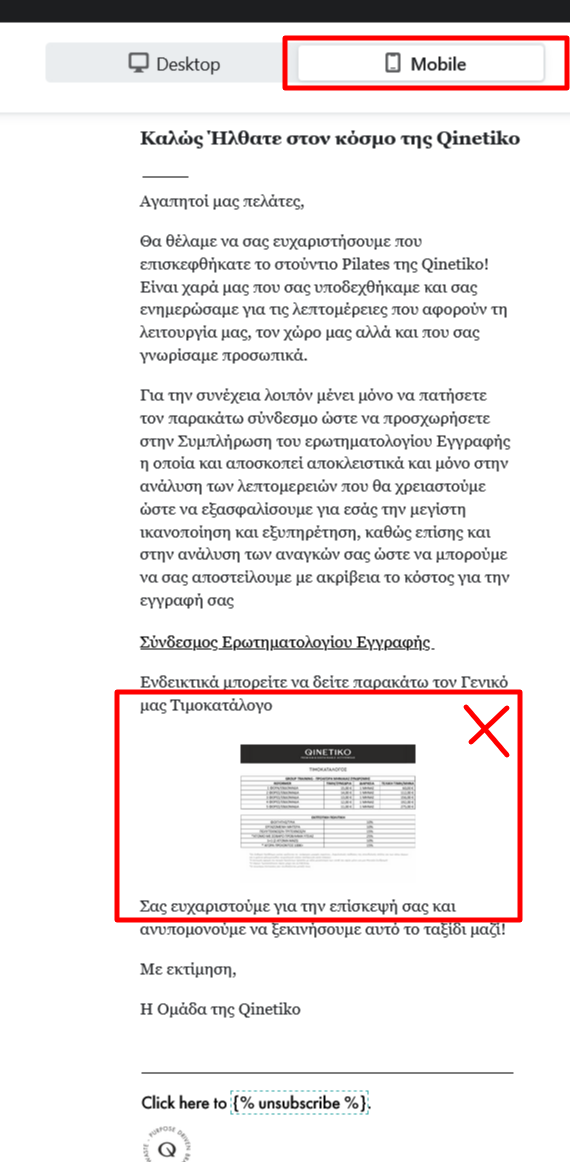
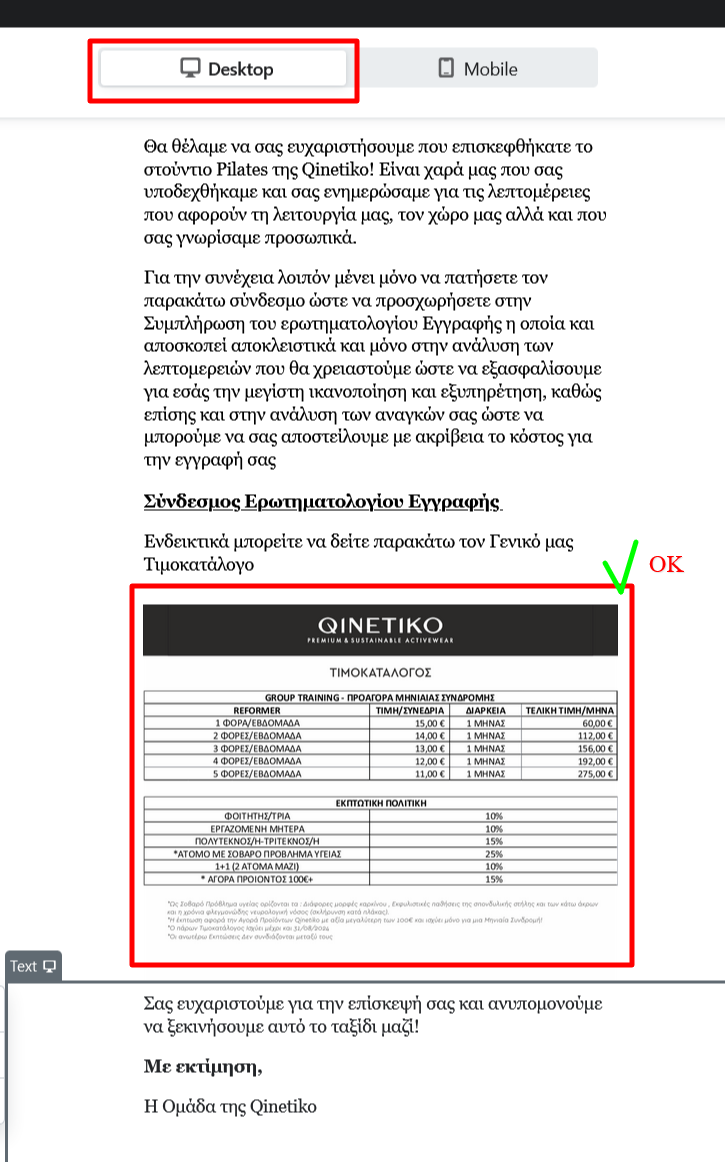
My problem is that every time that i need to modify the image size of desktop version system upload it also to mobile version … how can i fix it?


    This topic has been closed for replies.
    Best answer by annasophiefc

    Hi @Panos_Qinetiko.com 


    Thank you for posting in the Community!


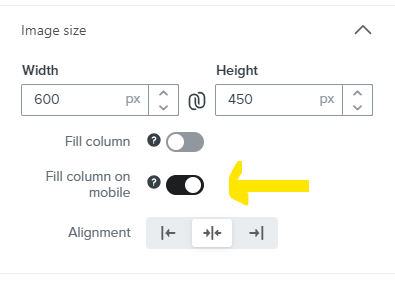
    You should be able to differentiate between the two. The total width of your email is 600 px. If you make it smaller like say 450 px on desktop, you simply have to switch on the “Fill column on mobile” in the left side menu as show below:


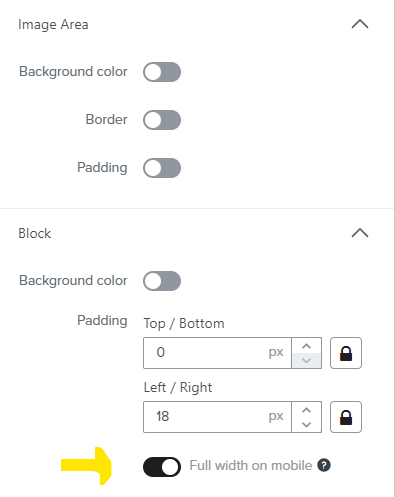
    If you have applied padding to the image area, you can fix the problem by switching on the “Full width on mobile”


    I hope this helps :-)

    5 replies

    annasophiefc
    Partner - Platinum
    2025 Champion
    May 16, 2024

    Hi @Panos_Qinetiko.com 


    Thank you for posting in the Community!


    You should be able to differentiate between the two. The total width of your email is 600 px. If you make it smaller like say 450 px on desktop, you simply have to switch on the “Fill column on mobile” in the left side menu as show below:


    If you have applied padding to the image area, you can fix the problem by switching on the “Full width on mobile”


    I hope this helps :-)

    Champion & Klaviyo Partner based in Aarhus, Denmark. It is all about communicating the right message to the right people at the right time!
    Contributor I
    May 16, 2024

    Hi @annasophiefc !

    Thanks for your reply! but how can i fix the right size only for mobile…

    i just upload your suggestions and the size is still the same!

    annasophiefc
    Partner - Platinum
    2025 Champion
    May 16, 2024

    @Panos_Qinetiko.com, just to understand correctly, you would like the image on mobile to fill the column right?

    Champion & Klaviyo Partner based in Aarhus, Denmark. It is all about communicating the right message to the right people at the right time!
    Contributor I
    May 16, 2024

    also , how can i change this…


    Contributor I
    May 16, 2024

    @Panos_Qinetiko.com, just to understand correctly, you would like the image on mobile to fill the column right?

    yes! i just need to have the right balance preview? as you see…now it seems very small