Contributor I
February 11, 2025
Solved

How can I remove underline from hyperlinks?

  • February 11, 2025
  • 4 replies
  • 221 views

I’d like to remove underline and blue color font for hyperlinks. I can no longer access links in the Styles section. How can I do this?

    Best answer by zacfromson

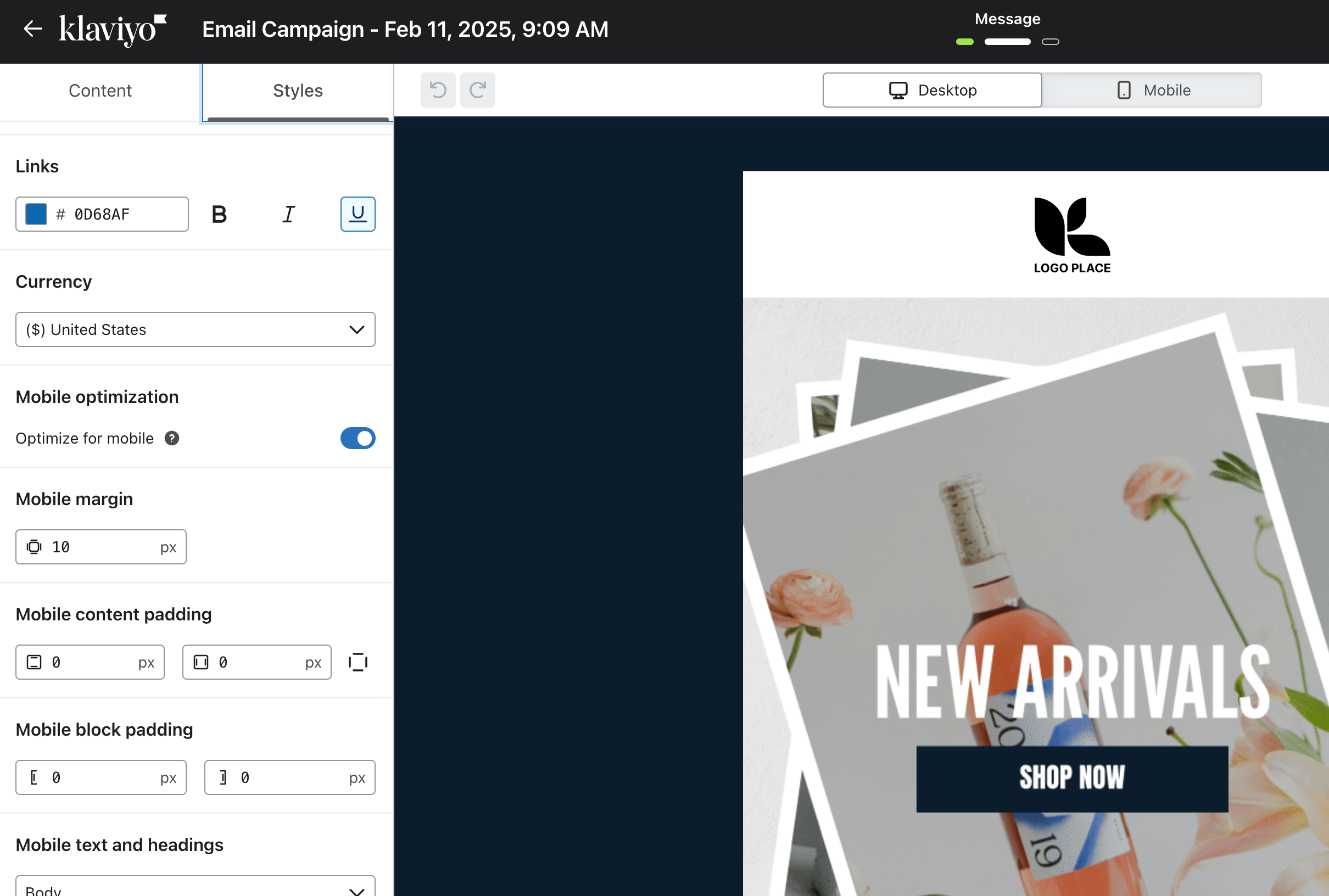
    It is actually nested in a different section. You do not need to select a text block which is the issue. When you go into your template, you will have Content and Styles tabs, selected Styles and scroll down to find the global link settings. Let me know if that works now!


    4 replies

    zacfromson
    Expert Problem Solver III
    2025 Champion
    February 11, 2025

    Hi there - thanks for your questions to the community. Here is how you can remove the underline and blue color font for hyperlinks. 

    In the style section of your template editor you will find the links setting, you can format them any way you like, including removing the underline and changing the color. See the example below under links:


    If you have any additional questions please let me know! 

    Zac Fromson | Co Founder @ Lilo Social - a full-funnel ecommerce growth agency | lilosocial.com | 2026 Klaviyo Champion
    jjdAuthor
    Contributor I
    February 11, 2025

    That section doesn’t show up on my end. Please see attached screenshot. 


    zacfromson
    Expert Problem Solver III
    2025 Champion
    February 11, 2025

    It is actually nested in a different section. You do not need to select a text block which is the issue. When you go into your template, you will have Content and Styles tabs, selected Styles and scroll down to find the global link settings. Let me know if that works now!


    Zac Fromson | Co Founder @ Lilo Social - a full-funnel ecommerce growth agency | lilosocial.com | 2026 Klaviyo Champion
    jjdAuthor
    Contributor I
    February 13, 2025

    Got it thanks!