Contributor II
April 29, 2022
Solved

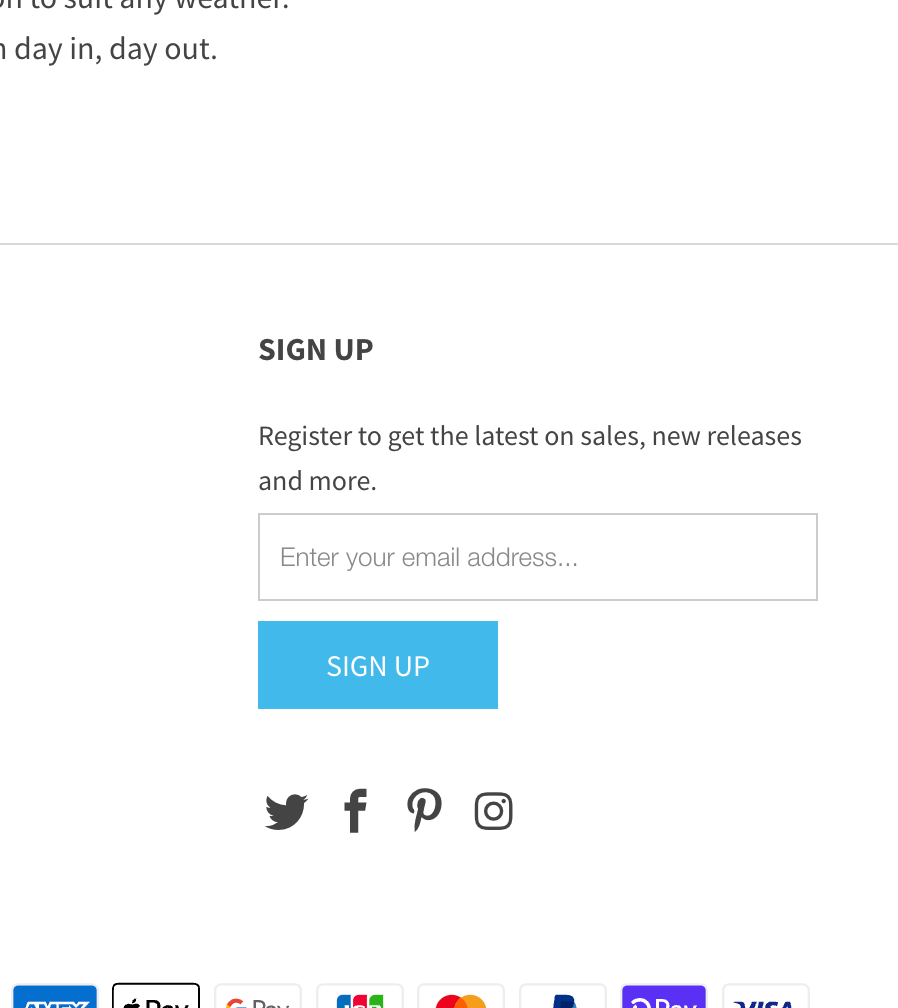
How do i connect my footer sign up to my Klaviyo list ?

  • April 29, 2022
  • 10 replies
  • 3562 views

Hi,

How do i connect my footer sign up to my Kaviyo list ? its currenly concected to mailchip.

I am on Shopify … do i need to hire a developer ?


    This topic has been closed for replies.
    Best answer by KatherineB

    Hi @Buckets and Spades you can recreate the embedded sign up form in Klaviyo and connect it to whatever list you want. The builder will give you a little snippet of code that you enter into the footer of your Shopify theme.liquid template, and voila, you have a embedded form connected to your Klaviyo newsletter list! 

    https://help.klaviyo.com/hc/en-us/articles/360006897412-Guide-to-Where-to-Paste-a-Form-s-Embed-Code 

    https://help.klaviyo.com/hc/en-us/articles/360026474752-Guide-to-Creating-a-Signup-Form

    10 replies

    KatherineB
    Partner - Platinum
    Champion & Partner
    April 29, 2022

    Hi @Buckets and Spades you can recreate the embedded sign up form in Klaviyo and connect it to whatever list you want. The builder will give you a little snippet of code that you enter into the footer of your Shopify theme.liquid template, and voila, you have a embedded form connected to your Klaviyo newsletter list! 

    https://help.klaviyo.com/hc/en-us/articles/360006897412-Guide-to-Where-to-Paste-a-Form-s-Embed-Code 

    https://help.klaviyo.com/hc/en-us/articles/360026474752-Guide-to-Creating-a-Signup-Form

    Katherine - &BAM | 2023 Klaviyo Champion and Elite Partner
    WK_1982
    Contributor III
    Contributor III
    December 6, 2022

    Hello everyone, I can't get any further with this description. I have a Shopify store and would like to integrate a newsletter registration directly in the footer. In the footer I can't insert any custom code via Theme -> Customize, do you have to integrate a code directly in the theme code (footer.liquid) instead? Thanks for the information!

    Willi

    Jakub
    Partner - Silver
    Partner - Silver
    December 6, 2022


    Hi @WK_1982 

    Maybe this will help, but this instruction is for out of the box Shopify store without any major modification.

    I go to Online Store > Themes > “3 dots” > Edit code


    After that I search for footer.liquid and I add Klaviyo <div> code there in newsletter section. 


    -=JB=-
    WK_1982
    Contributor III
    Contributor III
    December 6, 2022

    Hi @Jakub 

    Thank you very much for your advice but unfortunately it doesn't work in my case.
    I use the motion theme and my original code looks like this:


    I tried to change it to the code from you above (line 104 to 112) but it didn´t work.

            {%- when 'newsletter' -%}
            <div class="grid__item {{ column_width }}">
              <h3 class="h4">{{ 'layout.footer.newsletter_title' | t }}</h3>
        <!-- {% unless block.settings.subtext == blank %} -->
        <!--   {{ block.settings.subtext }} -->
        <!--   {% endunless %} -->
        <!--     {% include 'newsletter-form' %} -->
              <div class="klaviyo-form-XXXXXX"></div>     
              </div>


    Thank you

    Willi

    Jakub
    Partner - Silver
    Partner - Silver
    December 6, 2022

    Hi @WK_1982 

    I'm not coding expert but maybe you can just add there Klaviyo <div>?

      {%- when 'newsletter' -%}
    <div {{ block.shopify_attributes }} class="grid__item grid-newsletter footer__item--{{ block.id }}">
    {% render 'footer-newsletter', block: block -%}
    <div class="klaviyo-form-XXXXXX"></div>
    </div>


    -=JB=-
    WK_1982
    Contributor III
    Contributor III
    December 7, 2022

    Hi @Jakub,

    agein, thank you very much for your advice

    I tested a few variants. Unfortunately, they were all unsuccessful. I also looked at the competitor's code and tried to copy it. That didn't work either. Unfortunately, I'm not a programming expert either. Maybe Klaviyo Support can help me there?

    I found some useful content here and I keep trying ;)

    https://help.klaviyo.com/hc/en-us/articles/360006897412-Guide-to-Where-to-Paste-a-Form-s-Embed-Code


    regards,

    Willi 

    WK_1982
    Contributor III
    Contributor III
    December 7, 2022

    Hi,

    it was easier than i thought. You just have to paste the code in the footer where you want it.

    <div class="klaviyo-form-XXXXXX"></div>

    sorry

    Jakub
    Partner - Silver
    Partner - Silver
    December 7, 2022

    Hi @WK_1982 

    Great that you figure out this by yourself. By footer you mean that you edit footer section in customize visual panel?

    -=JB=-
    WK_1982
    Contributor III
    Contributor III
    December 7, 2022

    Hi @Jakub

    sorry for my imprecise expression.
    I adjusted the theme code by entering footer.liquid.
    Where the logos of the social media are loaded, I have added the following text.

    Just the penultimate line.

            {%- when 'logo_social' -%}
    <div {{ block.shopify_attributes }} class="grid__item footer__item--{{ block.id }}">
    {%- render 'footer-logo-social', block: block -%}
    <div class="klaviyo-form-XXXXX"></div>
    </div>

    It works exactly as I imagined.
    Regards,

    Willi

    Jakub
    Partner - Silver
    Partner - Silver
    December 7, 2022

    Hi @WK_1982 

    Great thanks, hope this help others 👍

    -=JB=-