Solved

How do I display price including VAT in my Abandoned Cart Prestashop 8.0.4

  • September 15, 2023
  • 8 replies
  • 675 views

HiΒ 

I think I have tried everything now, so I hope someone can help me 😯

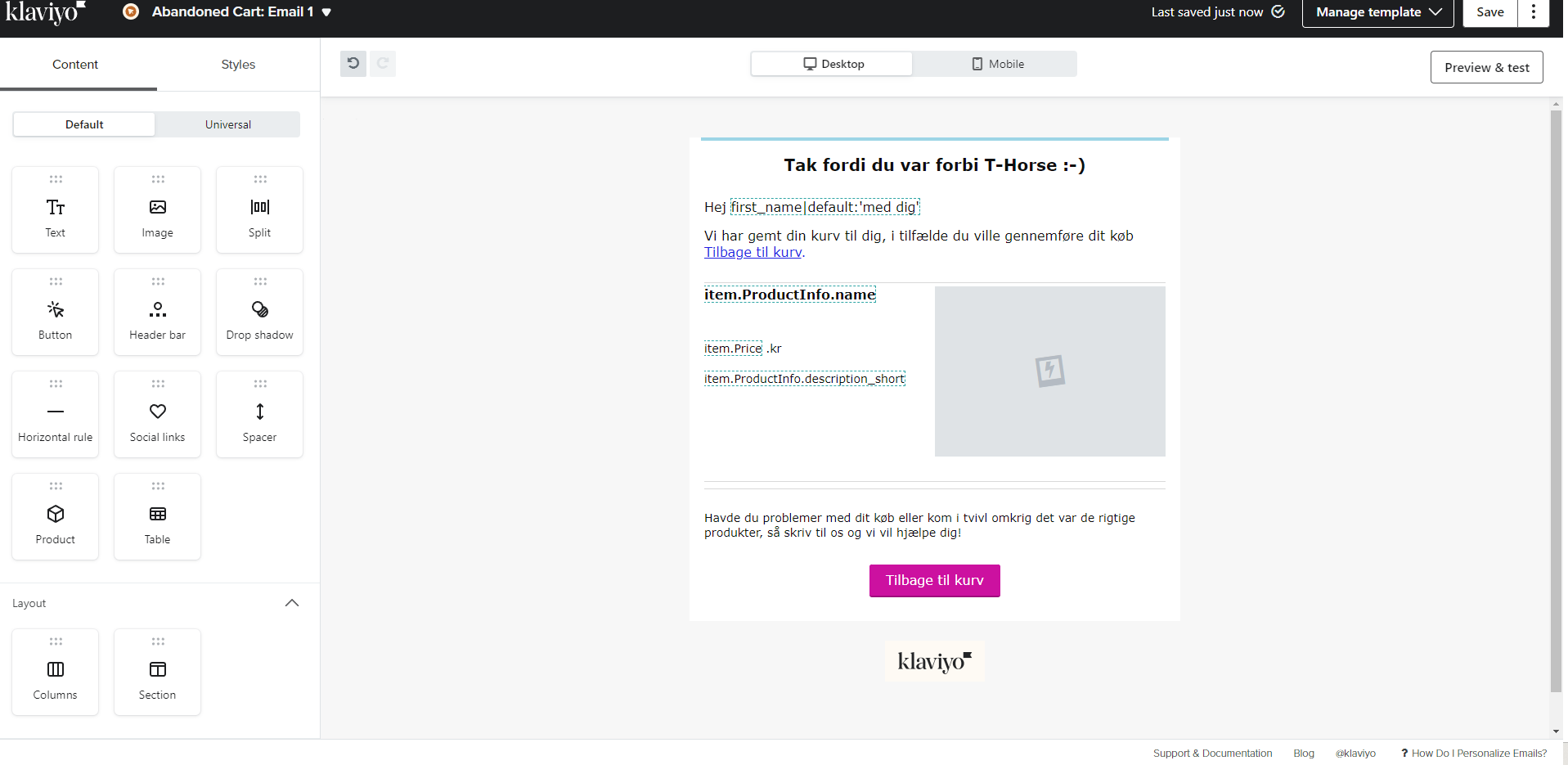
I can't see my prices with VAT in abandoned baskets but elsewhere in Klaviyo are with VAT… 

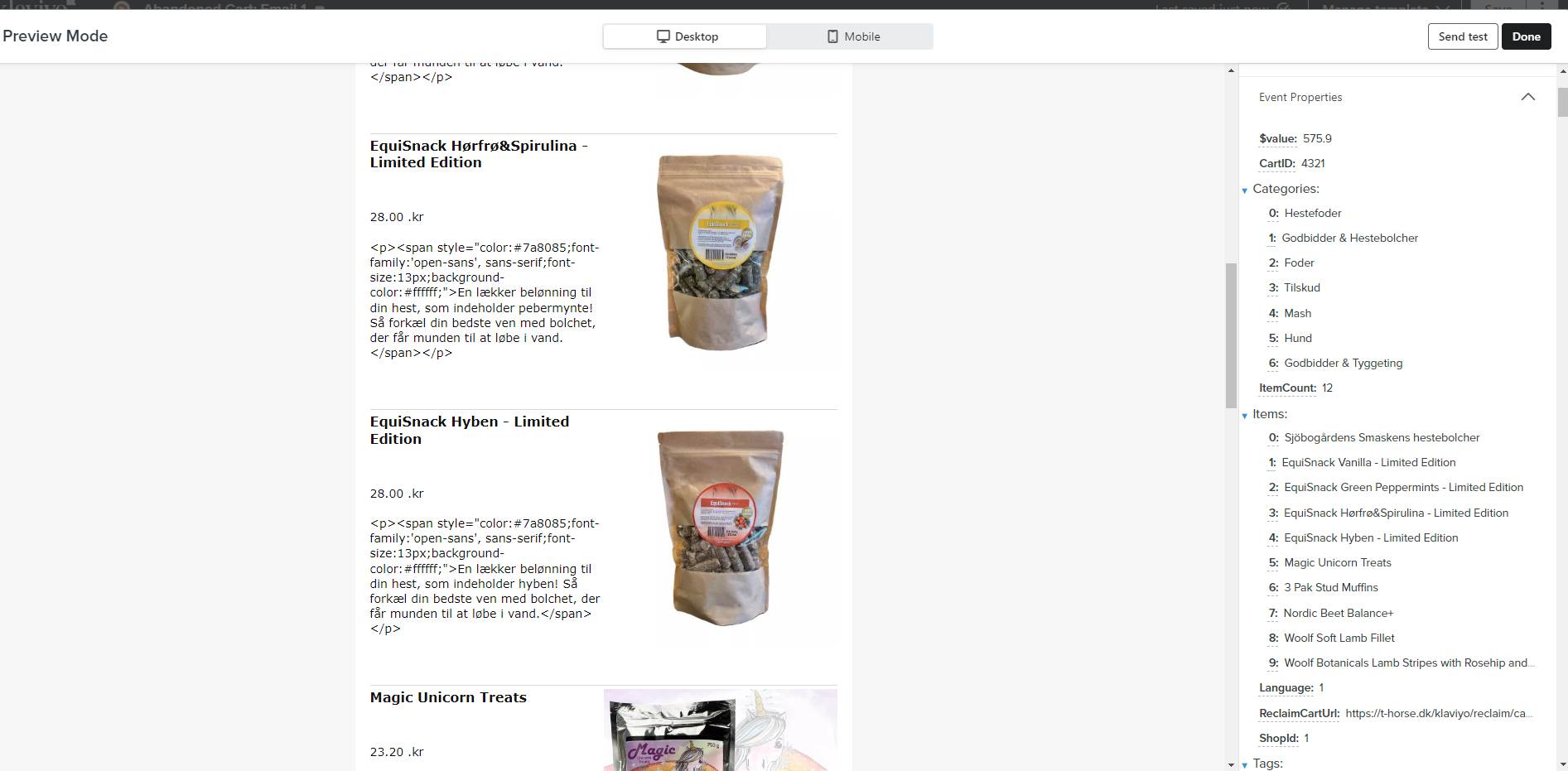
Product description also looks weird :-/
Β 

Best answer by David To

Hey @DennisMAX,

If the default pricing isn’t including VAT, I would suggest checking to see if your started checkout event is passing a variable that has the price including VAT you could use.Β I would also make sure you’ve also already enabled your PrestaShop settings to include VAT in it’s pricing - which you learn more how from ourΒ How to enable PrestaShop price includeΒ VATΒ Help Center article.Β 

Another solution I’ve seen others use if your VAT is a constant rate, is using a variable filter such as |multiply to add the VAT to your product price. I’ve previously discussed this in a past Community post which I’ve shared below:

I hope this helps!

David

8 replies

David To
Klaviyo Employee
Forum|alt.badge.img+60
  • Klaviyo Employee
  • Answer
  • September 18, 2023

Hey @DennisMAX,

If the default pricing isn’t including VAT, I would suggest checking to see if your started checkout event is passing a variable that has the price including VAT you could use.Β I would also make sure you’ve also already enabled your PrestaShop settings to include VAT in it’s pricing - which you learn more how from ourΒ How to enable PrestaShop price includeΒ VATΒ Help Center article.Β 

Another solution I’ve seen others use if your VAT is a constant rate, is using a variable filter such as |multiply to add the VAT to your product price. I’ve previously discussed this in a past Community post which I’ve shared below:

I hope this helps!

David


  • September 19, 2023

HiΒ @David ToΒ 

I have created a Browse Abandonment flow and there the prices are ok, so it cannot be from prestashop the error is coming from?


  • September 19, 2023

@David ToΒ 

In the Klaviyo catalog the prices are with vat … 

Β 


  • September 21, 2023

Now I make it like this :Β 

Β 

{{ item.Price|multiply:1.25 }} kroner

Β 

And the price is ok ….Β 

How to make the HTML code in short description disappear ?Β 


Taylor Tarpley
Community Manager
Forum|alt.badge.img+60
  • Community Manager
  • September 22, 2023

Hi @DennisMAX,Β 

Β 

Happy to hear you got it working!

Β 

Do you sharing a screenshot of what you’re seeing?

Β 

-TaylorΒ 


  • September 25, 2023

Β 

I had to delete product text as it could not be resolved..Β 


Taylor Tarpley
Community Manager
Forum|alt.badge.img+60
  • Community Manager
  • September 26, 2023

hi there @DennisMAX,Β 

Β 

Thanks for sharing the screenshot! That helps!

Β 

Your filter seems to be working, however, the issue you’re seeing is due to what is in the description for your catalog in the backend of your site. I would investigate your catalog descriptions asΒ Klaviyo only ingests data we receive from your store integration, not create anything new.Β 

Β 

-TaylorΒ 


Forum|alt.badge.img+2
  • Contributor II
  • May 20, 2024

there should be a different variable to get price with tax

Β 

Just imagine a shop with different kinds of tax!