


Contributor II
September 13, 2023
Solved

How do I edit the currency in the price drop module?

  • September 13, 2023
  • 2 replies
  • 195 views

Hi Klaviyo Community, 

I have created a price drop flow and set it to manual status, when I review the mail everything looks perfect except for one thing, it shows the wrong currency (dollars) I need to change this to Danish Krones (kr.). 
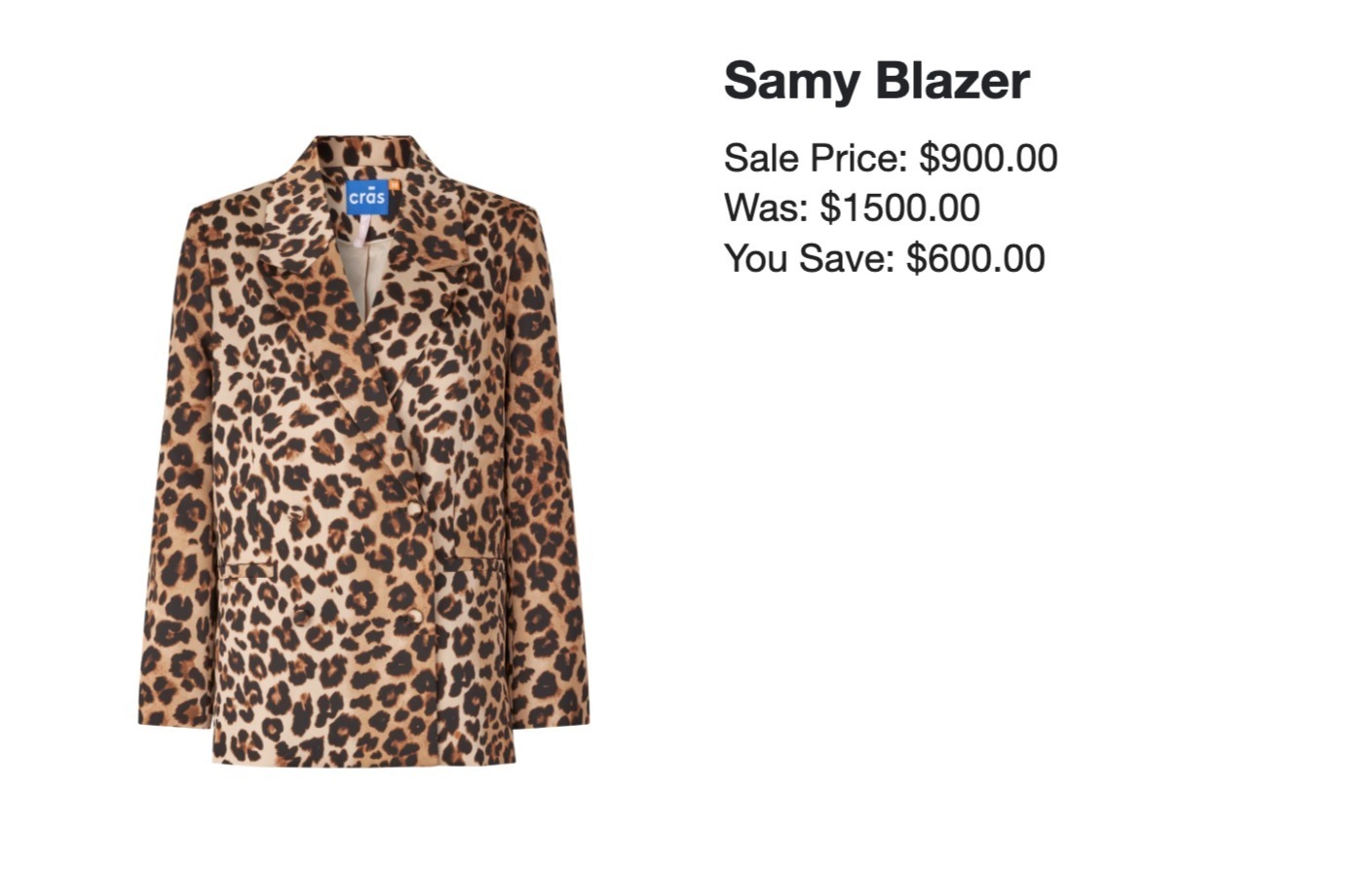
 

I know this happens because I copied the module from Klaviyo’s price drop template. 
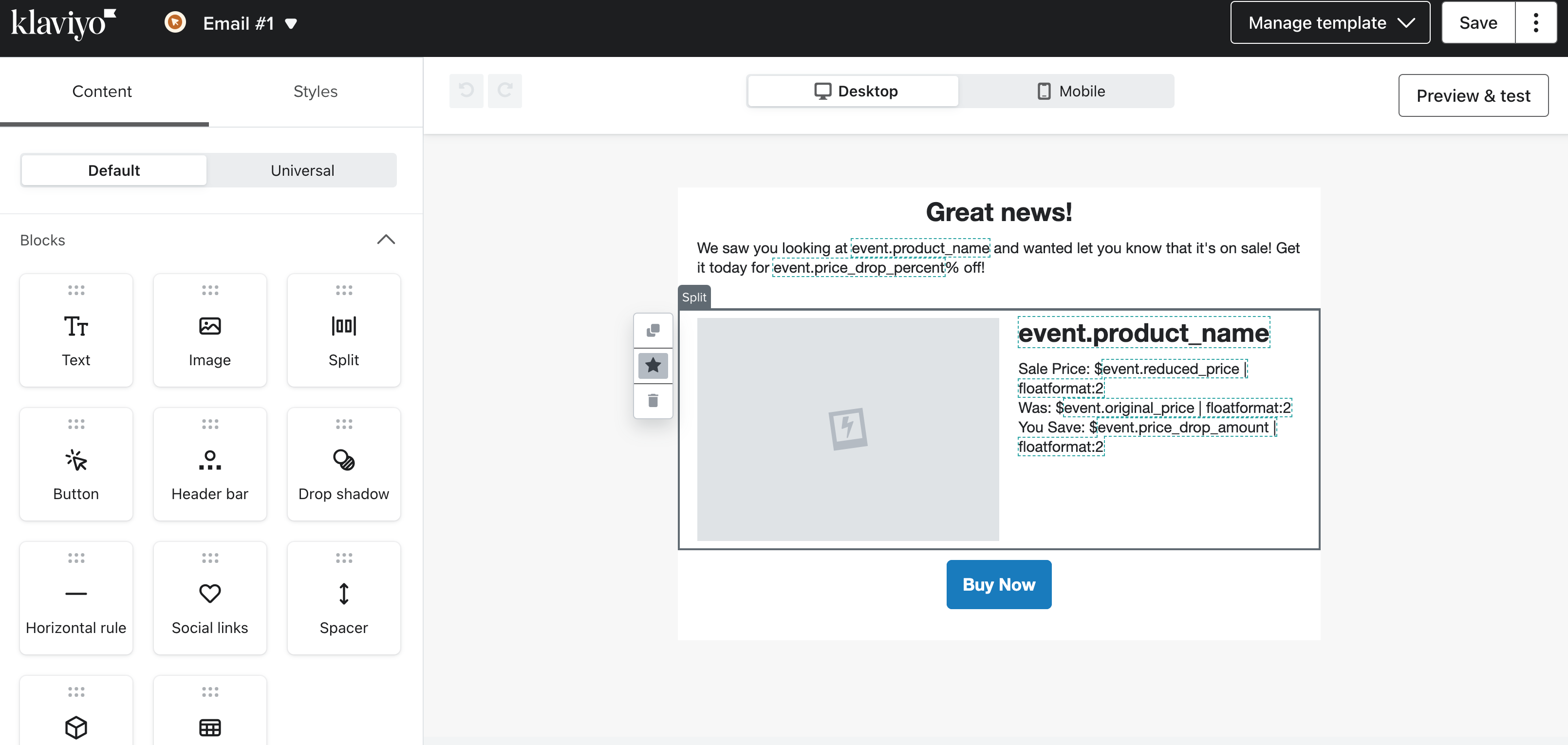
 

FYI: the rest of the mail is showing the right currency (kr.) as the account settings is set to Danish Krones (so it’s not that). 
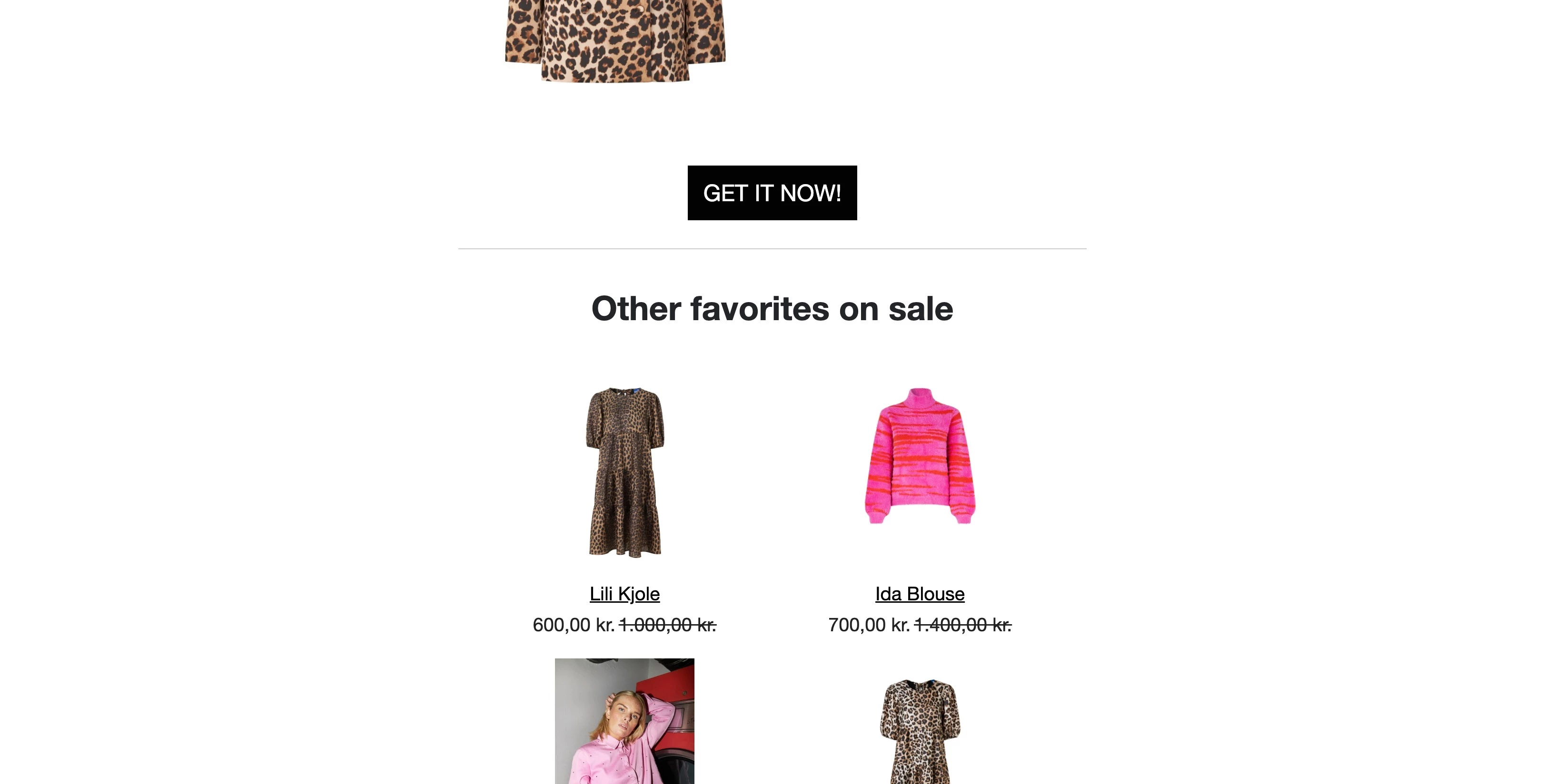
 

This topic has been closed for replies.
Best answer by David To

Hey @ESR,

From your screenshots, it looks like a simple matter of having the $ sign inputted statically in your dynamic table block. 

You should be able to resolve this by replacing that $ prefix with kr.

David

2 replies

David To
Klaviyo Employee
David ToAnswer
Klaviyo Employee
September 13, 2023

Hey @ESR,

From your screenshots, it looks like a simple matter of having the $ sign inputted statically in your dynamic table block. 

You should be able to resolve this by replacing that $ prefix with kr.

David

ESRAuthor
Contributor II
September 22, 2023

Hey David, 

Thank you very much for your reply. You were absolutely right 😊

Best regards, 

ESR

