I have tried a number of sources and maybe I am being dumb, but how do you edit the source information of a profile? I have people I add manually who gave us their details in our shop… I want to add the source as shop, or another field, so I can segment them later.
It is not possible to edit property values from the Profile view as you have pictured here. However, if you are uploading these contacts yourself from in-store opt-in, you can input the Source upon upload.
For example, you can add Source as a new column in your CSV file, like so:
Name
Email
Source
Person 1
email@email.com
In-Store Sign-Up
Person 2
email@email.com
QR sign-up
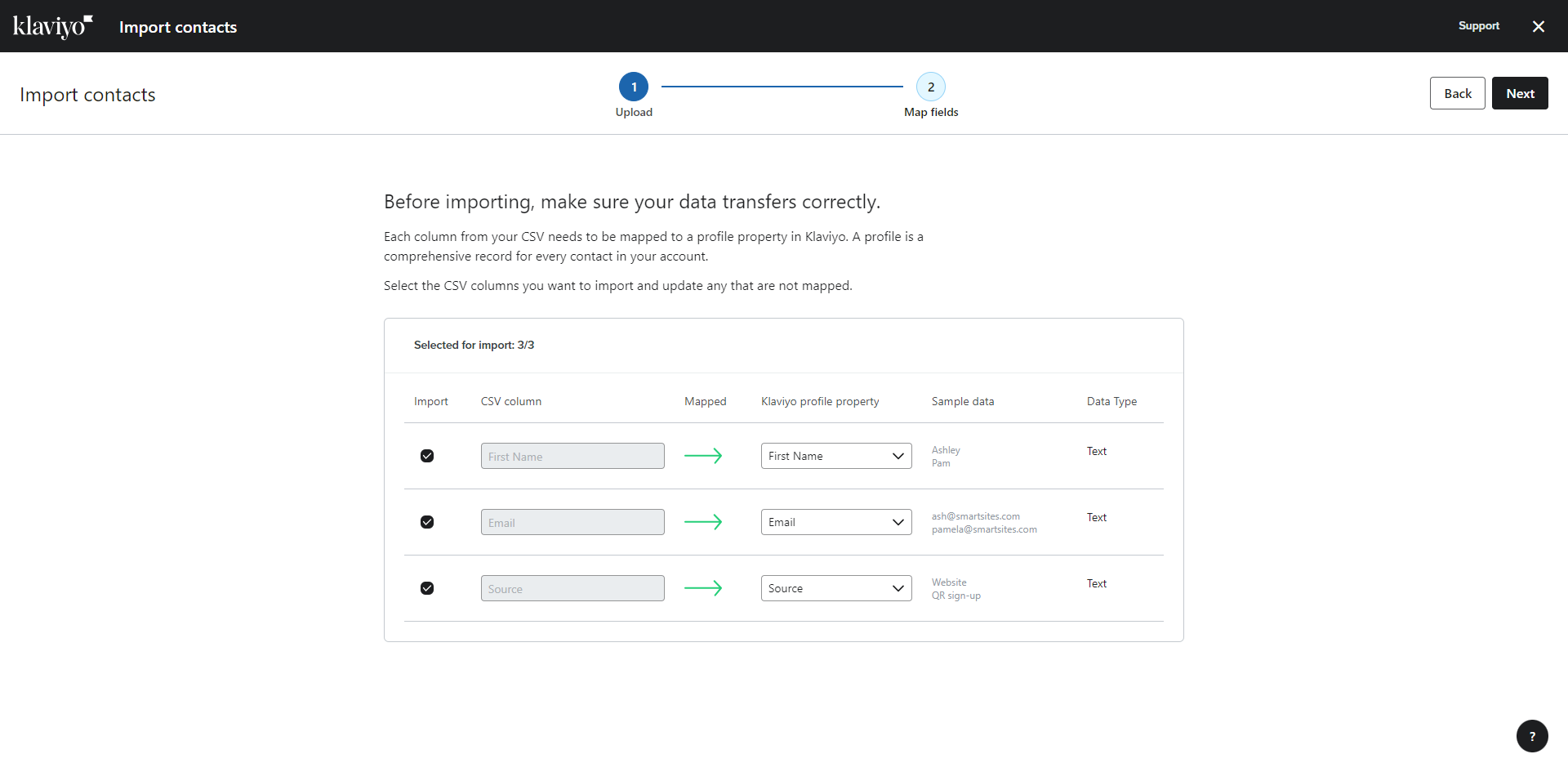
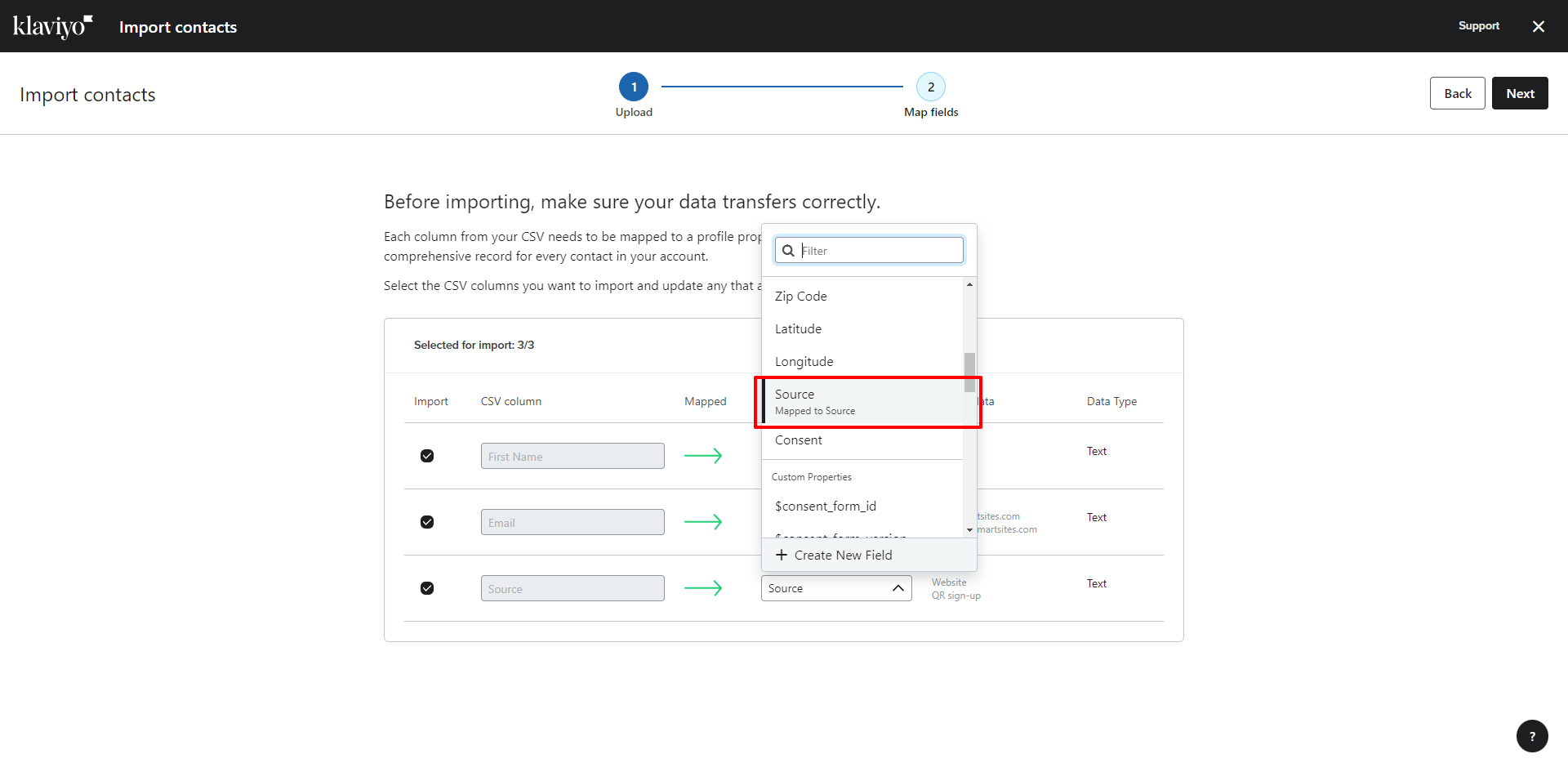
Then, you would map the Source column in your CSV upload to the Source property in Klaviyo:
This should then populate a Source property in Klaviyo which would allow you to track when and how a user was added to your list.
--
Hope this helps!
-- Ashley Ismailovski
Ashley Ismailovski, Klaviyo Champion & Director of Email Marketing at SmartSites https://www.smartsites.com/
It is not possible to edit property values from the Profile view as you have pictured here. However, if you are uploading these contacts yourself from in-store opt-in, you can input the Source upon upload.
For example, you can add Source as a new column in your CSV file, like so:
Name
Email
Source
Person 1
email@email.com
In-Store Sign-Up
Person 2
email@email.com
QR sign-up
Then, you would map the Source column in your CSV upload to the Source property in Klaviyo:
This should then populate a Source property in Klaviyo which would allow you to track when and how a user was added to your list.
--
Hope this helps!
-- Ashley Ismailovski
Ashley Ismailovski, Klaviyo Champion & Director of Email Marketing at SmartSites https://www.smartsites.com/