Active Contributor II
April 25, 2023
Solved

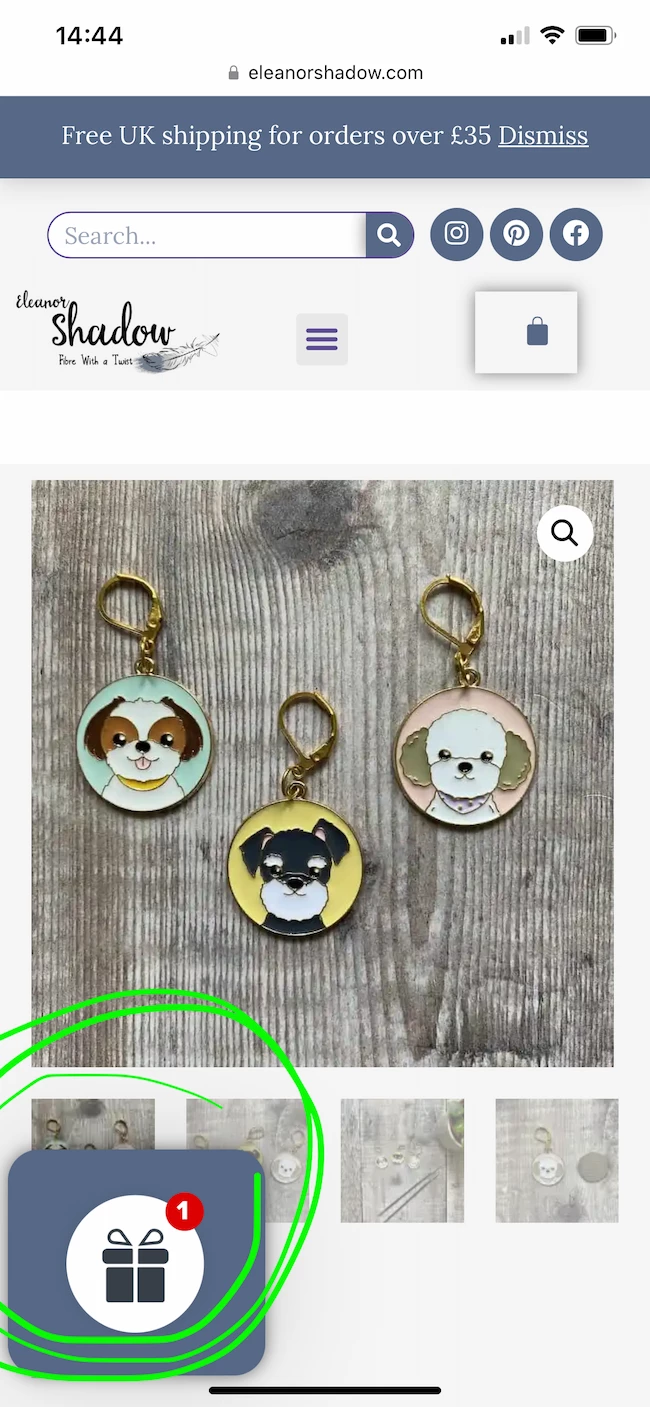
How do I remove this image from my website offering a discount code? It's very intrusive.

  • April 25, 2023
  • 2 replies
  • 109 views

Hello, everyone.

I’m having trouble locating the exact source that’s creating this image on my website. I know it’s definitely from Klaviyo and they’re using Cloudfront to host the image, but not how to remove/alter it.

As it stands, it’s getting in the way of everything else on the page, plus it doesn’t go away once clicked on it, it simply goes back to where it was…

Any help appreciated. Thank you in advance!
 

    This topic has been closed for replies.
    Best answer by retention

    Hi @Eleanor Shadow, welcome to the community!

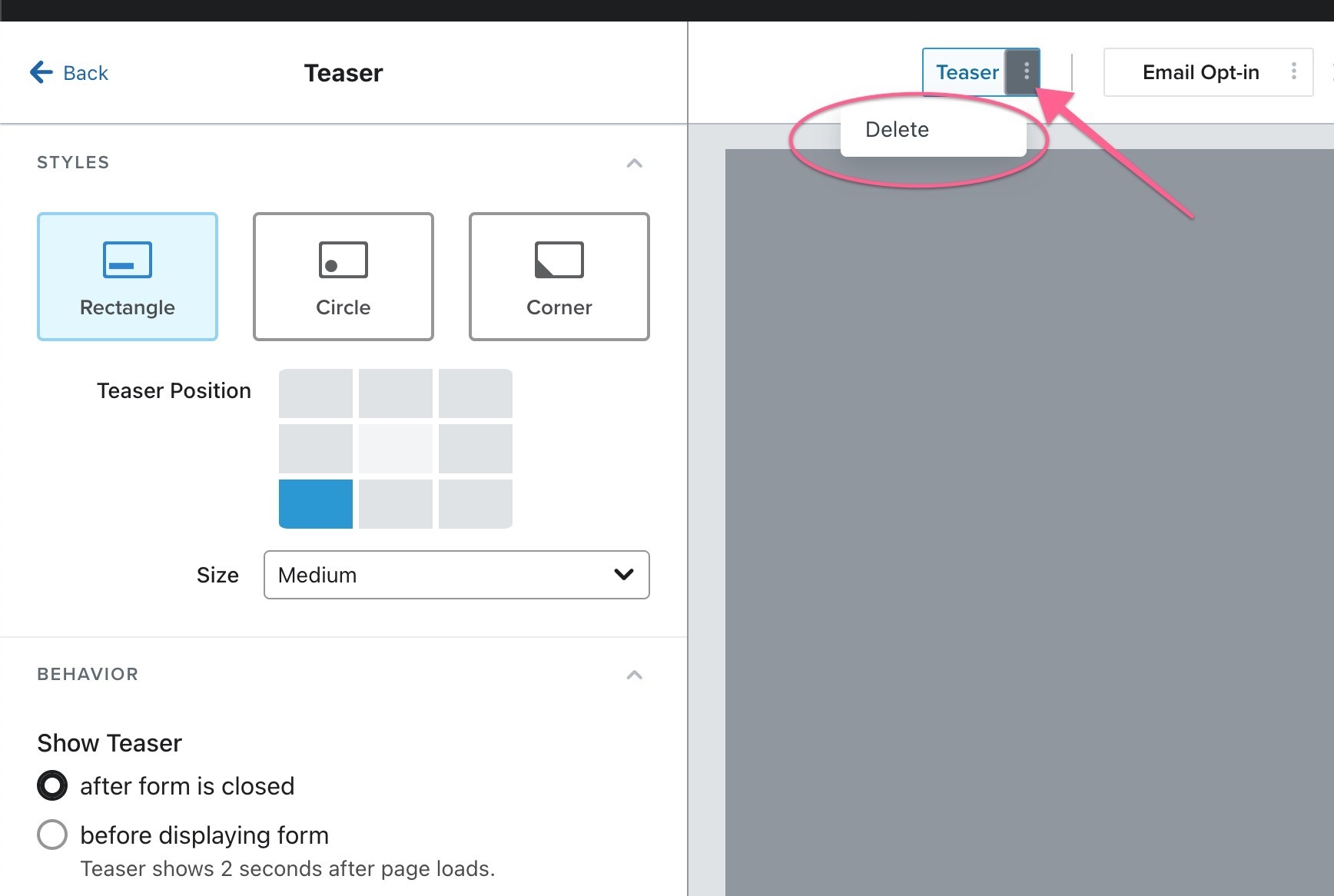
    If your’re using Klaviyo Signup Forms, that *could* be the Teaser element of the Signup Form. Simply go to your Klaviyo Signup Form, and remove it in the Signup Form editor.

    It looks like this:

    However, if you’re using other tools and apps, you may want to check those as well. That does look sort of like some kind of Loyalty or Gifting default widget.

    Hope this helps!

    2 replies

    retention
    Partner - Platinum
    retentionAnswer
    2025 Champion
    April 25, 2023

    Hi @Eleanor Shadow, welcome to the community!

    If your’re using Klaviyo Signup Forms, that *could* be the Teaser element of the Signup Form. Simply go to your Klaviyo Signup Form, and remove it in the Signup Form editor.

    It looks like this:

    However, if you’re using other tools and apps, you may want to check those as well. That does look sort of like some kind of Loyalty or Gifting default widget.

    Hope this helps!

    Joseph Hsieh // retentioncommerce.com // X: @retention
    Active Contributor II
    April 26, 2023

    Hi @retention ! Thanks so much, that’s exactly what I needed. Problem sorted :)