Contributor I
September 27, 2022
Solved

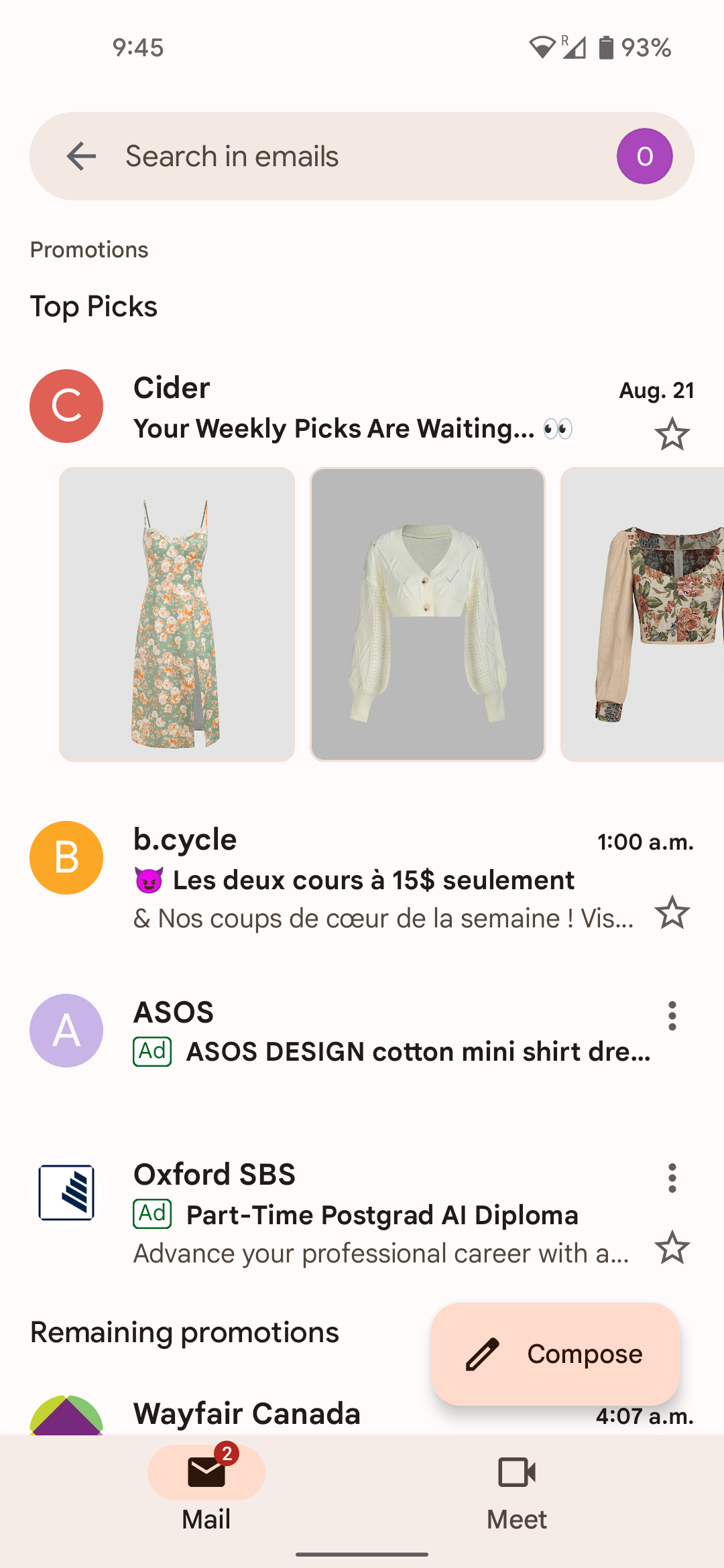
How do you add an image and make it visible in the feed preview?

  • September 27, 2022
  • 5 replies
  • 2672 views

Hello everyone, I just received this email and was curious how emails can add images of products to the email feed. 


    This topic has been closed for replies.
    Best answer by chelsgrove

    @Broderickash companies are using Annotations to have this show up in Google Promotions email here are some examples on how to achieve this and other things:

    https://freshinbox.com/blog/gmails-promotion-card-and-promotion-tab-changes/

    5 replies

    chelsgrove
    Partner - Gold
    Partner - Gold
    September 28, 2022

    @Broderickash companies are using Annotations to have this show up in Google Promotions email here are some examples on how to achieve this and other things:

    https://freshinbox.com/blog/gmails-promotion-card-and-promotion-tab-changes/

    Mailbox Manny
    Partner - Silver
    Partner - Silver
    September 28, 2022

    Interesting you ask, @Broderickash, I saw this for the first time the other day in my inbox!  Funny enough it was on my own campaign email (burner email to see what a customer would see).

    Subscribe. Segment. Send. Repeat.
    Contributor I
    September 28, 2022

    I’ve found another forum, listed here, and it continues the struggle of adding script into the email to and have it appear as 


    Problem Solver I
    March 21, 2023

    So, unless you are building your emails from scratch with HTML builder, you can’t use this option, correct? 

    Brian Turcotte
    Klaviyo Alum
    March 21, 2023

    Hi @Anna Orishchenko,


    This is not a native function of Klaviyo, so you would have to implement a custom solution like the one’s mentioned above. I’m also curious if anyone else has found another way, so thanks for stirring up this thread!


    Best,

    Brian