Contributor II
May 28, 2024
Solved

How to create 2 buttons in a row?

  • May 28, 2024
  • 2 replies
  • 1352 views

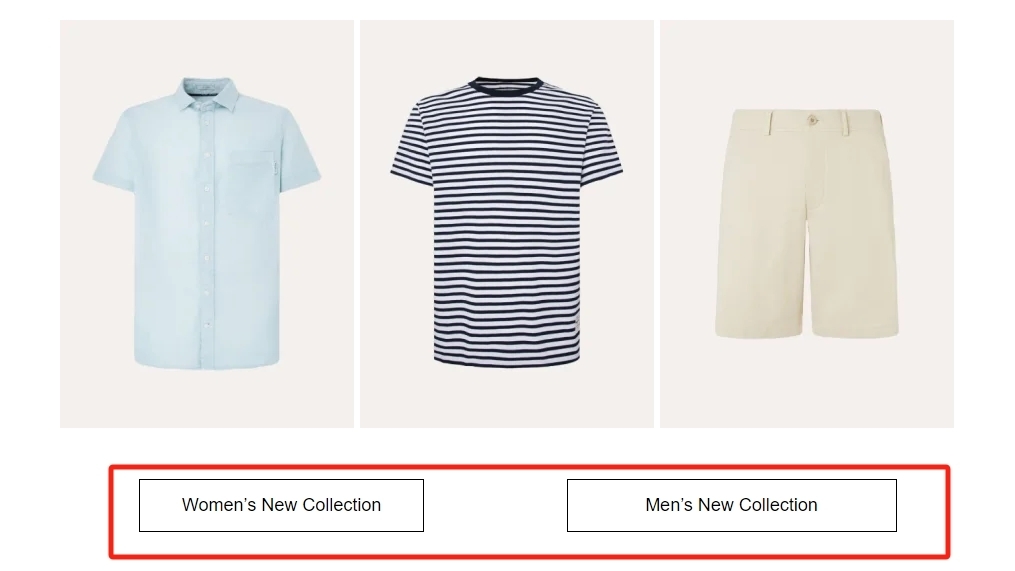
Hi everyone, how can I build 2 buttons in a row, and each with a hyperlink? like in the photo
 

    This topic has been closed for replies.
    Best answer by Bobi N.

    @Mengting 

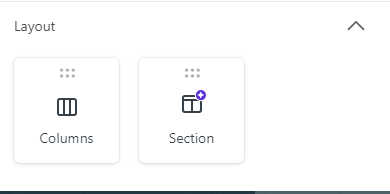
    In the drag and drop builder first pull Columns

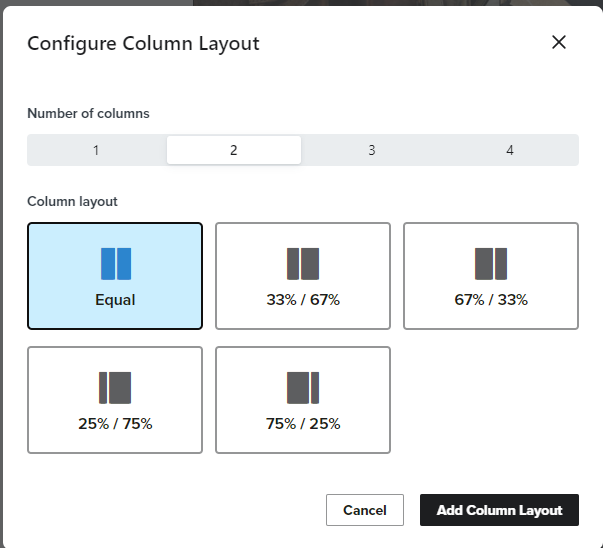
    Then in the pop up that will show pick 2 and equal and click add column layout

    Then you will see the columns like this

    So then you can just drag and drop 2 buttons into the Drag content here boxes

    And at the end format the buttons as you want..

    2 replies

    Bobi N.
    Partner - Platinum
    Bobi N.Answer
    Champion & Partner
    May 28, 2024

    @Mengting 

    In the drag and drop builder first pull Columns

    Then in the pop up that will show pick 2 and equal and click add column layout

    Then you will see the columns like this

    So then you can just drag and drop 2 buttons into the Drag content here boxes

    And at the end format the buttons as you want..

    Head Email Marketing Technician at Flowium
    MengtingAuthor
    Contributor II
    May 28, 2024

    Thanks Bobi! I did it following your advice.