


Contributor I
May 20, 2021
Solved

How to embed a sign up form in Woocommerce

  • May 20, 2021
  • 4 replies
  • 1059 views

Hello,


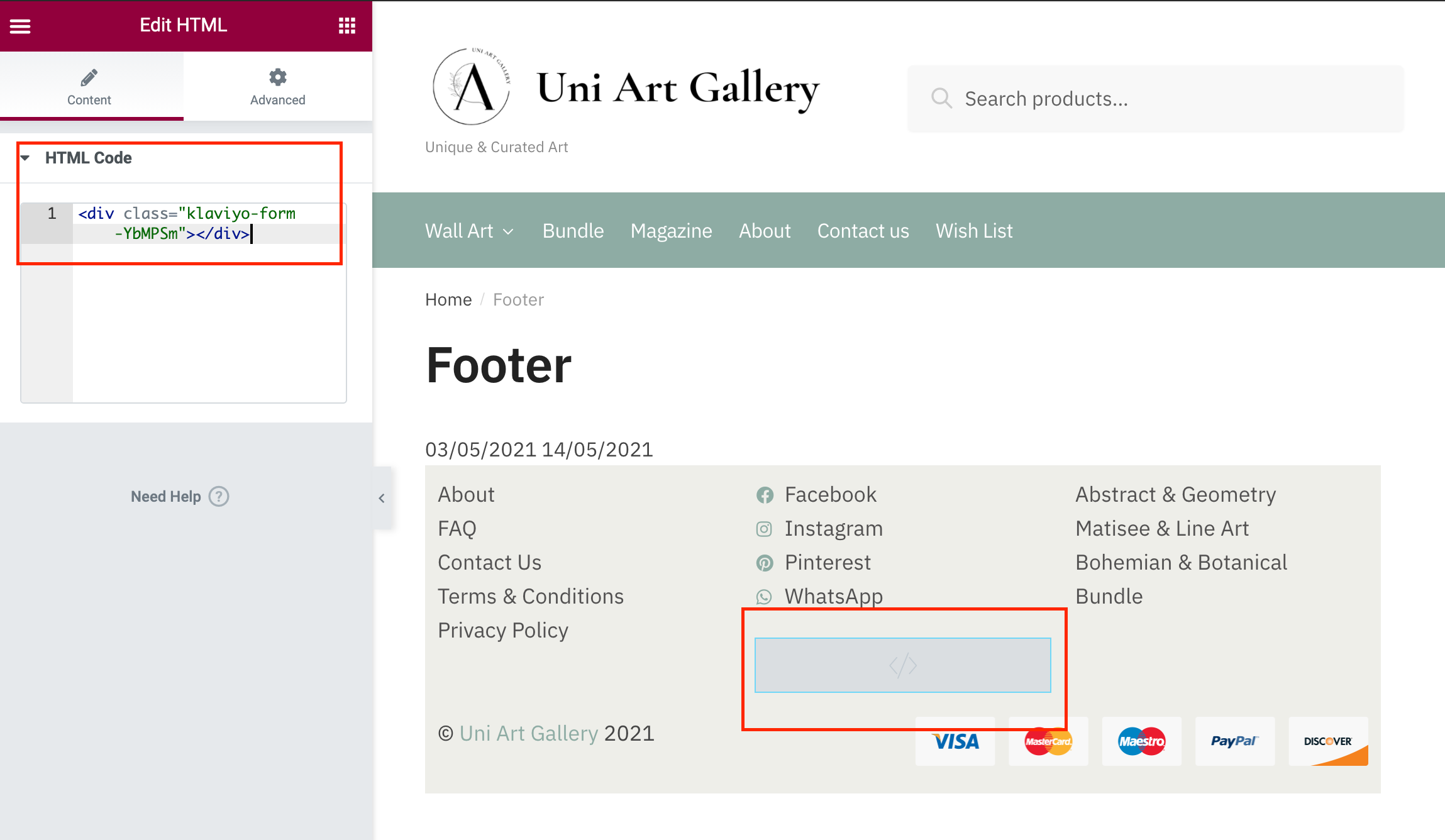
How can I embedded the sign-up form in Woocommerce footer? 

I’ve read so many articles on the forum but could not find the answer. The screenshot shows that I embedded the html code to the footer. But it did not appear after publishing. 

Is there a way to add this code in the theme or somehow make it work? 

Appreciate your insight. 


This topic has been closed for replies.
Best answer by David To

Hello @hannah,

I would recommend taking a look at the How to Add a Klaviyo Embedded Form to Your WooCommerce Site Footer article Klaviyo offers. I’ve also included the GIF from the article below to walk you through how to embed a Klaviyo form onto the footer of your WooCommerce site. The written steps to accomplish this would be:

  1. From your WooCommerce dashboard, head to Customize Your Site 
  2. Go to Widgets 
  3. Add a Footer 1 (or wherever you would like to add your form) 
  4. Choose the Custom HTML option
  5. Paste the embedded form’s <div> code taken from the form builder in Klaviyo
  6. Select Done and Publish the form to your site
  7. Make sure to also publish the form within Klaviyo

2019-07-03_15-35-10.gif

Thanks for sharing this question with the Community! Hope this helps!

David


4 replies

David To
Klaviyo Employee
David ToAnswer
Klaviyo Employee
May 20, 2021

Hello @hannah,

I would recommend taking a look at the How to Add a Klaviyo Embedded Form to Your WooCommerce Site Footer article Klaviyo offers. I’ve also included the GIF from the article below to walk you through how to embed a Klaviyo form onto the footer of your WooCommerce site. The written steps to accomplish this would be:

  1. From your WooCommerce dashboard, head to Customize Your Site 
  2. Go to Widgets 
  3. Add a Footer 1 (or wherever you would like to add your form) 
  4. Choose the Custom HTML option
  5. Paste the embedded form’s <div> code taken from the form builder in Klaviyo
  6. Select Done and Publish the form to your site
  7. Make sure to also publish the form within Klaviyo

2019-07-03_15-35-10.gif

Thanks for sharing this question with the Community! Hope this helps!

David


hannahAuthor
Contributor I
May 20, 2021

Hello @david.to 

Thanks for the response. I’ve found out that I did not publish the embedded form in Klaviyo, that’s why the form didn’t appear on the footer. Pb solved now.

Thanks and have a nice day
 

July 1, 2021

Hi, I’m having the same problem but my form is published in Klaviyo. Tech support other ideas?

David To
Klaviyo Employee
Klaviyo Employee
July 2, 2021

Hello @mia,

I was glad to see that you were able to resolve your own issue in another Community post!

For those other members who may be interested, it appears the issue was that the form was set to display only on mobile as opposed to desktop and mobile, or whatever the desired device targeting is. 

Have a great day!

David
