I think what @Tonio is talking about is our prebuilt Fulfilled Order by Month custom report. If you went to Metrics then Reports Library, you’ll be able to find a number of prebuilt custom reports we offer. One of them being the Fulfilled Order by Month mentioned.
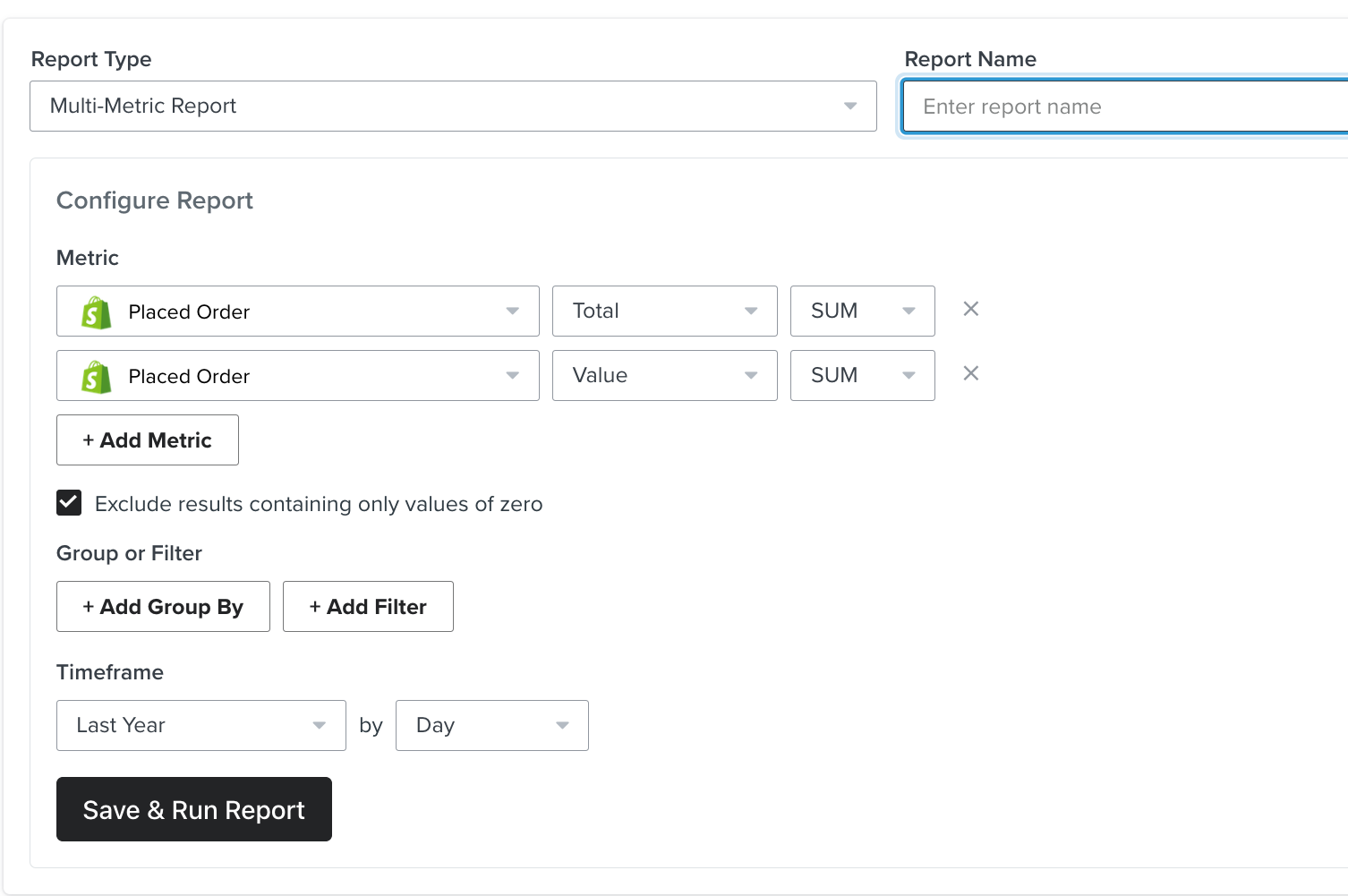
Though, using that method you’ll still need to calculate AOV (average order value) manually with the data given. Instead, I would suggest creating a multi-metric report based on the Placed Order event. You’ll want the conversion metrics to both me the Placed Order event but with one being the total and the other being the value.
Running this report will help you get the total revenue value and the total number of placed order events to calculate AOV using Total store revenue / total number of orders as mentioned in our How to calculate average order value (AOV) Help Center article.
Navigate to the "Metrics" tab and Search “Fulfilled orders by month”.
You should now configure all orders for your store within the selected date range. To calculate the average order value, click on the "Metrics" dropdown menu and select "AOV" (average order value) and create the report.
I went to the Metrics tab on the left side of the dashboard and searched for "fulfilled orders by month," and I noticed a tab called "Fulfilled Order" and I clicked it.
I think what @Tonio is talking about is our prebuilt Fulfilled Order by Month custom report. If you went to Metrics then Reports Library, you’ll be able to find a number of prebuilt custom reports we offer. One of them being the Fulfilled Order by Month mentioned.
Though, using that method you’ll still need to calculate AOV (average order value) manually with the data given. Instead, I would suggest creating a multi-metric report based on the Placed Order event. You’ll want the conversion metrics to both me the Placed Order event but with one being the total and the other being the value.
Running this report will help you get the total revenue value and the total number of placed order events to calculate AOV using Total store revenue / total number of orders as mentioned in our How to calculate average order value (AOV) Help Center article.