



How to setup "Added to Cart" metric in Kalles theme
I'm using Kalles theme V4.1.3 and I'm using klaviyo and for the flows I'm using the Abandoned Cart Reminder for the Prerequisites it shows a Red X "This flow requires setting up a special "Added to Cart" metric. Learn more. " Image down below. In the Integrations section where it says Onsite "Tracking The Klaviyo App Embed is enabled on your Shopify store." with a green checkmark image down below
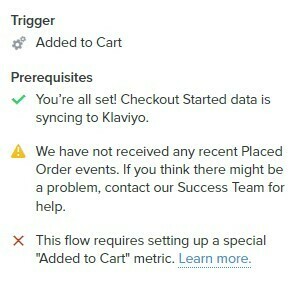
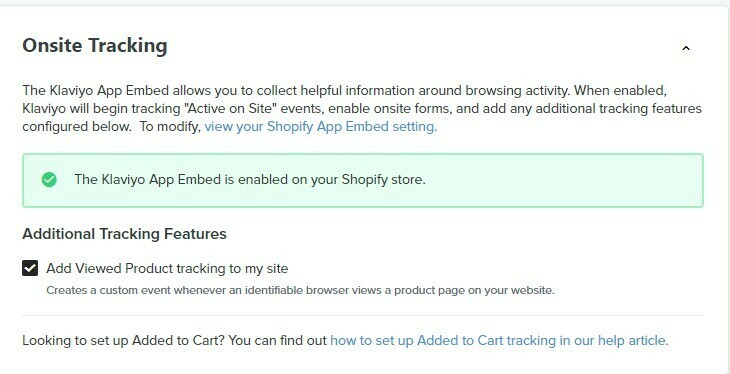
I added Snippet 2: For buttons with redirects defined by a button ID
<script type="text/javascript">
var _learnq = _learnq || [];
document.getElementById("AddToCart").addEventListener('click',function (){
_learnq.push(['track', 'Added to Cart', item]);
});</script>
It didn't work so I added
Snippet 3: For buttons with redirects defined by class notation
<script type="text/javascript">
var _learnq = _learnq || [];
var classname = document.getElementsByClassName("add-to-cart");
var addToCart = function() {
_learnq.push(['track', 'Added to Cart', item]);
}; for (var i = 0; i < classname.length; i++) {
classname[i].addEventListener('click', addToCart, false);
}
</script>
I added them in the Custom Liquid box within the product page in the customization editor it doesn't work.
This is my button add to cart using inspect element. How can I get this "This flow requires setting up a special "Added to Cart" metric. Learn more." to turn green
<button data-animation-atc="{ "ani":"none","time":6000 }" type="submit" name="add" data-atc-form="" class="t4s-product-form__submit t4s-btn t4s-btn-base t4s-btn-style-default t4s-btn-color-dark t4s-w-100 t4s-justify-content-center t4s-btn-effect-sweep-to-top t4s-btn-loading__svg"><span class="t4s-btn-atc_text">Add to cart</span>
<span class="t4s-loading__spinner" hidden="">
<svg width="16" height="16" hidden="" class="t4s-svg-spinner" focusable="false" role="presentation" viewBox="0 0 66 66" xmlns="http://www.w3.org/2000/svg"><circle class="t4s-path" fill="none" stroke-width="6" cx="33" cy="33" r="30"></circle></svg>
</span>
</button>


