


Sumit_2809
Problem Solver I
Problem Solver I
Sep 12, 2023 9:59 AM UTC
Solved

I am having trouble understanding if/else condition for my custom HTML email

I am getting trouble understanding how can I apply hide and show block based on event trigger and value for my custom HTML email template.
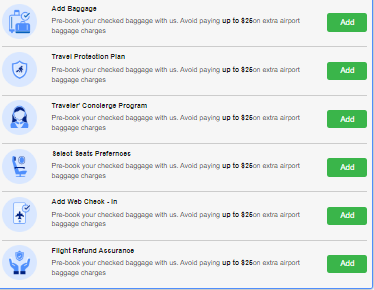
I have 6 ancillary and I wanna show to specific people who have not purchased it and hide who have purchased that is been purchased.


This topic has been closed for replies.
Taylor Tarpley
Community Manager
Feb 7, 2024 3:33 PM UTC

Hi @Sumit_2809, 


While we cannot help with troubleshooting custom code, I’d recommend reaching out to one of our plethora of Klaviyo partners, or better yet a Community Champion, to set this up to you!


Thank you for participating in the Community! 

-Taylor 

3 replies

stephen.trumble
Klaviyo Alum
Sep 13, 2023 11:16 AM UTC

Hey @retention 

Would you now how to help @Sumit_2809 with his custom HTML email template?

-Stephen
Sumit_2809
Problem Solver I
Problem Solver I
Sep 13, 2023 11:34 AM UTC

@stephen.trumble , I've attempted to utilize every available action and event property, but what's being copied is {{ event.isbaggagebooked|default:'' }}. According to Klaviyo's logic, it should be event|lookup:'isinsuranceapplied'=="false," or  but it doesn't seem to be functioning as expected. It's either getting skipped or hidden, even when the value is "false."

Taylor Tarpley
Community Manager
Community Manager
Feb 7, 2024 3:33 PM UTC

Hi @Sumit_2809, 


While we cannot help with troubleshooting custom code, I’d recommend reaching out to one of our plethora of Klaviyo partners, or better yet a Community Champion, to set this up to you!


Thank you for participating in the Community! 

-Taylor